





















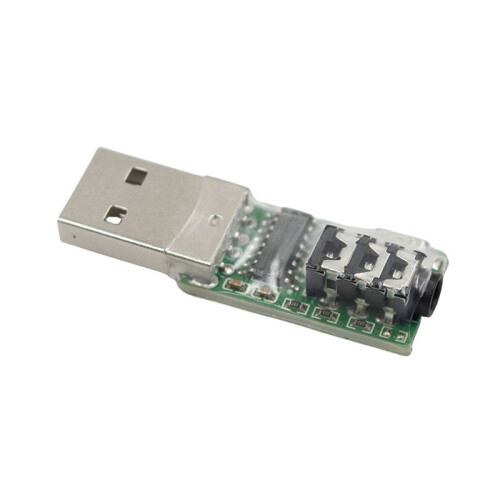
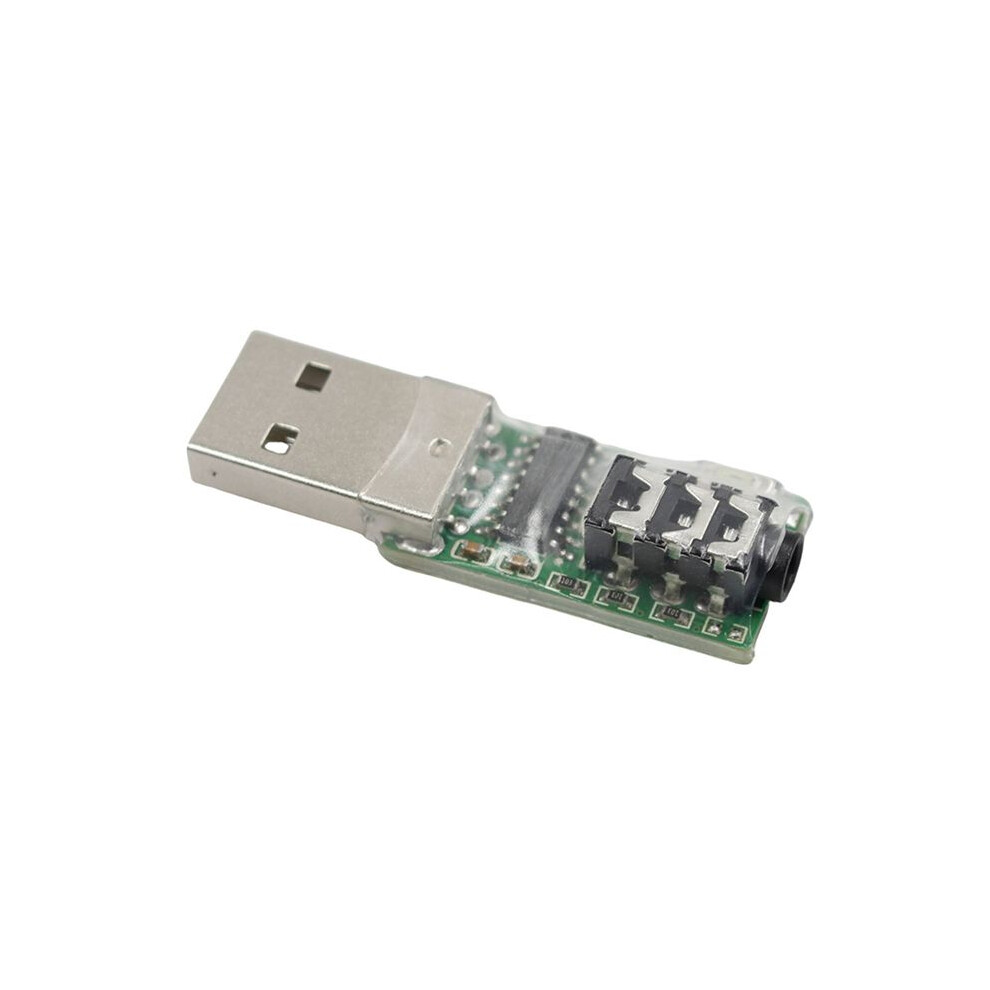
MorseCode CW Trainer Mobile Phone Computer Connector Code Trainer Connector USB Key Connection for VBand Morse Trainer,A
In stock
Smart shoppers OnBuy it!
- Earn Cashback on every purchase – spend it instantly on your next order
- Free delivery – on millions of items across the site
- Customers love us – 126,000 Trustpilot reviews and an 'Excellent' rating
All prices include VAT.
Interest-free payment options available


See full product description & details
Delivery: Standard (Free) | Mon 22nd - Fri 26th Jun
Sold by: Papishop
Returns: 30 days
180-day payment protection
Most Popular in USB Adapters




Summary
- Electric key interface: You can directly connect the hand key and the automatic key. To connect the hand key, you need to connect the hand key first and then connect the mobile phone or computer. This device will intelligently identify the hand key or automatic key.
- Button: Used to switch between mode one and mode two. Press and hold this button to connect the computer or mobile phone to switch between the two modes. In mode one, this button can move the mouse logo. This function is especially important on mobile phones. Pressing and holding this button can move the mouse logo downward. Move to the bottom of the mobile phone screen and continue to press and hold this button, and the mouse logo will move upward from the bottom.
- Indicator light: Indicates the working status of the two states. The indicator light is always on in mode one, which is suitable for training software or APP operated by mouse, such as Lakey, Cwplayer, MorseTrainer, etc.; the indicator light flashes in mode two, which is suitable for some special training software or APP, such as Vband website, MorseMania, MorseIt, etc.
- USB Key Connection
- For VBand Morse Trainer
MorseCode CW Trainer Mobile Phone Computer Connector Code Trainer Connector USB Key Connection for VBand Morse Trainer,A Description
Electric key interface: You can directly connect the hand key and the automatic key. To connect the hand key, you need to connect the hand key first and then connect the mobile phone or computer. This device will intelligently identify the hand key or automatic key.
Button: Used to between mode one and mode two. Press and hold this button to connect the computer or mobile phone to between the two modes. In mode one, this button can move the mouse logo. This function is especially important mobile phones. Pressing and holding this button can move the mouse logo downward. Move to the bottom of the mobile phone screen and continue to press and hold this button, and the mouse logo will move upward from the bottom.
Indicator light: Indicates the working status of the two states. The indicator light is always in mode one, which is suitable for training software or APP operated by mouse, such as Lakey, Cwplayer, MorseTrainer, etc.; the indicator light flashes in mode two, which is suitable for some special training software or APP, such as Vband website, MorseMania, MorseIt, etc.
Due to different batches, there may be differences in product appearance and printed text, which will not affect use
Specification:A:Usb interface
Colour:As Shown
Material:ABS
Package Contents:
1 * Morse Code CW Trainer Mobile
Details
| OPC | PV89FK6 |
|---|---|
| Brand | Typecat |
| Codes | 6031203016646 (EAN) |
Product Data
| Height | 4cm |
|---|---|
| Width | 8cm |
| Length | 8cm |
| Weight | 0.018kg |
| Colour | As Shown |
| Size | USB |
| Material | ABS |
Compare Sellers for MorseCode CW Trainer Mobile Phone Computer Connector Code Trainer Connector USB Key Connection for VBand Morse Trainer,A
- New from €15.25
| Seller | Ratings | Warranty | Returns | Price | Delivery | Total | Quantity |
|---|---|---|---|---|---|---|---|
|
Dispatched from:

|
(405 reviews) | - |
30 Days
Free Returns No
|
€15.25
|
+Free Delivery
Est. Delivery:
22nd-26th Jun
|
€15.25
|
Earn as you shop with instant Cashback on everything.
No catch, no cost
- Paid into your OnBuy account
- Spend it on your next purchase
- Save it or withdraw it
Become a Cashback VIP
Just 1 purchase unlocks bigger deals & rates