





















Sorry, this item is temporarily out of stock.
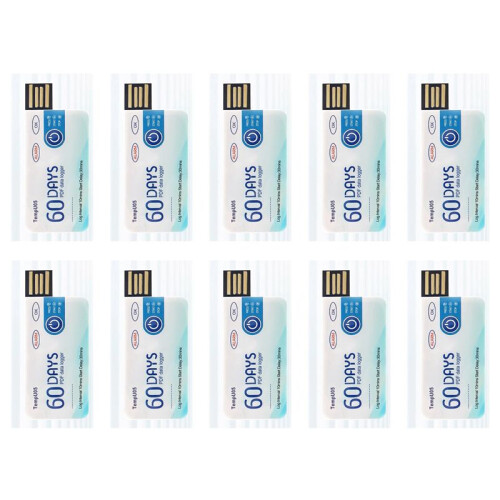
10X TempU05 Temperature Data Logger 60 Days Disposable Temperature Analyzer PDF USB
Similar Products we think you'll like
Would you like us to let you know when it's back?
Summary
- How to use: 1. Press and hold the "start/stop" button for more than 3s, the "OK" indicator will be on for 3s, indicating the device starts recording, and then you can place the device in the environment you need to control.
- 2. During the recording process, the device will automatically turn on the light every 10s. If the normal light (green light) is on every 10s, it means that the device does not overheat during the recording process. If the alarm indicator light (i.e. red light) illuminates every 10 seconds, explain that excessive temperature occurred during the recording process. Note: If overheating is detected during the recording process, the green light will no longer be illuminated.
- 3. Press and hold the start/stop button for more than 3s, the alarm indicator (i.e. red light) will be on for 3s, indicating that the device will stop recording. Recording will also stop automatically when the device is full. After the device stops recording, it will not flash automatically. If the device overheats during recording, press the start/stop button.
- If the normal indicator (green light) is on, it means that the temperature is not overwritten during recording; If there is an alarm when the indicator light (i.e. red light) is on, it means that the temperature is overheating while recording.
- Remove the waterproof packaging bag and insert the device into the computer's USB interface. During the process of creating PDF files, the normal indicator light (i.e. green light) and the alarm indicator light (i.e. red light) will turn on. When the file is generated, the normal light (i.e. green light) will be on until the logger is removed from the computer.
10X TempU05 Temperature Data Logger 60 Days Disposable Temperature Analyzer PDF USB Description
How to use: 1. Press and hold the "start/stop" button for more than 3s, the "OK" indicator will be for 3s, indicating the device starts recording, and then you can place the device in the environment you need to control.
2. During the recording process, the device will automatically turn the light every 10s. If the normal light (green light) is every 10s, it means that the device does not overheat during the recording process. If the alarm indicator light (i.e. red light) illuminates every 10 seconds, explain that excessive temperature occurred during the recording process. Note: If overheating is detected during the recording process, the green light will no longer be illuminated.
3. Press and hold the start/stop button for more than 3s, the alarm indicator (i.e. red light) will be for 3s, indicating that the device will stop recording. Recording will also stop automatically when the device is full. After the device stops recording, it will not flash automatically. If the device overheats during recording, press the start/stop button.
If the normal indicator (green light) is , it means that the temperature is not overwritten during recording; If there is an alarm when the indicator light (i.e. red light) is , it means that the temperature is overheating while recording.
Remove the waterproof packaging bag and insert the device into the computer's USB interface. During the process of creating PDF files, the normal indicator light (i.e. green light) and the alarm indicator light (i.e. red light) will turn . When the file is generated, the normal light (i.e. green light) will be until the logger is removed from the computer.
Widely used for monitoring food, medicine, chemical products and other transportation and storage processes.
After finishing the recording, you can directly insert the computer to get the PDF
Details
| OPC | PV9RM7C |
|---|---|
| Brand | Semoic |
| Codes | 4711379879499 (EAN) |
| Product and Safety Information |
Product Data
| Height | 10cm |
|---|---|
| Width | 5cm |
| Length | 9cm |
| Weight | 0.13kg |
| Colour | As shown |
| Material | plastic |