





















Product Images






In stock
Smart shoppers OnBuy it!
All prices include VAT.
Interest-free payment options available


See full product description & details
Delivery: Standard (Free) | Wed 14th - Fri 16th Oct
Sold by: Mini Mall Trading
Returns: 30 days
180-day payment protection
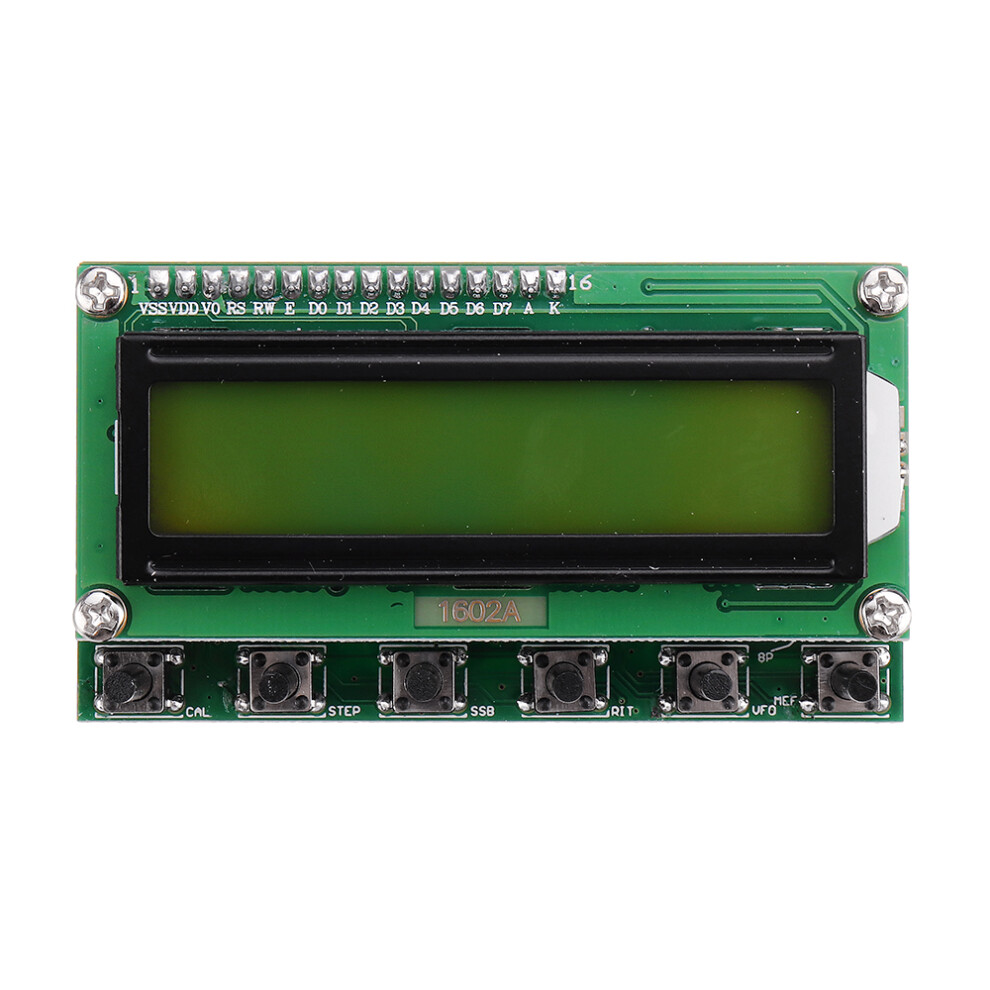
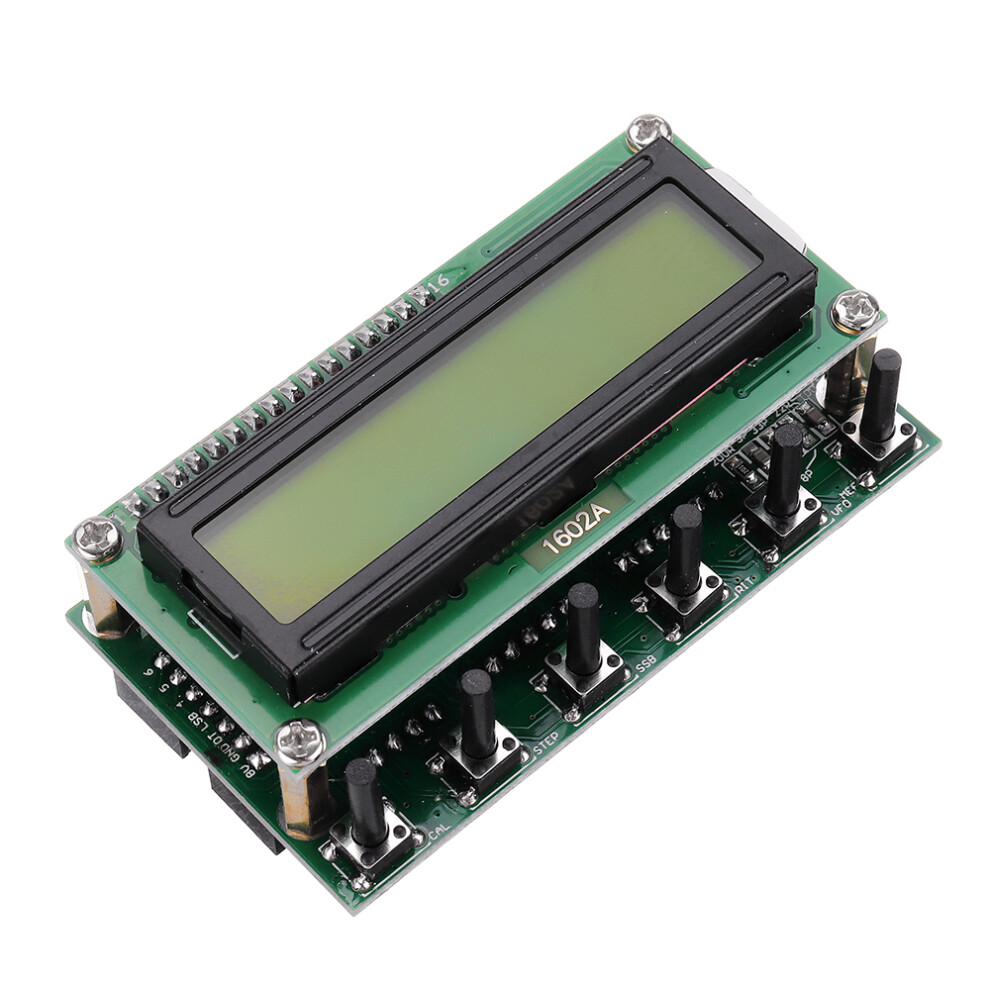
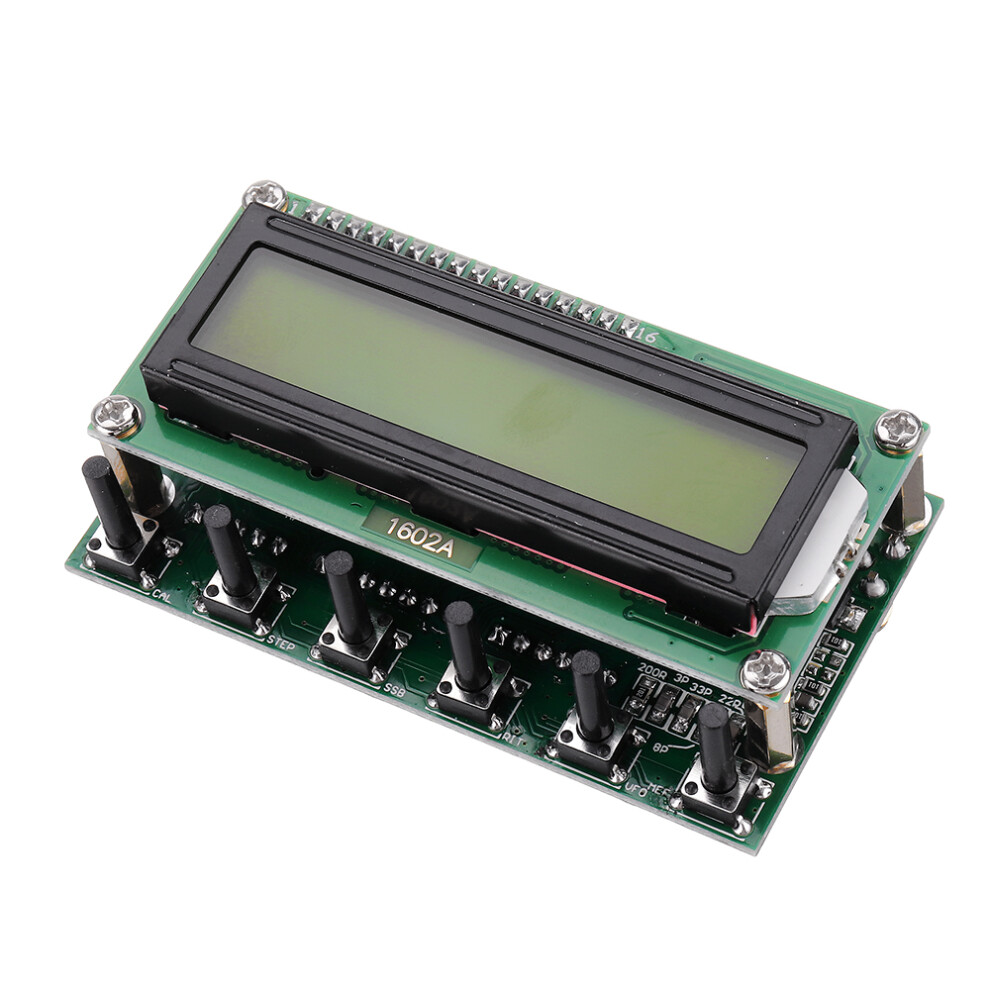
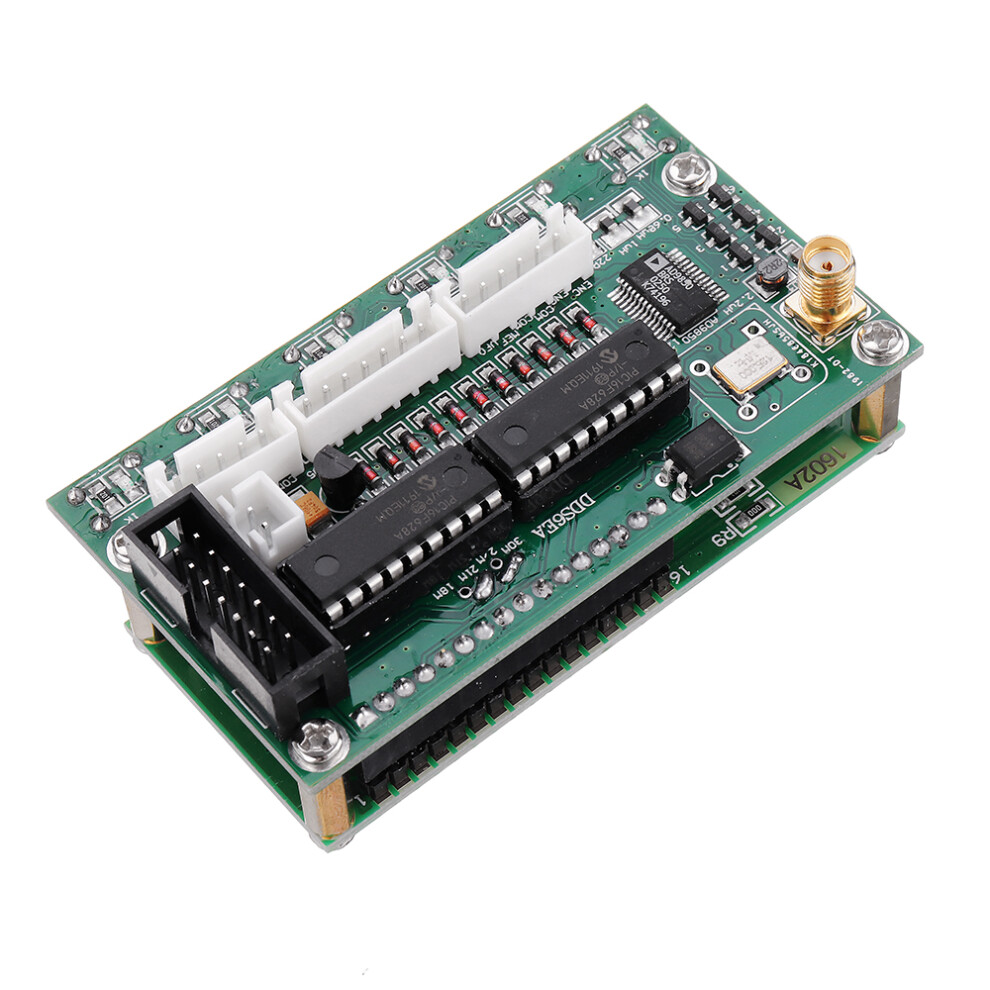
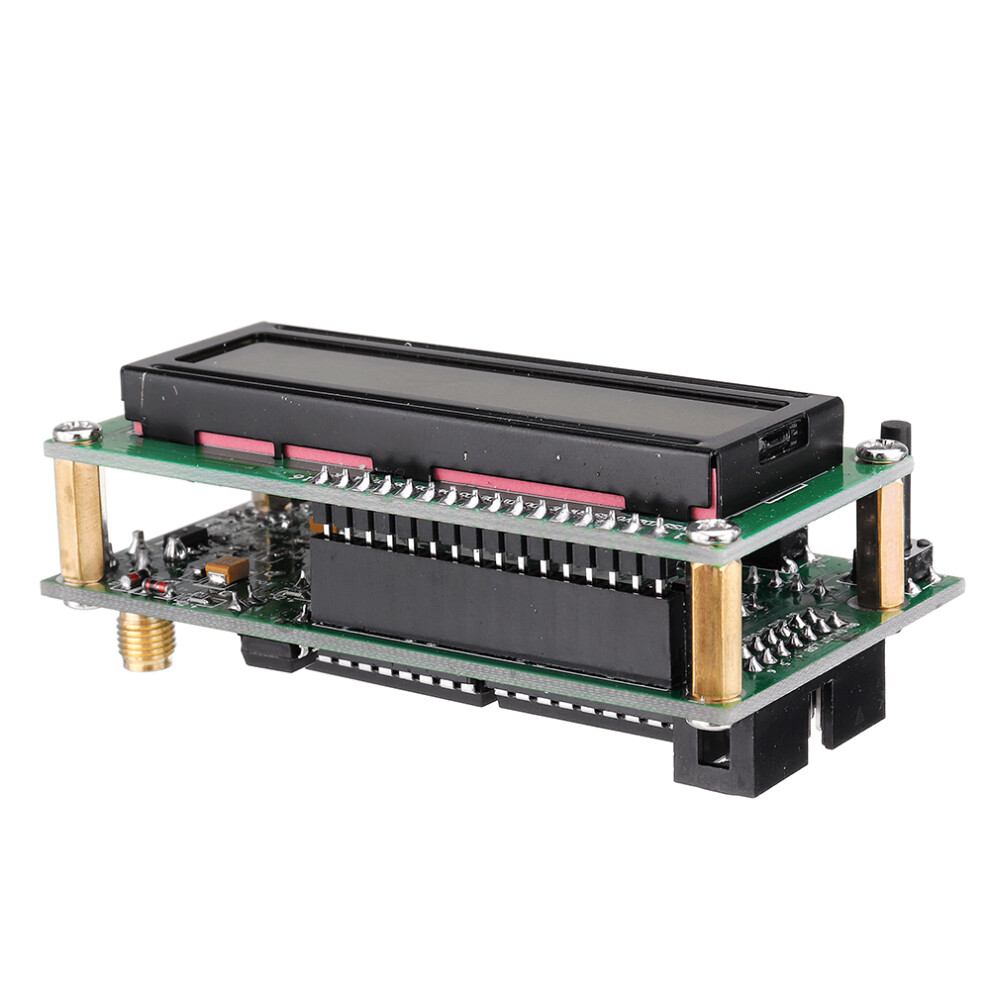
Features: 1. Supports 0-55MHz continual adjust at 1Hz step. 2. This generator has 78L05 voltage regulate. Input current at 200MA, input voltage 8-9V would be the ideal voltage. 3. Input voltage of 12V can only be used for short time testing, otherwise will cause heat to board. 4. 5p/6p connect to the encoder as per photo. 7p of the middle connects to digital matrix input. 14p (8V GND) is 8V power supply from main board. 5. If powered by mainboard, DDS does not need an independent power supply. 6. 1~6 correspond to 6 frequency bands: (3.8, 7, 9, 14, 18 or 21, 27 or 29). 7. ISB, USB, CW are the three mode choices. 8. DT is signal from mainboard. Keys and Connection interfaces: ENC: Encoder switch MEM: Switch for memory mode VFO: Transfer from VFO A to VFO B, or from VFO B to VFO A. SSB: Working mode change: circulate from USB, LSB, AM, CW, and on and on... RIT: Fine tuning to receiving frequency CAL: Set functions KB-1 and KB-2 have a common shared pin, but is not GND Specifications: Display: 1602 LCD Input voltage: DC 8V-9V Input current: 200mA Frequency range: 0-55MHz 6 bands: 3.8, 7, 9, 14, 18 or 21, 27 or 29 Product size: approx. 80 * 45 * 30mm / 3.15 * 1.77 * 1.2inch Net weight: approx. 66g / 2.32oz Gross weight: approx. 69g/2.44oz How to operate: Press CAL, power on, then we enter the setting screen. Let go/release CAL. A: ENABLE 6XREFCLE: setting chip clock mode, adjust frequency encoding setting. AD9851 set to a 6-multiply frequency, AD9850 set to 1multiply frequency. Press CAL then quickly release to enter the next step B. B: DDS-SYSTEM-CLK: Chip working frequency setting. Use encoder switch to adjust the value. Operate in accordance with the STEP key. AD9851 set at oscillator 6-multiply channel, AD9850 set at the actual output of the oscillator. Press CAL then quickly release to enter step C. C: MIN_RX_DDS_FREQ: Setting minimum working frequency. Use encoder switch to adjust value and in accordance with the STEP key. Press CAL then quickly release to enter step D. D: MAX_RX_DDS_FREQ: Setting maximum working frequency. Use encoder switch to adjust value and in accordance with the STEP key. (Smaller than 60MHz would be OK ). Press CAL then quickly release to enter step E. E: SSB_OFFSET: Fine-tuning for SSB working mode. Use encoder switch to adjust value and in accordance with the STEP key. Press CAL then quickly release to enter step F. F: CW_OFFSET: Fine-tuning for CW working mode. Use encoder switch to adjust value and in accordance with the STEP key. Press CAL then quickly release to enter step G. G: OFFSET_FREQ: Setting of offset Frequency. e.g, set to 9MHz or 10.7MHz, use encoder switch to adjust value and in accordance with STEP key. Press CAL then quickly release to enter step H. H: MULTIPLIER: multiply setting for frequency. Should be set as 1, press CAL then quickly release to enter step I: I: Screen displays word SAVE , automatically save the above setting, and returns to normal working. Notes: 1. DDS SYSTEM CLK: can use frequency tester to get 30MHz oscillator, multiply the tested value at 6, then put the multiplied value here. If using AD9851, make an initial setting at 180000000. 2. OFFSET FREQ: can be set as + or -. Rotate encoder switch to change value, press STEP key, then rotate encoder switch to adjust step. The minimum working frequency plus (+) offset frequency should be high than 0 (zero). Frequency display: RX = MULTIPLIER x (RX_DDS_FREQ + OFFSET_FREQ) TX = MULTIPLIER x (RX_DDS_FREQ + OFFSET_FREQ + TX_OFFSET_FREQ) The frequency programmed into the DDS is calculated as shown below. RX = ABS(RX_DDS_FREQ) TX = ABS(RX_DDS_FREQ + TX_OFFSET_FREQ) RX_DDS_FREQ, MIN_RX_DDS_FREQ, MAX_RX_DDS_FREQ, TX_OFFSET_FREQ & OFFSET_FREQ Examples: 1. DDS output range 30~40MHz: MIN_RX_DDS_FREQ MAX_RX_DDS_FREQ OFFSET_FREQ RX Frequency display range. 30 MHZ 40 MHz 100 MHz = 130 MHz to 140 MHz. Note 1 30 MHZ 40 MHz -10 MHz = 20 MHz to 30 MHz. / -40 MHZ -30 MHz 170 MHz = 140 MHz to 130 MHz. Note 2 -40 MHZ -30 MHz 60 MHz = 30 MHz to 20 MHz. / 2. Setting FT180A with DDS: ENABLE RPT NO X6 RECLK X6 DDS SYSTEM CLK 180M MAX DDS FREQ 65M MIN RX DDS FREQ 10.701M (Offset frequency + RIT frequency) MAX RX DDS FREQ 60M TX OFFSET FREQ 0 MAX RIT OFFSET 1K (RIT frequency) OFFSET FREQ - 10.700M - (Offset frequency) MULTIPLIER 1 Package includes 1 x AD9850 6 Bands 0~55MHz DDS Signal Generator
Details
| OPC | PCKMZWH |
|---|---|
| Codes | 8312745704627 (EAN) |
| Product and Safety Information |
| Seller | Ratings | Warranty | Returns | Price | Delivery | Total | Quantity |
|---|---|---|---|---|---|---|---|
|
Dispatched from:

|
(116 reviews) | 1 month |
30 Days
Free Returns Yes
|
€71.71
|
+Free Delivery
Est. Delivery:
14th-16th Oct
|
€71.71
|
Earn as you shop with instant Cashback on everything.
No catch, no cost
Become a Cashback VIP
Just 1 purchase unlocks bigger deals & rates
You'll only get instant Cashback at OnBuy! Enter your email below and we'll send you a copy of your basket to save you time later.
By entering your email address, you'll automatically be added to our database, where you can enjoy personalised Cashback offers and early access to our best deals. You can opt out of our emails at any time and we'll never share your details with anyone. Check our Privacy Policy and T&Cs to find out more.
Want access to personalised offers and the highest Cashback rates? Sign up to our emails below.
You can opt out of our emails at any time and we'll never share your details with anyone. Check our Privacy Policy and T&Cs to find out more.
This page has expired.
Refresh and continue