





















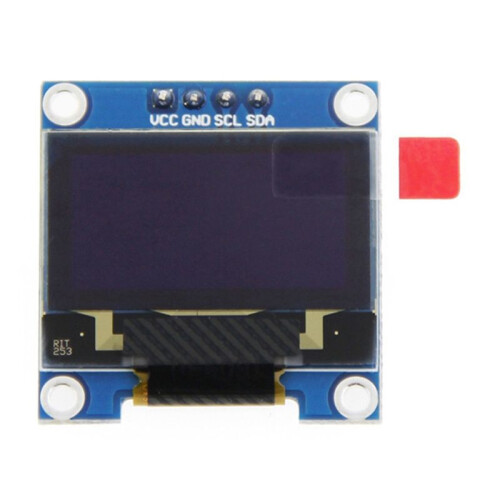
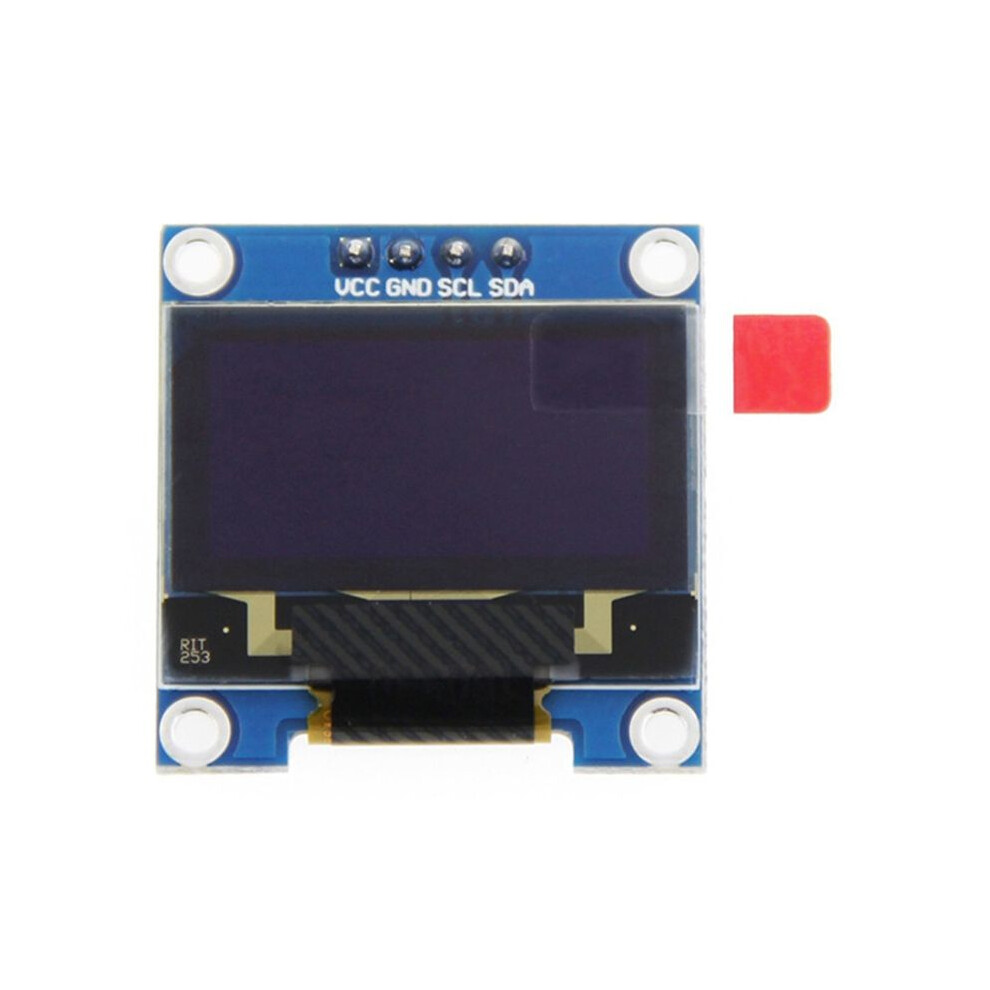
For Raspberry Pi 0.96 Inch OLED I2C SSD 4Pin Module LCD Screen Display CPU Temperature for STM32
På lager
Derfor vil du elske at handle hos OnBuy:
- Tjen Cashback på hvert køb – brug det med det samme på din næste ordre
- Gratis levering – på millioner af varer på siden
- Kunder elsker os – 131,000 anmeldelser med vurderingen “Fremragende”
Priserne for varer, der sælges af OnBuy, inkluderer moms.
Rentefrie betalingsmuligheder


Se fuld produktbeskrivelse og detaljer
Levering: Standard (Gratis) | fre. 28. aug. - ons. 2. sep.
Solgt af: JJBRDZ
Returnering: 30 dage
180 dages betalingsbeskyttelse
Du kan også lide
Oversigt
- The main purpose: It can be used for Raspberry Pi 2B/3B/3B+/4B full range of development boards, for Arduino, C51, STM32 and other platforms. The Raspberry Pi provides programs that can display CPU, temperature, memory, hard disk occupation, IP address and other information. The OLED screen pin header has been soldered, and the finished line is optional, which can be directly connected to the for Raspberry Pi.
- High resolution: 128x64 (same resolution as 12864, high PPI); Viewing angle: greater than 160°
- Power consumption: normal display 0.06w (far lower than TFT display)
- Wide voltage power supply (3V-5V), compatible with 3.3V and 5V level logic, without level conversion chip
- IIC interface only needs 2 IO to light up easily. Working temperature range is industrial grade (-20℃-70℃); Military-grade process standards, long-term stable work.
For Raspberry Pi 0.96 Inch OLED I2C SSD 4Pin Module LCD Screen Display CPU Temperature for STM32 Beskrivelse
The main purpose: It can be used for Raspberry Pi 2B/3B/3B+/4B full range of development boards, for , C51, STM32 and other platforms. The Raspberry Pi provides programs that can display CPU, temperature, memory, hard disk occupation, IP address and other information. The OLED screen pin header has been soldered, and the finished is optional, which can be directly connected to the for Raspberry Pi.
High resolution: 128x64 (same resolution as 12864, high PPI); Viewing angle: greater than 160
Power consumption: normal display 0.06w (far lower than TFT display)
Wide voltage power supply (3V-5V), compatible with 3.3V and 5V level logic, without level conversion chip
IIC interface only needs 2 IO to light easily. Working temperature range is industrial grade (-20-70); Military-grade process standards, long-term stable work.
Instructions for use:
1. Correct wiring
Pins the module for Raspberry Pi GPIO
VCC 5V/3V (red wire)
GND GND (black wire)
SCL SCL (yellow )
SDA SDA ( )
2. Install the WinSCP tool the computer, connect to the for Raspberry Pi and download the data to the home/pi directory of the for Raspberry Pi.
3. Compile the program file
gcc -o oled oled.c ssd1306_i2c.c -lwiringPi
Among them, the gcc compiler is called, -o means the generated file, followed by the generated file name, oled.c and ssd1306_i2c.c are the source programs, and -lwiringPi refers to the wiringPi library of the Raspberry Pi.
4. Run the program
./oled
At this point, you can see the CPU occupancy rate, CPU temperature, running memory occupancy rate, disk occupancy rate and IP address of the Raspberry Pi displayed the oled screen.
Due to different batches, there may be differences in product appearance, color, and printed text, which will not affect the use.
Detaljer
| OPC | PVPCGSF |
|---|---|
| Mærke | Torribaly |
| Koder | 4713710893003 (EAN) |
| Produkt- og sikkerhedsoplysninger |
Produktdata
| Height | 2cm |
|---|---|
| Width | 3cm |
| Length | 3cm |
| Weight | 0.0085kg |
| Colour | Random Color |
| Material | PCB |
Sammenlign sælgere for For Raspberry Pi 0.96 Inch OLED I2C SSD 4Pin Module LCD Screen Display CPU Temperature for STM32
- Ny fra 138,96 kr.
| Sælger | Bedømmelser | Garanti | Returneringer | Pris | Levering | I alt | Antal |
|---|---|---|---|---|---|---|---|
|
Afsendt fra:

|
(447 anmeldelser) | - |
30 dage
Gratis retur Nej
|
138,96 kr.
|
+Free Delivery
Forventet levering:
28 aug. - 2 sep.
|
138,96 kr.
|
Tjen penge, mens du handler med øjeblikkelig Cashback på alt.
Ingen hage, ingen omkostninger
- Indbetalt til din OnBuy-konto
- Brug dem på dit næste køb
- Gem det eller hæv det
Bliv Cashback VIP
Bare 1 køb giver adgang til bedre tilbud og priser