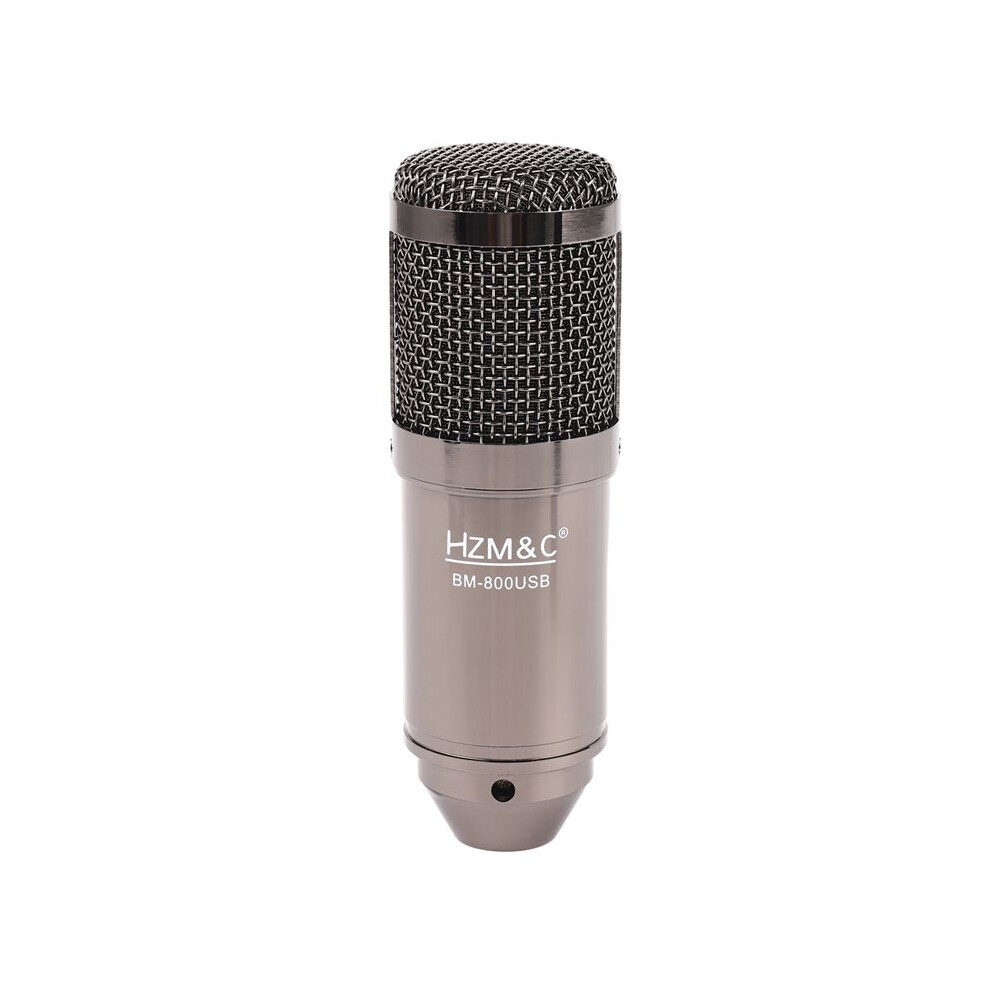
2X HZM&C Upgraded Bm 800 USB Condenser Microphone Studio Mic for Computer Recording Karaoke Pc (Black)

Márka: Exogio
Új

Raktáron

Ezért fogod szeretni az OnBuy-on való vásárlást:

  • Szerezz Cashback pénzvisszatérítést minden vásárlás után, és költsd el azonnal a következő rendelésnél.
  • Ingyenes kiszállítás – több millió termékre az oldalon
  • Vásárlóink elégedettek velünk, már 138,000 Kiváló értékelést kaptunk!

Teljes termékleírás és részletek megtekintése

25 007,96 Ft
35 725,65 Ft 30% kedvezmény!
Ingyenes kiszállítás
1% Szerezzen azonnal 250,08 Ft összeget Tudj meg többet
Kosárba

Az OnBuy-on értékesített termékek ára tartalmazza az áfát.

Eladó: Sophia
Prémium Eladó
Látogassa meg az áruházat
2.5k+ rendelés

Teljes termékleírás és részletek megtekintése

Kézbesítés: Normál (Ingyenes) | sze 25. - hét 30. nov.

Visszaküldés: 30 nap

180 napos fizetési védelem

Kosárba
Leírás és részletek

Összefoglaló

  • Plug and play, plug directly into your devices with USB port, no needed drivers.With the USB terminal to supply power, the condenser microphone needs no 48V phantom power, battery, or other assistive devices.Cardioid pick-up pattern minimizes background noise and isolates the main sound source.2m long leather cord extends your music space freely and meets your need of all aspects of enjoyment.Wide frequency response (30Hz-20kHz) makes vocal performances sound clear, natural and vibrant.
  • How to setting it?Plug the USB cable to your computer at the same time. Ready for use.If the microphone cannot be used to your device, please check if your device has set itself correctly with the microphone. If not, please follow the step to setting it.
  • Step 1: Open your control panel, and click on "sound", a window pops up.Step 2: Select the recording, you will see the microphone is set up or on default.Step 3: Double click the microphone if it is already connected., and then setting yourmicrophone properties.
  • 1.Unplug the USB cable to check whether the pins at the bottom of the mic are loosened.2.Restart computer and re-plug the mic to other USB port.3.If the "USB PnP Audio Device" appears in the sound settings of computer(below are the methods how to get to sound settings), the mic is able to work.(Windows: Right click speaker icon on right corner of computer→"Recording Device"Mac: Click "System Preferences"→"Sound"→"Input")
  • If the mic disconnects itself without warning, what can I do?Answer: There are two reasons for this situation. One is that the poor connection. The other is that the USB cable is broken. If you have tried to replug the USB cable into the mic, and plug the mic to other USB port, then it will be the problem of the cable.

2X HZM&C Upgraded Bm 800 USB Condenser Microphone Studio Mic for Computer Recording Karaoke Pc (Black) leírása

Plug and , plug directly into your devices with USB port, no needed drivers.With the USB terminal to supply power, the condenser microphone needs no 48V phantom power, battery, or other assistive devices.Cardioid pick- pattern minimizes background noise and isolates the main sound source.2m long leather cord extends your music space freely and meets your need of all aspects of enjoyment.Wide frequency response (30Hz-20kHz) makes vocal performances sound clear, natural and vibrant.
How to setting it?Plug the USB cable to your computer at the same . Ready for use.If the microphone cannot be used to your device, please check if your device has set itself correctly with the microphone. If not, please follow the step to setting it.
Step 1: Open your control panel, and click "sound", a window pops .Step 2: Select the recording, you will see the microphone is set or default.Step 3: Double click the microphone if it is already connected., and then setting yourmicrophone properties.
1.Unplug the USB cable to check whether the pins at the bottom of the mic are loosened.2.Restart computer and re-plug the mic to other USB port.3.If the "USB PnP Audio Device" appears in the sound settings of computer(below are the methods how to get to sound settings), the mic is able to work.(Windows: Right click speaker icon right corner of computer"Recording Device": Click "System Preferences""Sound""Input")
If the mic disconnects itself without warning, what can I do?Answer: There are two reasons for this situation. One is that the poor connection. The other is that the USB cable is broken. If you have tried to replug the USB cable into the mic, and plug the mic to other USB port, then it will be the problem of the cable.

If the mic has hissing what can I do?
1.Re-plug the USB cable into the microphone. If the cable gets loose,

Részletek

OPC PWZGMQG
Márka
Exogio
Kódok 6031346213612 (EAN)
Termék- és biztonsági információk

Termékképek

2X HZM&C Upgraded Bm 800 USB Condenser Microphone Studio Mic for Computer Recording Karaoke Pc (Black) 1
2X HZM&C Upgraded Bm 800 USB Condenser Microphone Studio Mic for Computer Recording Karaoke Pc (Black) 2
2X HZM&C Upgraded Bm 800 USB Condenser Microphone Studio Mic for Computer Recording Karaoke Pc (Black)

Termékadatok

Height14cm
Width15cm
Length20cm
Weight0.889kg
Colourblack
MaterialZinc alloy + plastic

Eladók összehasonlítása: 2X HZM&C Upgraded Bm 800 USB Condenser Microphone Studio Mic for Computer Recording Karaoke Pc (Black)

  • Új innen 25 007,96 Ft
Eladó Értékelések Garancia Visszaküldések Ár Kiszállítás Összesen Mennyiség
Feladás helye: China
(155 értékelés)
-
30 nap
Ingyenes visszaküldés Nem
25 007,96 Ft
+Free Delivery
Várható szállítás: 25-30 nov.
25 007,96 Ft
Kosárba

Vásárlás közben is keressen pénzt azonnali Cashback-kel minden termékre.

Nincs apróbetűs rész, nincs költség

  • Jóváírva az OnBuy-fiókján
  • Költse el a következő vásárlásán
  • Gyűjtse vagy vegye fel

Legyen Cashback VIP-tag

Már egyetlen vásárlással is nagyobb kedvezményeket és jobb árakat érhet el

Biztonsági és termékinformációs források

Biztonsági képek és dokumentumok

Sajnáljuk, ez az információ jelenleg nem érhető el. Dolgozunk az eladóval azon, hogy ezt a részt mielőbb frissítsük, kérjük, nézzen vissza később.

Gyártói információk

Információ a termék gyártójáról.

Megjegyzés: Ezek nem a kereskedő elérhetőségei, ezért kérjük, ne küldjön vissza terméket erre a címre.

YINYING ECOMMERCE TECHNOLOGY LIMITED

xiang gang jiu long jian sha ju qi xian dao nan 4 5 - 5 1 hao qi shi da sha 8 0 3 shi,jiu long,xiang gan,999077,Hong Kong,100
Kína
8615118066474

[email protected]

Felelős személy az EU-ban

Sajnáljuk, ez az információ jelenleg nem érhető el. Dolgozunk az eladóval azon, hogy ezt a részt mielőbb frissítsük, kérjük, nézzen vissza később.

Várj! Valamit itt hagytál...

Azonnali Cashback pénzvisszatérítés kizárólag az OnBuy-on! Ha megadod az e-mail címed, elküldjük a kosarad tartalmát, hogy ott folytathasd, ahol abbahagytad.

Ha megadod e-mail címed, bekerülsz adatbázisunkba, ahol élvezheted személyre szabott Cashback ajánlatainkat és korai hozzáférést biztosítunk legjobb akcióinkhoz. Bármikor leiratkozhatsz hírleveleinkről, és adataid soha nem adjuk át harmadik félnek. További információért tekintsd meg Adatvédelmi szabályzatunkat és Általános szerződési feltételeinket.

Mielőtt távoznál...
Ne feledd, az OnBuy-on minden vásárlás után azonnali Cashback jár neked!

Szeretnél személyre szabott ajánlatokat és a lehető legmagasabb Cashback pénzvissszatérítést elérni? Iratkozz fel hírlevelünkre!

Bármikor leiratkozhatsz e-mailjeinkről, és adataidat soha nem adjuk át harmadik félnek. További információért tekintsd meg Adatvédelmi szabályzatunkat és Általános szerződési feltételeinket.

Ez az oldal lejárt.

Kérjük, frissítsd az oldalt a vásárlás folytatásához.

Frissíts és folytasd