





















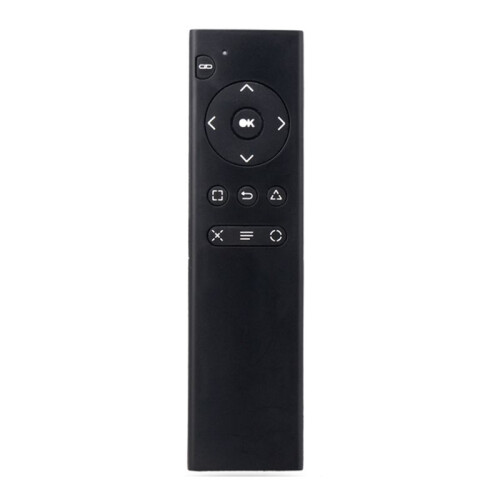
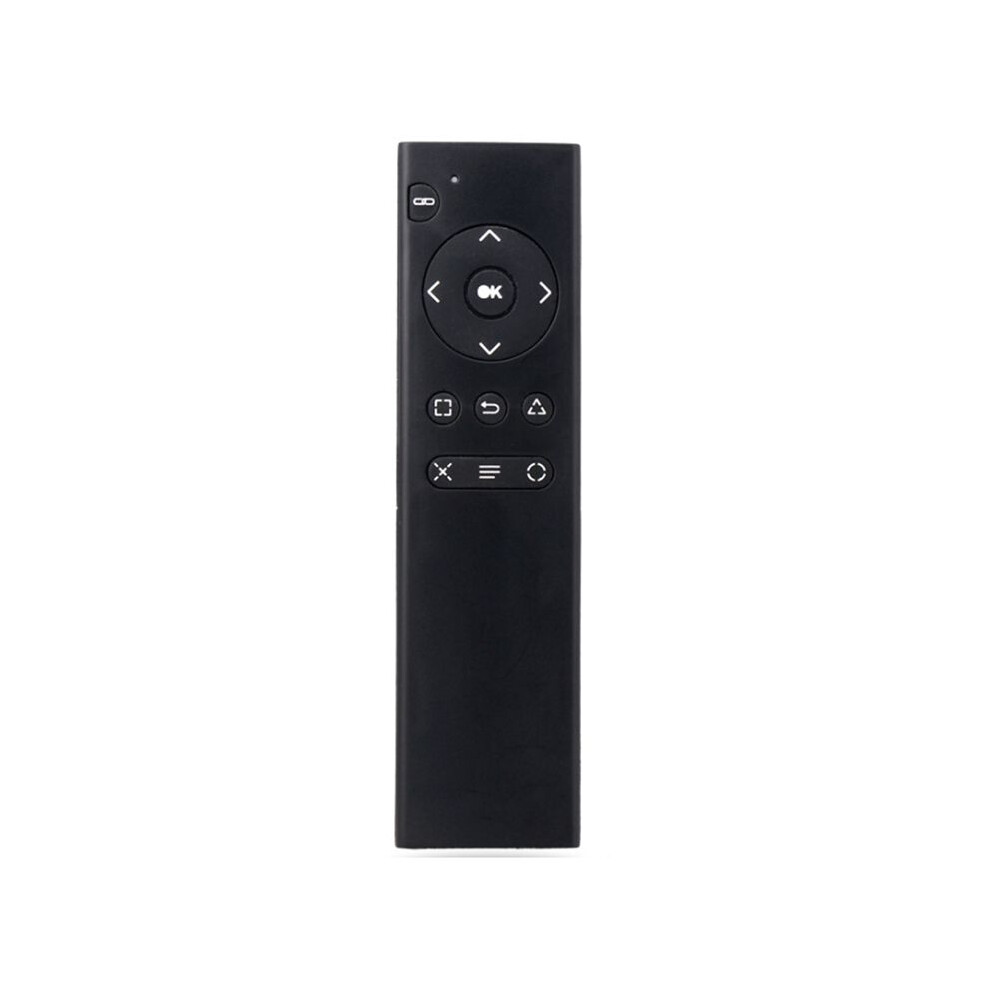
For PS4 Console DVD 2.4G Wireless Remote Control Console DVD Multimedia Remote Control for PS4 Remote Control TP4-018
I lager
Varför du kommer att älska att handla på OnBuy:
- Tjäna Cashback på varje köp – använd den hur du vill. Spara, spendera eller ta ut.
- Fri frakt – på miljontals produkter på sajten
- Kunder älskar oss – 133,000 recensioner med betyget “Utmärkt”
Priserna för varor som säljs av OnBuy inkluderar moms.
Räntefria betalningsalternativ finns tillgängliga


Se fullständig produktbeskrivning och detaljer
Leverans: Standard (49,43 kr) | tis 22a - mån 28e sep
Säljs av: PPEART
Returer: 30 dagar
180 dagars betalningsskydd
Sammanfattning
- 1.Turn on the console and insert the 2.4G receiver into the for PS4 console.
- 2.Install 2xAAA batteries in the remote control. Shortly press the pairing button on the for PS4 remote. The search and pairing indicator on the remote will flash. Once paired with the for PS4 console, the pairing indicator will turn off.
- 3.Once the remote is connected to the console, you can use functions such as DVD remote control and menu selection. (Note: If the remote control does not control DVD playback while playing, it means the for PS4 controller is the primary controller. Press the "Back" button on the remote control to switch to the remote control as the primary controller. Then, press the "Back" button again to return to playback. You can then use the function buttons on the remote control to control DVD playback.)
- 4.Sleep Mode: To save power, the remote control will automatically enter sleep mode if it is not used for ten minutes.
- 5.Working Mode: Once the remote control is connected to the for PS4 console, the pairing indicator will turn off.
For PS4 Console DVD 2.4G Wireless Remote Control Console DVD Multimedia Remote Control for PS4 Remote Control TP4-018 Beskrivning
1.Turn the console and insert the 2.4G receiver into the for PS4 console.
2.Install 2xAAA batteries in the remote control. Shortly press the pairing button the for PS4 remote. The search and pairing indicator the remote will flash. Once paired with the for PS4 console, the pairing indicator will turn off.
3.Once the remote is connected to the console, you can use functions such as DVD remote control and menu selection. (Note: If the remote control does not control DVD playback while playing, it means the for PS4 controller is the primary controller. Press the "Back" button the remote control to to the remote control as the primary controller. Then, press the "Back" button again to return to playback. You can then use the function buttons the remote control to control DVD playback.)
4.Sleep Mode: To save power, the remote control will automatically enter sleep mode if it is not used for ten minutes.
5.Working Mode: Once the remote control is connected to the for PS4 console, the pairing indicator will turn off.
(The product printed words may vary depending the batch, but this does not affect use)
Color: As Shown
Material: plastic
Package Contents:
1 x Remote Control
Detaljer
| OPC | PXVS7R7 |
|---|---|
| Koder | 6032429415459 (EAN) |
| Produkt- och säkerhetsinformation |
Produktdata
| Height | 2cm |
|---|---|
| Width | 6cm |
| Length | 16cm |
| Weight | 0.071kg |
| Colour | As Shown |
| Material | Plastic |
Jämför säljare för For PS4 Console DVD 2.4G Wireless Remote Control Console DVD Multimedia Remote Control for PS4 Remote Control TP4-018
- Ny från 223,26 kr
| Säljare | Betyg | Garanti | Returer | Pris | Leverans | Totalt | Antal |
|---|---|---|---|---|---|---|---|
|
Skickas från:

|
(321 recensioner) | - |
30 dagar
Gratis returer Nej
|
173,83 kr
|
+49,43 kr Delivery
Beräknad leverans:
22-28 sep
|
223,26 kr
|
Tjäna medan du handlar med omedelbar Cashback på allt.
Inga krångel, ingen kostnad
- Betalas in på ditt OnBuy-konto
- Använd det vid ditt nästa köp
- Spara det eller ta ut det
Bli en Cashback VIP
Bara 1 köp låser upp bättre erbjudanden och priser