























Wireless Carplay Android Auto Box 2in1 Wired to Wireless Dongle Automatic Connect Adapter PlugandPlay Box
Varastossa
Miksi tulet rakastamaan ostoksia OnBuyssa:
- Ansaitse Cashback jokaisesta ostoksesta – käytä se heti seuraavaan tilaukseesi
- Ilmainen toimitus – miljooniin tuotteisiin sivustolla
- Asiakkaat rakastavat meitä – 131,000 arvostelua arvosanalla “Erinomainen”
OnBuyn myymien tuotteiden hinnat sisältävät ALV:n.
Korottomat maksuvaihtoehdot saatavilla


Katso koko tuotekuvaus ja tiedot
Toimitus: Prioriteetti (10,00 €) | ma 24. - pe 28. elo
Myyjä: LLhappy
Palautukset: 30 päivää
180 päivän maksuturva
Saattaisit pitää myös näistä




Yhteenveto
- Usage method: 1. Insert this product into the car USB interface, turn on for iPhone Bluetooth, search for the device name, connect the smart box xxxx, agree to pairing, and realize the product's CarPlay function under the prompt and guidance of the mobile phone.
- Usage method: 2. Insert this product into the car USB interface, turn on the smartphone Bluetooth, search for the device name, connect the smart box xxxx, agree to pairing, and realize the product's Android car function under the prompt and guidance of the mobile phone.
- Automatic Connect Adapter
- Bluetooth PlugandPlay Mini Box
- Android Auto Box
Wireless Carplay Android Auto Box 2in1 Wired to Wireless Dongle Automatic Connect Adapter PlugandPlay Box Kuvaus
Usage method: 1. Insert this product into the car USB interface, turn for , search for the device name, connect the box xxxx, agree to pairing, and realize the product's CarPlay function under the prompt and guidance of the mobile phone.
Usage method: 2. Insert this product into the car USB interface, turn the smartphone , search for the device name, connect the box xxxx, agree to pairing, and realize the product's Android car function under the prompt and guidance of the mobile phone.
How to connect CarPlay/Android Auto? How to use?
1. Start the car and wait for the car system to load.
2. Connect the wireless CarPlay Android Auto adapter to the car's USB-A or USB-C port. Please make sure to plug the adapter into the port of the wired CarPlay or Android Auto.
3. Turn Wi-Fi and your for /Android smartphone, find the device named "Wireless Dongle-xxxx*", click "Pair"; click "Allow"; click "Use Carplay" or "Use Android Auto".
Please note:
1. Please make sure your car has CarPlay installed. This product is suitable for 99% of vehicles equipped with for-original wired Carplay. Some models such as for and for are not compatible.
2. Carplay supports for 6 and above models, and the software version is iOS 10 and above.
3. Android Auto supports Android 11 and above models. (Note: for phones are special. for devices have their own mobile operating system - EMU. Unfortunately, Android Auto wireless connection does not support EMU.)
Note: Customers need to prepare the USB data cable.
Color:As Shown
Material:Alloy
Package Contents:
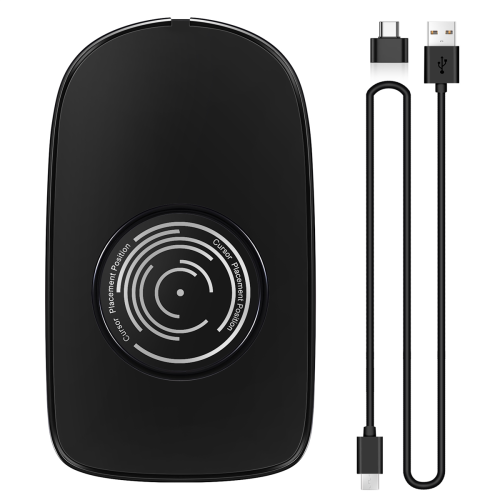
1 * Wireless Carplay Android Auto Box
Tiedot
| OPC | PV88R6N |
|---|---|
| Brändi | Zandonà |
| Koodit | 6033949189158 (EAN) |
| Tuote- ja turvallisuustiedot |
Tuotetiedot
| Height | 3cm |
|---|---|
| Width | 8cm |
| Length | 8cm |
| Weight | 0.035kg |
| Colour | As Shown |
| Material | Alloy |
Vertaile myyjiä tuotteelle Wireless Carplay Android Auto Box 2in1 Wired to Wireless Dongle Automatic Connect Adapter PlugandPlay Box
- Uusi alkaen 40,01 €
| Myyjä | Arviot | Takuu | Palautukset | Hinta | Toimitus | Yhteensä | Määrä |
|---|---|---|---|---|---|---|---|
|
Lähetetty varastolta:

|
(175 arvostelua) | - |
30 päivää
Ilmaiset palautukset Ei
|
30,01 €
|
+10,00 € Delivery
Arvioitu toimitus:
24-28 elo
|
40,01 €
|
Ansaitse ostamalla – saat välittömän Cashback-hyvityksen kaikesta.
Ei koukkuja, ei kuluja
- Maksetaan OnBuy-tilillesi
- Käytä se seuraavaan ostokseesi
- Säästä se tai nosta se
Ryhdy Cashback VIP -jäseneksi
Vain yksi ostos avaa suuremmat tarjoukset ja paremmat alennukset