






















Wireless Carplay Android Auto Box 2in1 Wired to Wireless Dongle Automatic Connect Adapter PlugandPlay Box
In stock
Smart shoppers OnBuy it!
- Earn Cashback on every purchase – spend it instantly on your next order
- Free delivery – on millions of items across the site
- Customers love us – 128,000 Trustpilot reviews and an 'Excellent' rating
Interest-free payment options available


See full product description & details
Delivery: Priority (Free) | Mon 13th - Wed 15th Jul
Sold by: LLhappy
Returns: 30 days
180-day payment protection
Most Popular in USB Gadgets

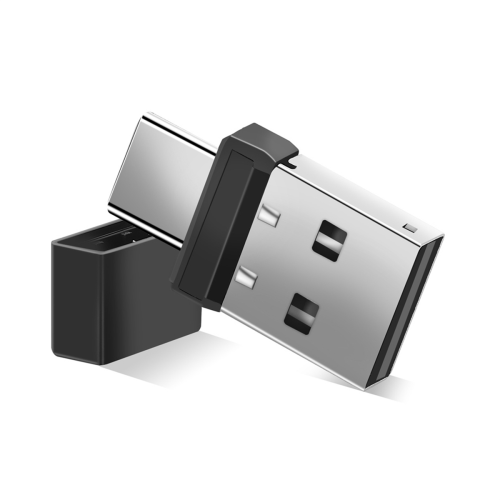





Summary
- Usage method: 1. Insert this product into the car USB interface, turn on for iPhone Bluetooth, search for the device name, connect the smart box xxxx, agree to pairing, and realize the product's CarPlay function under the prompt and guidance of the mobile phone.
- Usage method: 2. Insert this product into the car USB interface, turn on the smartphone Bluetooth, search for the device name, connect the smart box xxxx, agree to pairing, and realize the product's Android car function under the prompt and guidance of the mobile phone.
- Automatic Connect Adapter
- Bluetooth PlugandPlay Mini Box
- Android Auto Box
Wireless Carplay Android Auto Box 2in1 Wired to Wireless Dongle Automatic Connect Adapter PlugandPlay Box Description
Usage method: 1. Insert this product into the car USB interface, turn for , search for the device name, connect the box xxxx, agree to pairing, and realize the product's CarPlay function under the prompt and guidance of the mobile phone.
Usage method: 2. Insert this product into the car USB interface, turn the smartphone , search for the device name, connect the box xxxx, agree to pairing, and realize the product's Android car function under the prompt and guidance of the mobile phone.
How to connect CarPlay/Android Auto? How to use?
1. Start the car and wait for the car system to load.
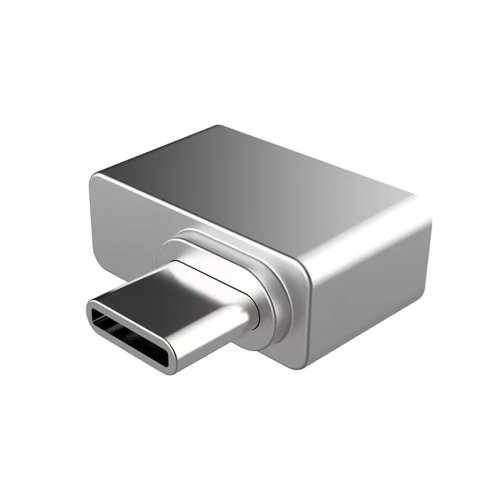
2. Connect the wireless CarPlay Android Auto adapter to the car's USB-A or USB-C port. Please make sure to plug the adapter into the port of the wired CarPlay or Android Auto.
3. Turn Wi-Fi and your for /Android smartphone, find the device named "Wireless Dongle-xxxx*", click "Pair"; click "Allow"; click "Use Carplay" or "Use Android Auto".
Please note:
1. Please make sure your car has CarPlay installed. This product is suitable for 99% of vehicles equipped with for-original wired Carplay. Some models such as for and for are not compatible.
2. Carplay supports for 6 and above models, and the software version is iOS 10 and above.
3. Android Auto supports Android 11 and above models. (Note: for phones are special. for devices have their own mobile operating system - EMU. Unfortunately, Android Auto wireless connection does not support EMU.)
Note: Customers need to prepare the USB data cable.
Color:As Shown
Material:Alloy
Package Contents:
1 * Wireless Carplay Android Auto Box
Details
| OPC | PV88R6N |
|---|---|
| Brand | Zandonà |
| Codes | 6033949189158 (EAN) |
Product Data
| Height | 3cm |
|---|---|
| Width | 8cm |
| Length | 8cm |
| Weight | 0.035kg |
| Colour | As Shown |
| Material | Alloy |
Compare Sellers for Wireless Carplay Android Auto Box 2in1 Wired to Wireless Dongle Automatic Connect Adapter PlugandPlay Box
- New from £20.72
| Seller | Ratings | Warranty | Returns | Price | Delivery | Total | Quantity |
|---|---|---|---|---|---|---|---|
|
Dispatched from:

|
(166 reviews) | - |
30 Days
Free Returns No
|
£20.72
|
+Free Priority Delivery
Est. Delivery:
13th-15th Jul
|
£20.72
|
Earn as you shop with instant Cashback on everything.
No catch, no cost
- Paid into your OnBuy account
- Spend it on your next purchase
- Save it or withdraw it
Become a Cashback VIP
Just 1 purchase unlocks bigger deals & rates