





















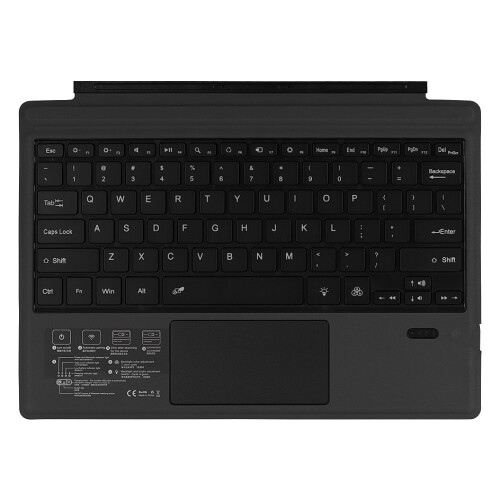
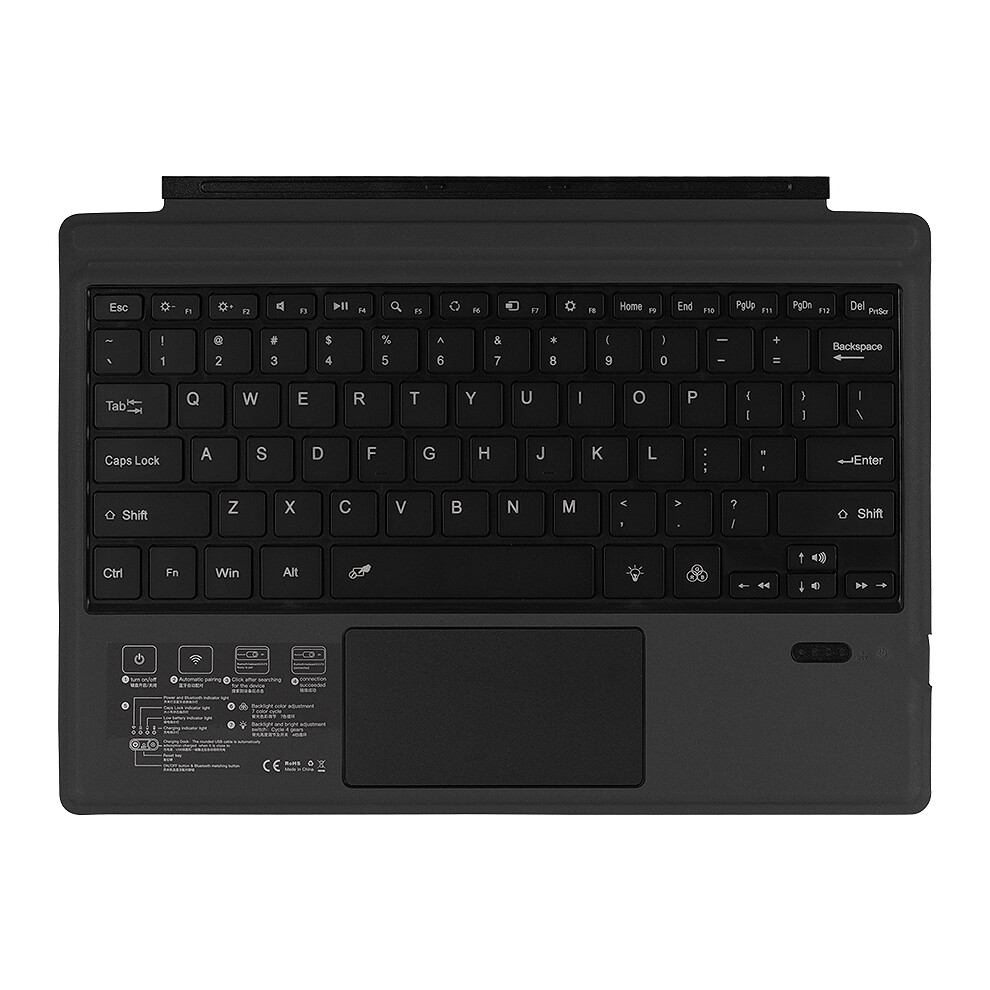

Wireless Keyboard with Presspad for /Surface Pro 7, Ultra-Slim 7 Color Backlight Wireless Keyboard
Σε απόθεμα
Γιατί θα λατρέψεις τις αγορές στην OnBuy :
- Κέρδισε Επιστροφή Ποσού σε κάθε αγορά – ξόδεψε το άμεσα στην επόμενη παραγγελία σου
- Δωρεάν παράδοση – σε εκατομμύρια προϊόντα σε όλο το site
- Οι πελάτες μας λατρεύουν – 131,000 κριτικές με βαθμολογία « Άριστα »
Οι τιμές για τα είδη που πωλούνται από την OnBuy περιλαμβάνουν ΦΠΑ.
Διαθέσιμες άτοκες επιλογές πληρωμής


Δες την πλήρη περιγραφή & λεπτομέρειες του προϊόντος
Παράδοση: Κανονικό (10,25 €) | Τρι 25 - Δευ 31 Αυγ
Πωλείται από: PPEART
Επιστροφές: 30 ημέρες
Προστασία πληρωμής 180 ημερών
Περίληψη
- Applicable system: The keyboard size is specially designed for Microsoft Surfac pro. The keyboard supports all Windows systems. You can also use this keyboard to pair with other electronic devices with Bluetooth and Windows systems, but pay attention to if it is used on other devices. The magnetic buckle of this product cannot be matched, it can only be used for Microsoft Surfac pro;
- Make Surface pro3/surface Pro4/surface Pro5/surface pro6/surface Pro7 Like a Laptop:The keyboard is physically attached to Surface pro via magnetic like a laptop and the connection is though Bluetooth.After the Bluetooth is connected, mechanical keys and Presspad simply make you like using a laptop.(This keyboard doesn't fit for Surface go)
- Slim and compact, yet performs like a traditional, full-size keyboard.Functional Media Keys and Presspad: Enjoy the easily control of your Surface pro,with the Presspad and the media hot keys,Keyboard with 7-color backlight night light effect.Charge up in 2 hour and enjoy 95 hours of uninterrupted use.Product Name: Wireless Keyboard / Bluetooth Keyboard.Applicable models: Microsoft surface pro3 / surface Pro4 / surface Pro5 / surface pro6 / surface Pro7
- Use tutorial:1. Turn on the Bluetooth keyboard holster and push the switch in the lower right corner from [0FF to ON]. At this time, the holster keyboard starts, and the blue light shows off after 3 seconds.2. Then click the [Link key] / [connect key] next to it, and the blue light is on and the bluetooth light flashes.
- 3. Turn on the tablet and find-Settings-Turn on wireless and network-Turn on Bluetooth-Search for nearby devices-[Search the Bluetooth name of the protective case (Bluetooth keyboard)] and click Connect.4. The tablet screen prompts [Bluetooth pairing request (enter the Bluetooth password xxxx to pair ""Bluetooth keyboard"")], enter the number displayed on the screen on the Bluetooth keyboard and press the Enter key, the connection is successful!
Wireless Keyboard with Presspad for /Surface Pro 7, Ultra-Slim 7 Color Backlight Wireless Keyboard Περιγραφή
Applicable system: The keyboard size is specially designed for Surfac pro. The keyboard supports all Windows systems. You can also use this keyboard to pair with other electronic devices with and Windows systems, but pay attention to if it is used other devices. The magnetic buckle of this product cannot be matched, it can only be used for Surfac pro;
Make Surface pro3/surface Pro4/surface Pro5/surface pro6/surface Pro7 Like a Laptop:The keyboard is physically attached to Surface pro via magnetic like a laptop and the connection is though .After the is connected, mechanical keys and Presspad simply make you like using a laptop.(This keyboard doesn't fit for Surface go)
Slim and compact, yet performs like a traditional, full-size keyboard.Functional Media Keys and Presspad: Enjoy the easily control of your Surface pro,with the Presspad and the media hot keys,Keyboard with 7-color backlight night light effect.Charge in 2 hour and enjoy 95 hours of uninterrupted use.Product Name: Wireless Keyboard / Keyboard.Applicable models: surface pro3 / surface Pro4 / surface Pro5 / surface pro6 / surface Pro7
Use tutorial:1. Turn the keyboard holster and push the in the lower right corner from [0FF to ]. At this , the holster keyboard starts, and the light shows off after 3 seconds.2. Then click the [Link key] / [connect key] next to it, and the light is and the light flashes.
3. Turn the tablet and find-Settings-Turn wireless and network-Turn -Search for nearby devices-[Search the name of the protective case ( keyboard)] and click Connect.4. The tablet screen prompts [ pairing request (enter the password xxxx to pair "" keyboard"")], enter the number displayed the screen o
Λεπτομέρειες
| OPC | PRJMYPG |
|---|---|
| Κωδικοί | 6031995421536 (EAN) |
| Πληροφορίες προϊόντος και ασφάλειας |
Στοιχεία Προϊόντος
| Height | 2cm |
|---|---|
| Width | 24cm |
| Length | 34cm |
| Weight | 0.5075kg |
| Colour | black |
| Material | PU+ABS |
Σύγκρινε Πωλητές για Wireless Keyboard with Presspad for /Surface Pro 7, Ultra-Slim 7 Color Backlight Wireless Keyboard
- Νέο από 50,05 €
| Πωλητής | Αξιολογήσεις | Εγγύηση | Επιστροφές | Τιμή | Παράδοση | Σύνολο | Ποσότητα |
|---|---|---|---|---|---|---|---|
|
Αποστολή από:

|
(321 αξιολογήσεις) | - |
30 ημέρες
Δωρεάν επιστροφές Όχι
|
39,80 €
|
+10,25 € Delivery
Εκτ. Παράδοση:
25-31 Αυγ
|
50,05 €
|
Κέρδισε καθώς ψωνίζεις με άμεσο Cashback σε όλα.
Χωρίς παγίδες, χωρίς κόστος
- Καταβάλλεται στον λογαριασμό σας στο OnBuy
- Ξόδεψέ το στην επόμενη αγορά σου
- Αποθήκευσέ τα ή κάνε ανάληψη
Γίνετε Cashback VIP
Μόνο 1 αγορά ξεκλειδώνει μεγαλύτερες προσφορές και καλύτερα ποσοστά