





















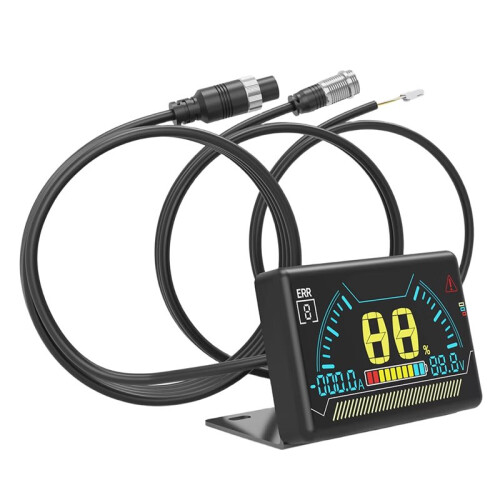
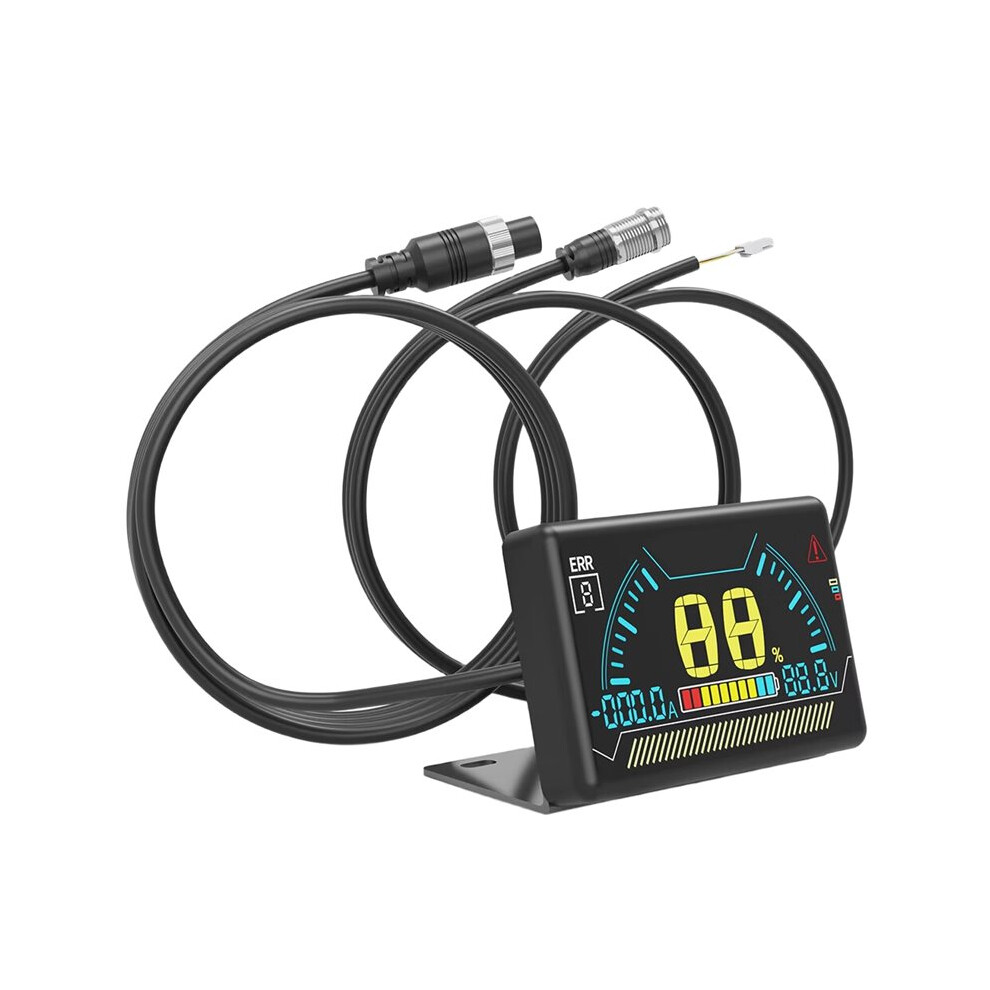
New LCD BMS LCD Display 2.3 Inch Battery Bms Accessories Intelligent Battery Level Indicator with Cable
Disponibile
Perché amerai fare acquisti su OnBuy:
- Ottieni Cashback su ogni acquisto – spendilo subito sul tuo prossimo ordine
- Consegna gratuita – su milioni di articoli in tutto il sito
- I clienti ci amano – 135,000 recensioni con valutazione « Eccellente »
I prezzi degli articoli in vendita su OnBuy includono l’IVA
Opzioni di pagamento a rate senza interessi disponibili


Vedi la descrizione completa e i dettagli del prodotto
Consegna: Standard (Gratis) | mer 14 - lun 19 ott
Venduto da: Papishop
Resi: 30 giorni
Protezione dei pagamenti per 180 giorni
Potrebbe interessarti anche
Riepilogo
- LCD Operation Guide: 1. When the BMS is off, press the touch button on the left side of the LCD screen once to turn it on.
- 2. When the BMS is on, if no current output is detected from the BMS within 10 seconds, the display will turn off the LCD backlight to reduce power consumption.
- 3. When the BMS is on, if the display is not showing any content, press the left button on the LCD screen once to turn on the backlight.
- 4. When the BMS is on, if the display is showing content, press the left button on the LCD screen once to turn off the backlight.
- 5. When the BMS (Battery Management System) is on, press and hold the touch button on the left side of the LCD screen for 2 seconds to turn it off.
Descrizione di New LCD BMS LCD Display 2.3 Inch Battery Bms Accessories Intelligent Battery Level Indicator with Cable
LCD Operation Guide: 1. When the BMS is off, press the touch button the left side of the LCD screen once to turn it .
2. When the BMS is , if no current output is detected from the BMS within 10 seconds, the display will turn off the LCD backlight to reduce power consumption.
3. When the BMS is , if the display is not showing any content, press the left button the LCD screen once to turn the backlight.
4. When the BMS is , if the display is showing content, press the left button the LCD screen once to turn off the backlight.
5. When the BMS (Battery Management System) is , press and hold the touch button the left side of the LCD screen for 2 seconds to turn it off.
Activating BMS Functionality by Pressing the Button
Dimensions: 60.6 x 36 x 10.6 mm
Over-temperature Protection: Over-temperature, short circuit, over-voltage, over-current protection
Screen: LCD
Color: Black
Material: ABS
Package Contents:
1 * BMS LCD Display
Dettagli
| OPC | PYHVG2H |
|---|---|
| Marchio | Typecat |
| Codici | 4711917685582 (EAN) |
| Informazioni sul prodotto e sulla sicurezza |
Dati prodotto
| Height | 4cm |
|---|---|
| Width | 9cm |
| Length | 15cm |
| Weight | 0.13kg |
| Colour | Black |
| Material | ABS |
Confronta i venditori per New LCD BMS LCD Display 2.3 Inch Battery Bms Accessories Intelligent Battery Level Indicator with Cable
- Nuovo da 24,02 €
| Venditore | Recensioni | Garanzia | Resi | Prezzo | Consegna | Totale | Quantità |
|---|---|---|---|---|---|---|---|
|
Spedito da:

|
(436 recensioni) | - |
30 giorni
Resi gratuiti No
|
24,02 €
|
+Free Delivery
Consegna stimata:
14-19 ott
|
24,02 €
|
Guadagna mentre fai acquisti con Cashback istantaneo su tutto.
Nessun trucco, nessun costo
- Accreditato sul tuo conto OnBuy
- Usali sul tuo prossimo acquisto
- Risparmialo o prelevalo
Diventa un Cashback VIP
Basta 1 acquisto per sbloccare offerte e vantaggi ancora più grandi