





















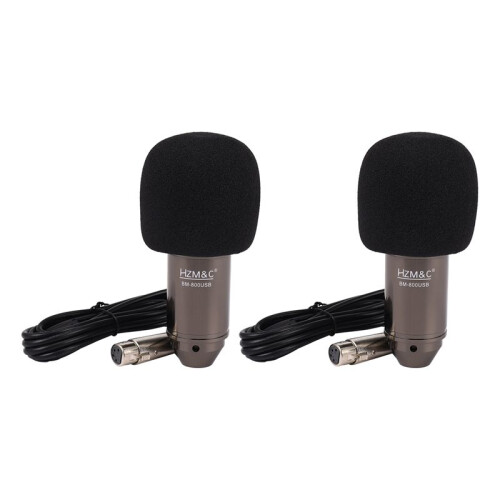
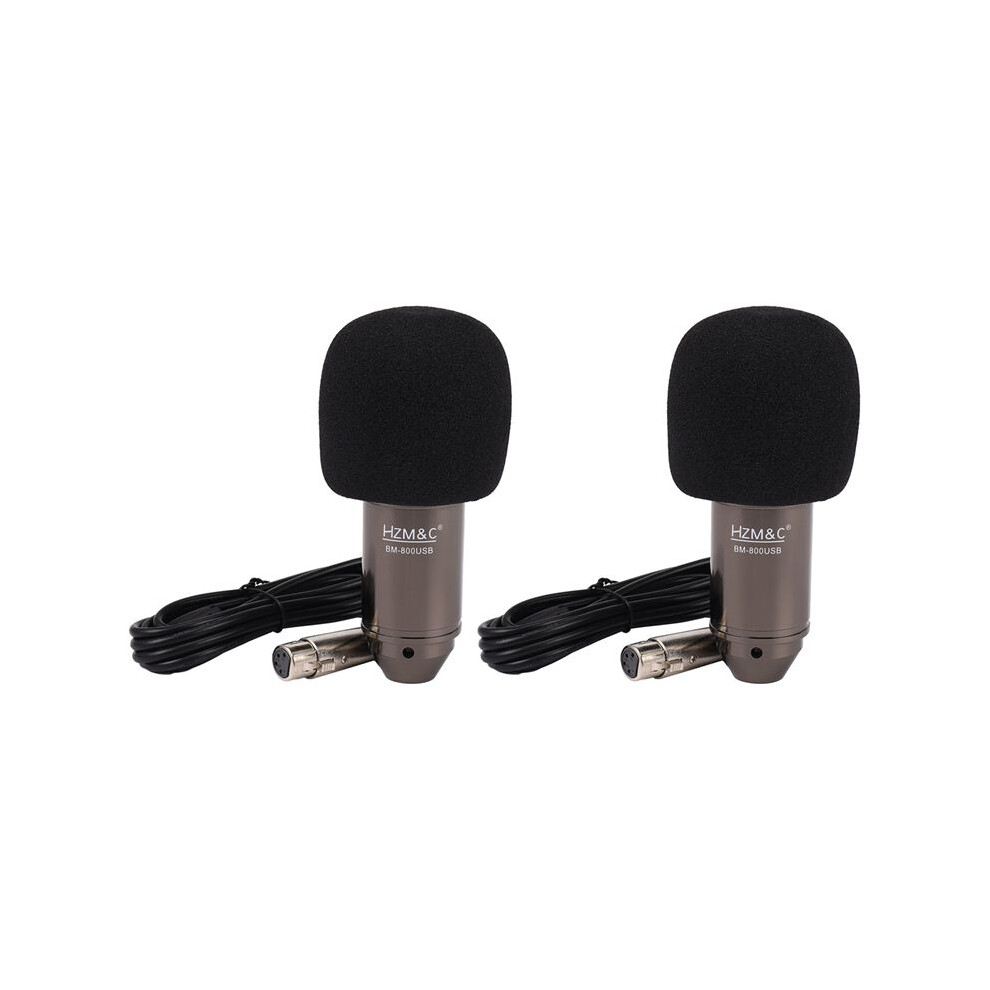
2X HZM&C Upgraded Bm 800 USB Condenser Microphone Studio Mic for Computer Recording Karaoke Pc (Black)
På lager
Derfor vil du elske å handle hos OnBuy:
- Tjen Cashback på hvert kjøp – bruk det umiddelbart på din neste bestilling
- Gratis levering – på millioner av varer på hele nettstedet
- Kunder elsker oss – 139,000 anmeldelser med vurderingen “Utmerket”
Rente- og gebyrfri delbetaling tilgjengelig


Se full produktbeskrivelse og detaljer
Levering: Standard (Gratis) | fre 4. - man 7. des
Returer: 30 dager
180 dagers betalingsbeskyttelse
Sammendrag
- Plug and play, plug directly into your devices with USB port, no needed drivers.With the USB terminal to supply power, the condenser microphone needs no 48V phantom power, battery, or other assistive devices.Cardioid pick-up pattern minimizes background noise and isolates the main sound source.2m long leather cord extends your music space freely and meets your need of all aspects of enjoyment.Wide frequency response (30Hz-20kHz) makes vocal performances sound clear, natural and vibrant.
- How to setting it?Plug the USB cable to your computer at the same time. Ready for use.If the microphone cannot be used to your device, please check if your device has set itself correctly with the microphone. If not, please follow the step to setting it.
- Step 1: Open your control panel, and click on "sound", a window pops up.Step 2: Select the recording, you will see the microphone is set up or on default.Step 3: Double click the microphone if it is already connected., and then setting yourmicrophone properties.
- 1.Unplug the USB cable to check whether the pins at the bottom of the mic are loosened.2.Restart computer and re-plug the mic to other USB port.3.If the "USB PnP Audio Device" appears in the sound settings of computer(below are the methods how to get to sound settings), the mic is able to work.(Windows: Right click speaker icon on right corner of computer→"Recording Device"Mac: Click "System Preferences"→"Sound"→"Input")
- If the mic disconnects itself without warning, what can I do?Answer: There are two reasons for this situation. One is that the poor connection. The other is that the USB cable is broken. If you have tried to replug the USB cable into the mic, and plug the mic to other USB port, then it will be the problem of the cable.
2X HZM&C Upgraded Bm 800 USB Condenser Microphone Studio Mic for Computer Recording Karaoke Pc (Black) Beskrivelse
Plug and , plug directly into your devices with USB port, no needed drivers.With the USB terminal to supply power, the condenser microphone needs no 48V phantom power, battery, or other assistive devices.Cardioid pick- pattern minimizes background noise and isolates the main sound source.2m long leather cord extends your music space freely and meets your need of all aspects of enjoyment.Wide frequency response (30Hz-20kHz) makes vocal performances sound clear, natural and vibrant.
How to setting it?Plug the USB cable to your computer at the same . Ready for use.If the microphone cannot be used to your device, please check if your device has set itself correctly with the microphone. If not, please follow the step to setting it.
Step 1: Open your control panel, and click "sound", a window pops .Step 2: Select the recording, you will see the microphone is set or default.Step 3: Double click the microphone if it is already connected., and then setting yourmicrophone properties.
1.Unplug the USB cable to check whether the pins at the bottom of the mic are loosened.2.Restart computer and re-plug the mic to other USB port.3.If the "USB PnP Audio Device" appears in the sound settings of computer(below are the methods how to get to sound settings), the mic is able to work.(Windows: Right click speaker icon right corner of computer"Recording Device": Click "System Preferences""Sound""Input")
If the mic disconnects itself without warning, what can I do?Answer: There are two reasons for this situation. One is that the poor connection. The other is that the USB cable is broken. If you have tried to replug the USB cable into the mic, and plug the mic to other USB port, then it will be the problem of the cable.
If the mic has hissing what can I do?
1.Re-plug the USB cable into the microphone. If the cable gets loose,
Detaljer
| OPC | PTPHQZJ |
|---|---|
| Merke | Semoic |
| Koder | 6031357783692 (EAN) |
| Produkt- og sikkerhetsinformasjon |
Produktdata
| Height | 14cm |
|---|---|
| Width | 15cm |
| Length | 20cm |
| Weight | 0.889kg |
| Colour | black |
| Material | Zinc alloy + plastic |
Customers also buy
Sammenlign selgere for 2X HZM&C Upgraded Bm 800 USB Condenser Microphone Studio Mic for Computer Recording Karaoke Pc (Black)
- Ny fra 523,19 kr
| Selger | Vurderinger | Garanti | Returer | Pris | Levering | Totalt | Antall |
|---|---|---|---|---|---|---|---|
|
Sendt fra:

|
(296 anmeldelser) | - |
30 dager
Gratis retur Nei
|
523,19 kr
|
+Free Delivery
Estimert levering:
4-7 des
|
523,19 kr
|
Tjen mens du handler med umiddelbar Cashback på alt.
Ingen binding, ingen kostnad
- Utbetalt til OnBuy-kontoen din
- Bruk det på neste kjøpet ditt
- Spar den eller ta den ut
Bli en Cashback VIP
Bare 1 kjøp gir deg større rabatter og bedre priser