
















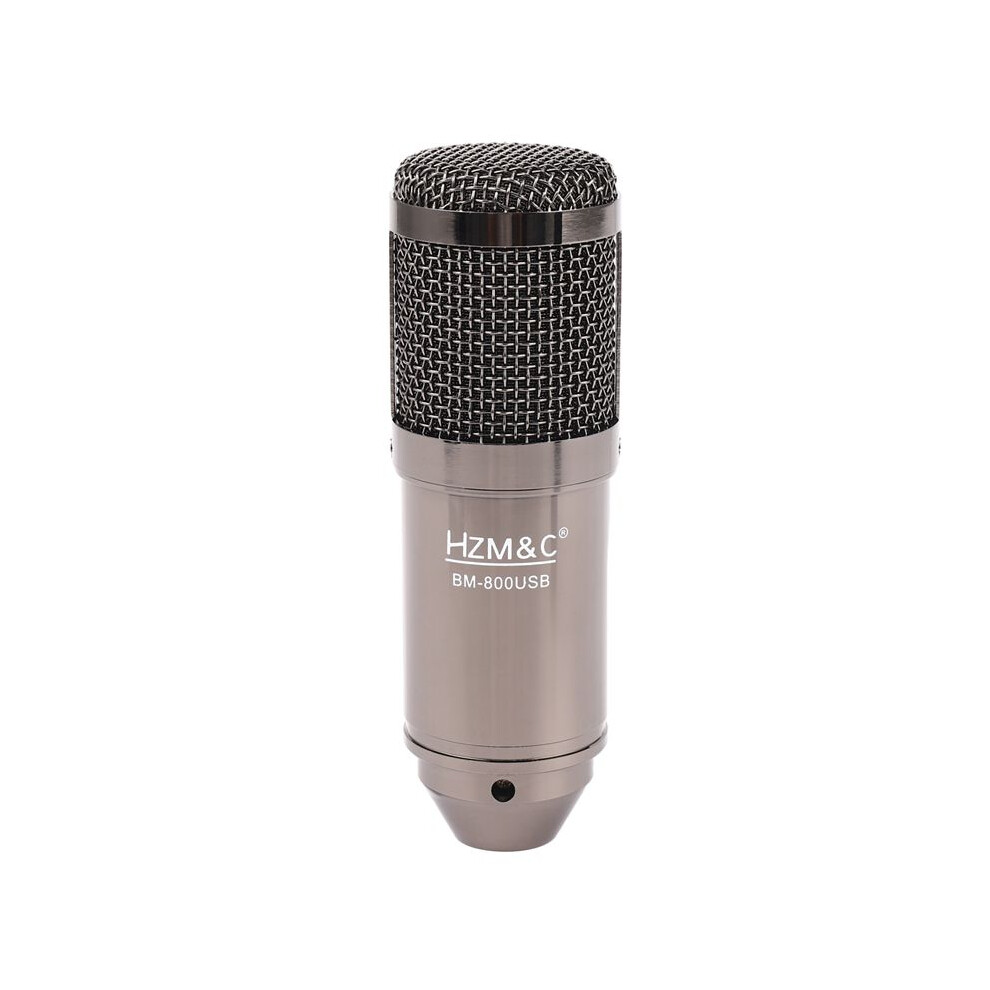
2X HZM&C Upgraded Bm 800 USB Condenser Microphone Studio Mic for Computer Recording Karaoke Pc (Black)

Marca Exogio
Novo

Em stock

Porque vai adorar comprar na OnBuy:

  • Ganhe Cashback em cada compra – utilize-o imediatamente na sua próxima encomenda
  • Entrega gratuita – em milhões de artigos em todo o site
  • Os clientes adoram-nos – 135,000 avaliações com classificação « Excelente »

Ver descrição completa e detalhes do produto

45,40 €
70,60 € 36% de desconto!
Entrega GRATUITA
1% O que é o Cashback instantâneo? Saber mais
Adicionar ao cesto

Os preços dos produtos vendidos na OnBuy incluem IVA.

Opções de pagamento sem juros disponíveis

Vendido por Sophia
Vendedor Profissional
Visitar loja
2.5k+ encomendas

Ver descrição completa e detalhes do produto

Entrega: Padrão (Grátis) | qui 8 - ter 13 out

Devoluções: 30 Dias

Proteção de pagamento de 180 dias

Adicionar ao cesto
Descrição e Detalhes

Resumo

  • Plug and play, plug directly into your devices with USB port, no needed drivers.With the USB terminal to supply power, the condenser microphone needs no 48V phantom power, battery, or other assistive devices.Cardioid pick-up pattern minimizes background noise and isolates the main sound source.2m long leather cord extends your music space freely and meets your need of all aspects of enjoyment.Wide frequency response (30Hz-20kHz) makes vocal performances sound clear, natural and vibrant.
  • How to setting it?Plug the USB cable to your computer at the same time. Ready for use.If the microphone cannot be used to your device, please check if your device has set itself correctly with the microphone. If not, please follow the step to setting it.
  • Step 1: Open your control panel, and click on "sound", a window pops up.Step 2: Select the recording, you will see the microphone is set up or on default.Step 3: Double click the microphone if it is already connected., and then setting yourmicrophone properties.
  • 1.Unplug the USB cable to check whether the pins at the bottom of the mic are loosened.2.Restart computer and re-plug the mic to other USB port.3.If the "USB PnP Audio Device" appears in the sound settings of computer(below are the methods how to get to sound settings), the mic is able to work.(Windows: Right click speaker icon on right corner of computer→"Recording Device"Mac: Click "System Preferences"→"Sound"→"Input")
  • If the mic disconnects itself without warning, what can I do?Answer: There are two reasons for this situation. One is that the poor connection. The other is that the USB cable is broken. If you have tried to replug the USB cable into the mic, and plug the mic to other USB port, then it will be the problem of the cable.

Descrição de 2X HZM&C Upgraded Bm 800 USB Condenser Microphone Studio Mic for Computer Recording Karaoke Pc (Black)

Plug and , plug directly into your devices with USB port, no needed drivers.With the USB terminal to supply power, the condenser microphone needs no 48V phantom power, battery, or other assistive devices.Cardioid pick- pattern minimizes background noise and isolates the main sound source.2m long leather cord extends your music space freely and meets your need of all aspects of enjoyment.Wide frequency response (30Hz-20kHz) makes vocal performances sound clear, natural and vibrant.
How to setting it?Plug the USB cable to your computer at the same . Ready for use.If the microphone cannot be used to your device, please check if your device has set itself correctly with the microphone. If not, please follow the step to setting it.
Step 1: Open your control panel, and click "sound", a window pops .Step 2: Select the recording, you will see the microphone is set or default.Step 3: Double click the microphone if it is already connected., and then setting yourmicrophone properties.
1.Unplug the USB cable to check whether the pins at the bottom of the mic are loosened.2.Restart computer and re-plug the mic to other USB port.3.If the "USB PnP Audio Device" appears in the sound settings of computer(below are the methods how to get to sound settings), the mic is able to work.(Windows: Right click speaker icon right corner of computer"Recording Device": Click "System Preferences""Sound""Input")
If the mic disconnects itself without warning, what can I do?Answer: There are two reasons for this situation. One is that the poor connection. The other is that the USB cable is broken. If you have tried to replug the USB cable into the mic, and plug the mic to other USB port, then it will be the problem of the cable.

If the mic has hissing what can I do?
1.Re-plug the USB cable into the microphone. If the cable gets loose,

Detalhes

OPC PWZGMQG
Marca
Exogio
Códigos 6031346213612 (EAN)
Informações sobre o Produto e Segurança

Imagens do Produto

2X HZM&C Upgraded Bm 800 USB Condenser Microphone Studio Mic for Computer Recording Karaoke Pc (Black) 1
2X HZM&C Upgraded Bm 800 USB Condenser Microphone Studio Mic for Computer Recording Karaoke Pc (Black) 2
2X HZM&C Upgraded Bm 800 USB Condenser Microphone Studio Mic for Computer Recording Karaoke Pc (Black)

Dados do Produto

Height14cm
Width15cm
Length20cm
Weight0.889kg
Colourblack
MaterialZinc alloy + plastic

Comparar Vendedores para 2X HZM&C Upgraded Bm 800 USB Condenser Microphone Studio Mic for Computer Recording Karaoke Pc (Black)

  • Novo de 45,40 €
Vendedor Avaliações Garantia Devoluções Preço Entrega Total Quantidade
Enviado de: China
(115 avaliações)
-
30 Dias
Devoluções grátis Não
45,40 €
+Free Delivery
Entrega prevista: 8-13 out
45,40 €
Adicionar ao cesto

Ganhe enquanto compra com Cashback instantâneo em tudo.

Sem truques, sem custos

  • Creditado na sua conta OnBuy
  • Gaste na sua próxima compra
  • Guarde ou levante

Torne-se Cashback VIP

Basta 1 compra para desbloquear melhores ofertas e taxas

Recursos de Segurança e Produto

Imagens e documentos de segurança

Pedimos desculpa, esta informação não está disponível de momento. Estamos a trabalhar com o vendedor para atualizar esta secção o mais brevemente possível, por isso volte a consultar mais tarde.

Informações do fabricante

Informação sobre o fabricante do produto.

Nota: Estes não são os dados de contacto do retalhista, por isso, por favor, não devolva artigos para este endereço.

YINYING ECOMMERCE TECHNOLOGY LIMITED

xiang gang jiu long jian sha ju qi xian dao nan 4 5 - 5 1 hao qi shi da sha 8 0 3 shi,jiu long,xiang gan,999077,Hong Kong,100
China
8615118066474

[email protected]

Pessoa responsável na UE

Pedimos desculpa, esta informação não está disponível de momento. Estamos a trabalhar com o vendedor para atualizar esta secção o mais brevemente possível, por isso volte a consultar mais tarde.

Espere! Esqueceu-se de
algo...

Só na OnBuy recebe Cashback instantâneo! Introduza o seu email abaixo e enviaremos uma cópia do seu cesto para poupar tempo mais tarde.

Ao inserir o seu endereço de email, será automaticamente adicionado à nossa base de dados, onde poderá usufruir de ofertas personalizadas de Cashback e acesso antecipado às nossas melhores promoções. Pode cancelar a subscrição dos nossos emails a qualquer momento e nunca partilharemos os seus dados com terceiros. Consulte a nossa Política de Privacidade e os Termos e Condições para saber mais.

Antes de sair...
Lembre-se, só recebe Cashback imediato em tudo na OnBuy!

Quer receber ofertas personalizadas e as taxas de Cashback mais altas? Inscreva-se na nossa newsletter abaixo.

Pode cancelar a subscrição dos nossos emails a qualquer momento e nunca partilharemos os seus dados com terceiros. Consulte a nossa Política de Privacidade e os Termos e Condições para saber mais.

Esta página expirou.

Por favor, atualize a página para continuar a comprar.

Atualize e continue