





















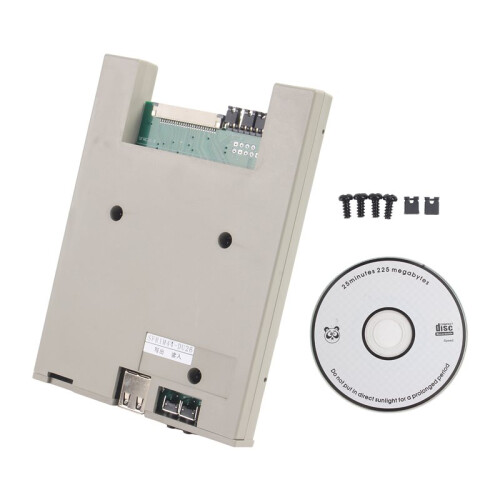
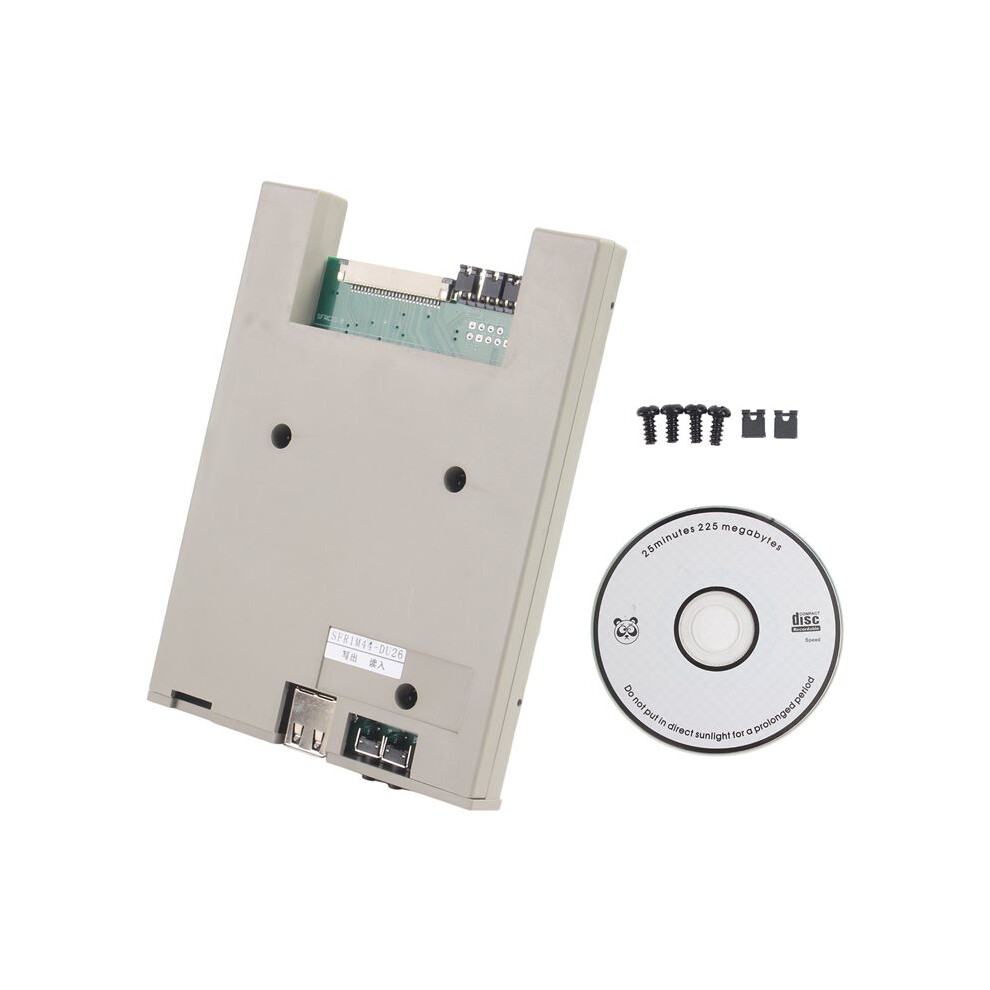
SFR1M44-DU26 1.44MB USB SSD Floppy Drive Emulator Slim USB Reader Floppy Emulator 26-Pin Format-Free USB Flash Drive
În stoc
De ce îți va plăcea să cumperi de la OnBuy:
- Câștigi Cashback la fiecare achiziție – folosește-l la următoarea comandă
- Livrare gratuită – la milioane de produse de pe site
- Clienții ne iubesc – 137,000 de recenzii cu evaluare “Excelent”
Prețurile articolelor vândute de OnBuy includ TVA.
Opțiuni de plată în rate fără dobândă disponibile

Vezi descrierea completă și detaliile produsului
Livrare: Standard (35,00 RON) | mie 11 - mar 17 nov.
Returnări: 30 zile
Protecție la plată pentru 180 de zile
Te-ar putea interesa și
Rezumat
- 1. Can copy files to a USB drive and read them directly.
- 2. The floppy drive has built-in memory; the software automatically converts the USB drive and disk formats.
- 3. If the total file size on the USB drive exceeds 1.44MB, you can press the "Read" button to convert the excess files.
- 4. Since this model only supports files in the root directory of the USB drive, it is recommended to place frequently used files in the USB drive directory and less frequently used or unrelated files in folders.
- 5. If the USB drive has data corruption due to prolonged use, please format the USB drive.
Descriere SFR1M44-DU26 1.44MB USB SSD Floppy Drive Emulator Slim USB Reader Floppy Emulator 26-Pin Format-Free USB Flash Drive
1. Can copy files to a USB drive and read them directly.
2. The floppy drive has built-in memory; the software automatically converts the USB drive and disk formats.
3. If the total file size the USB drive exceeds 1.44MB, you can press the "Read" button to convert the excess files.
4. Since this model only supports files in the root directory of the USB drive, it is recommended to place frequently used files in the USB drive directory and less frequently used or unrelated files in folders.
5. If the USB drive has data corruption due to prolonged use, please format the USB drive.
Reading files larger than 1.44MB, see the steps below.
Operating Steps: Reading Files from USB Flash Drive to Device:
1. Copy the file to the USB flash drive directory your computer, not in a folder.
2. Plug in the USB flash drive.
3. The red indicator light the floppy drive will illuminate.
4. Wait for the red light to turn off; 1.44MB of files have been read into the floppy drive's memory.
5. Operate the device to read the disc and retrieve the files. If the total file size is less than 1.44MB, all files can be read.
6. If the total file size the USB flash drive exceeds one or more 1.44MB portions, press the [Read] button the right.
7. The red indicator light the floppy drive will illuminate.
8. Wait for the red light to turn off; the next 1.44MB portion of data from the USB flash drive will be read into the floppy drive's memory.
9. Operate the device to read the disc and retrieve the files.
10. If the required file is not found, the total file size is too large; repeat steps 6-9.
Color: Random Color
Material: plastic
Package Contents:
1 * Floppy Drive Emulator
Detalii
| OPC | PVSPHWD |
|---|---|
| Coduri | 6033256807318 (EAN) |
| Informații despre produs și siguranță |
Date despre produs
| Height | 2cm |
|---|---|
| Width | 10cm |
| Length | 12cm |
| Weight | 0.1035kg |
| Colour | Random Color |
| Material | Plastic |
Compară vânzătorii pentru SFR1M44-DU26 1.44MB USB SSD Floppy Drive Emulator Slim USB Reader Floppy Emulator 26-Pin Format-Free USB Flash Drive
- Nou de la 317,41 RON
| Vânzător | Note | Garanție | Retururi | Preț | Livrare | Total | Cantitate |
|---|---|---|---|---|---|---|---|
|
Expediat din:

|
(152 recenzii) | - |
30 zile
Retur gratuit Nu
|
282,41 RON
|
+35,00 RON Delivery
Livrare estimată:
11-17 nov.
|
317,41 RON
|
Câștigați în timp ce cumpărați cu Cashback instant la orice produs.
Fără condiții ascunse, fără costuri
- Plătit în contul dumneavoastră OnBuy
- Folosiți-i pentru următoarea achiziție
- Economisiți-l sau retrageți-l
Deveniți un Cashback VIP
O singură achiziție deblochează oferte și rate mai avantajoase