





















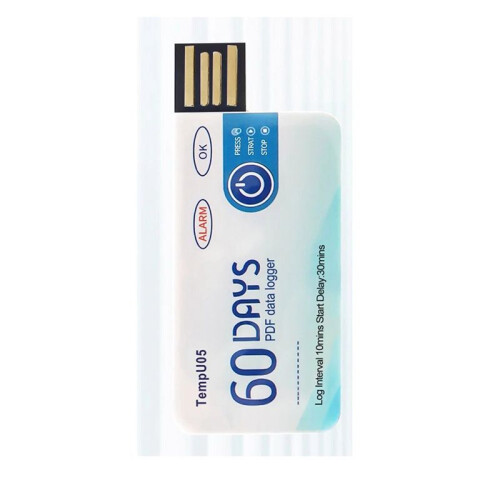
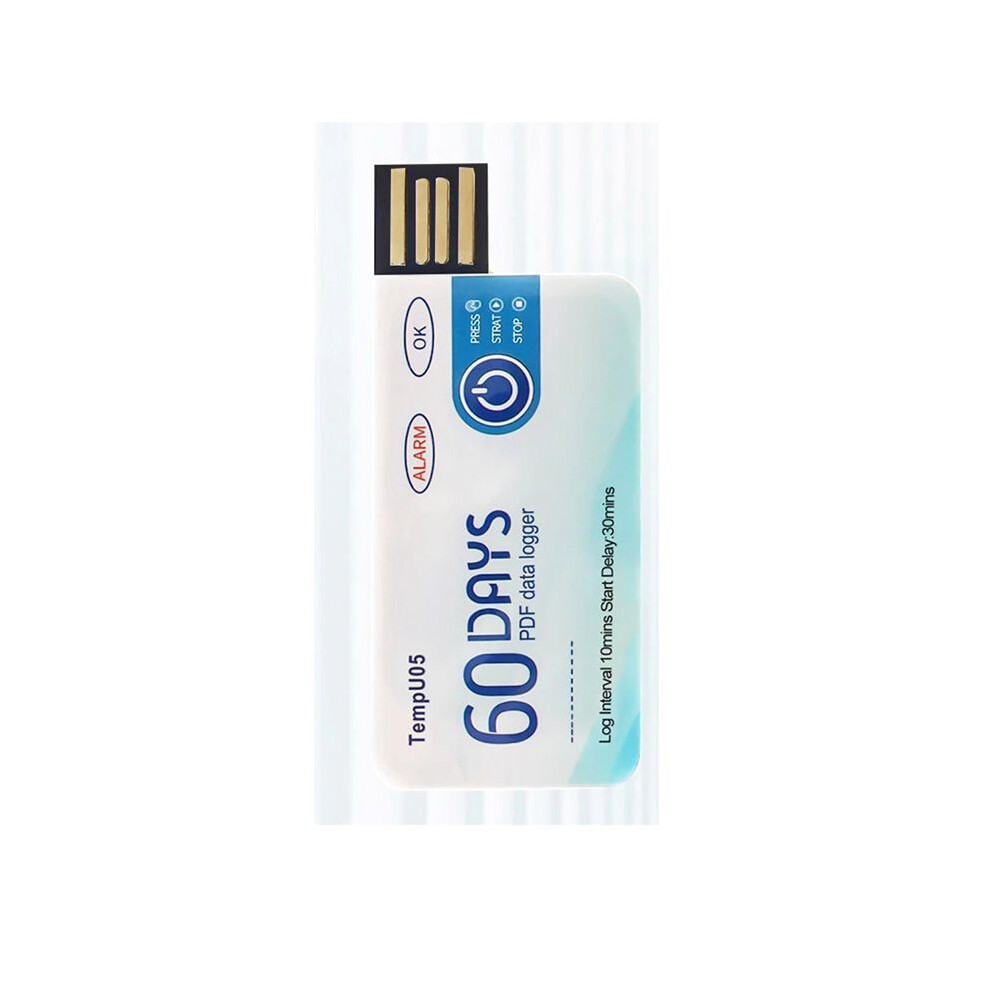
TempU05 Temperature Data Logger 60 Days Disposable Temperature Analyzer PDF USB
Varastossa
Miksi tulet rakastamaan ostoksia OnBuyssa:
- Ansaitse Cashback jokaisesta ostoksesta – käytä se heti seuraavaan tilaukseesi
- Ilmainen toimitus – miljooniin tuotteisiin sivustolla
- Asiakkaat rakastavat meitä – 126,000 arvostelua arvosanalla “Erinomainen”
OnBuyn myymien tuotteiden hinnat sisältävät ALV:n.
Korottomat maksuvaihtoehdot saatavilla


Katso koko tuotekuvaus ja tiedot
Toimitus: Vakio (Ilmainen) | to 18. - to 25. kesä
Palautukset: 30 päivää
180 päivän maksuturva
Suosituimmat tuotteet kategoriassa Kosteusmittarit


Yhteenveto
- How to use: 1. Press and hold the "start/stop" button for more than 3s, the "OK" indicator will be on for 3s, indicating the device starts recording, and then you can place the device in the environment you need to control.
- 2. During the recording process, the device will automatically turn on the light every 10s. If the normal light (green light) is on every 10s, it means that the device does not overheat during the recording process. If the alarm indicator light (i.e. red light) illuminates every 10 seconds, explain that excessive temperature occurred during the recording process. Note: If overheating is detected during the recording process, the green light will no longer be illuminated.
- 3. Press and hold the start/stop button for more than 3s, the alarm indicator (i.e. red light) will be on for 3s, indicating that the device will stop recording. Recording will also stop automatically when the device is full. After the device stops recording, it will not flash automatically. If the device overheats during recording, press the start/stop button.
- If the normal indicator (green light) is on, it means that the temperature is not overwritten during recording; If there is an alarm when the indicator light (i.e. red light) is on, it means that the temperature is overheating while recording.
- Remove the waterproof packaging bag and insert the device into the computer's USB interface. During the process of creating PDF files, the normal indicator light (i.e. green light) and the alarm indicator light (i.e. red light) will turn on. When the file is generated, the normal light (i.e. green light) will be on until the logger is removed from the computer.
TempU05 Temperature Data Logger 60 Days Disposable Temperature Analyzer PDF USB Kuvaus
How to use: 1. Press and hold the "start/stop" button for more than 3s, the "OK" indicator will be for 3s, indicating the device starts recording, and then you can place the device in the environment you need to control.
2. During the recording process, the device will automatically turn the light every 10s. If the normal light (green light) is every 10s, it means that the device does not overheat during the recording process. If the alarm indicator light (i.e. red light) illuminates every 10 seconds, explain that excessive temperature occurred during the recording process. Note: If overheating is detected during the recording process, the green light will no longer be illuminated.
3. Press and hold the start/stop button for more than 3s, the alarm indicator (i.e. red light) will be for 3s, indicating that the device will stop recording. Recording will also stop automatically when the device is full. After the device stops recording, it will not flash automatically. If the device overheats during recording, press the start/stop button.
If the normal indicator (green light) is , it means that the temperature is not overwritten during recording; If there is an alarm when the indicator light (i.e. red light) is , it means that the temperature is overheating while recording.
Remove the waterproof packaging bag and insert the device into the computer's USB interface. During the process of creating PDF files, the normal indicator light (i.e. green light) and the alarm indicator light (i.e. red light) will turn . When the file is generated, the normal light (i.e. green light) will be until the logger is removed from the computer.
Widely used for monitoring food, medicine, chemical products and other transportation and storage processes.
After finishing the recording, you can directly insert the computer to get the PDF
Tiedot
| OPC | PTRFNW5 |
|---|---|
| Brändi | ISTOVO |
| Koodit | 6032698596910 (EAN) |
Tuotetiedot
| Height | 1cm |
|---|---|
| Width | 5cm |
| Length | 9cm |
| Weight | 0.013kg |
| Colour | As shown |
| Material | plastic |
Vertaile myyjiä tuotteelle TempU05 Temperature Data Logger 60 Days Disposable Temperature Analyzer PDF USB
- Uusi alkaen 13,49 €
| Myyjä | Arviot | Takuu | Palautukset | Hinta | Toimitus | Yhteensä | Määrä |
|---|---|---|---|---|---|---|---|
|
Lähetetty varastolta:

|
(65 arvostelua) | - |
30 päivää
Ilmaiset palautukset Ei
|
13,49 €
|
+Free Delivery
Arvioitu toimitus:
18-25 kesä
|
13,49 €
|
Ansaitse ostamalla – saat välittömän Cashback-hyvityksen kaikesta.
Ei koukkuja, ei kuluja
- Maksetaan OnBuy-tilillesi
- Käytä se seuraavaan ostokseesi
- Säästä se tai nosta se
Ryhdy Cashback VIP -jäseneksi
Vain yksi ostos avaa suuremmat tarjoukset ja paremmat alennukset