





















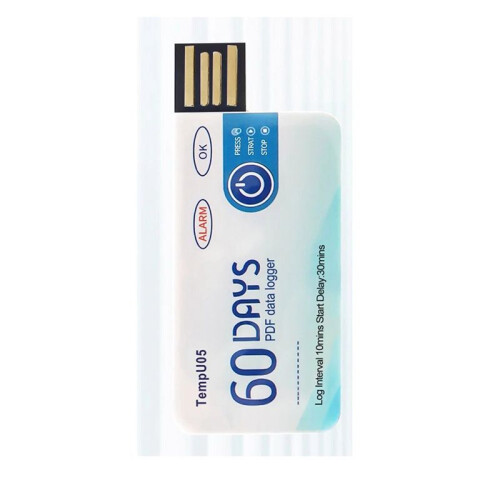
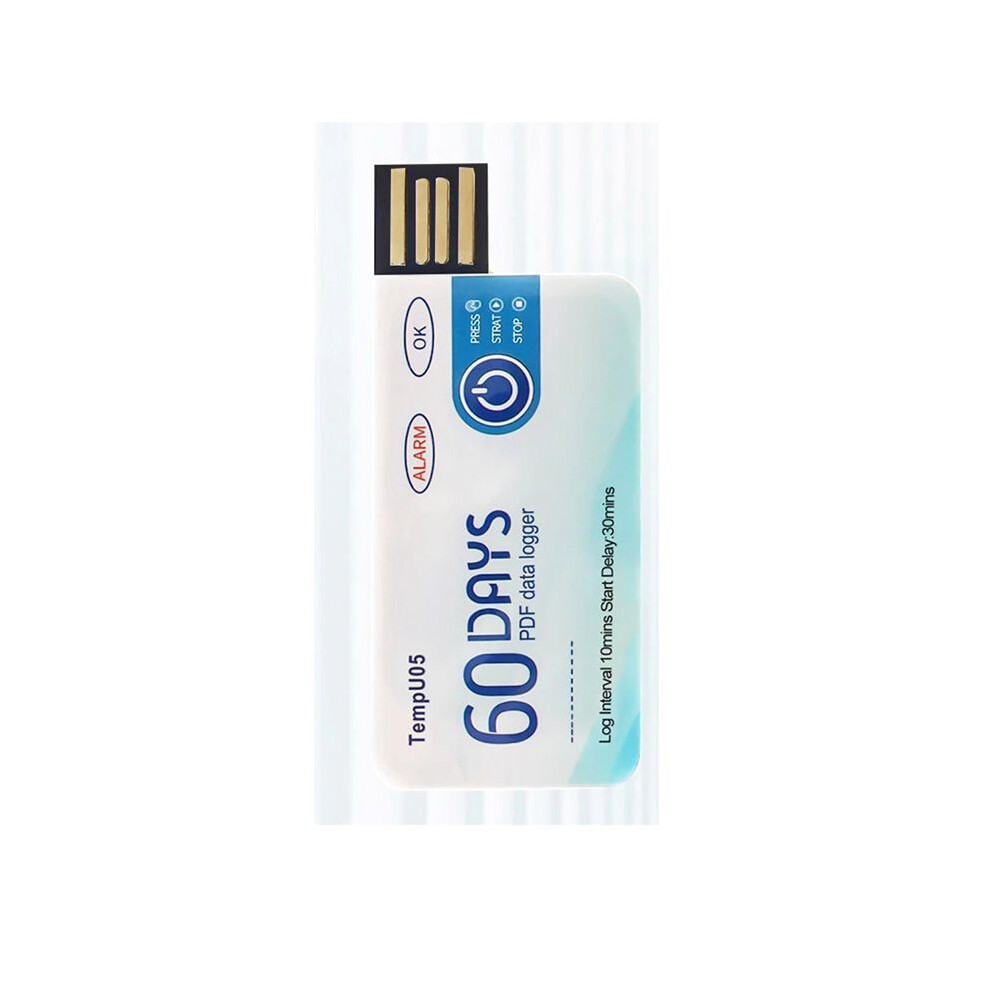
TempU05 Temperature Data Logger 60 Days Disposable Temperature Analyzer PDF USB
Raktáron
Ezért fogod szeretni az OnBuy-on való vásárlást:
- Szerezz Cashback pénzvisszatérítést minden vásárlás után, és költsd el azonnal a következő rendelésnél.
- Ingyenes kiszállítás – több millió termékre az oldalon
- Vásárlóink elégedettek velünk, már 126,000 Kiváló értékelést kaptunk!
Az OnBuy-on értékesített termékek ára tartalmazza az áfát.
Kamatmentes fizetési lehetőségek elérhetők

Teljes termékleírás és részletek megtekintése
Kézbesítés: Normál (Ingyenes) | csüt 18. - kedd 23. jún.
Visszaküldés: 30 nap
180 napos fizetési védelem
Legnépszerűbb termékek a(z) Nedvességmérők kategóriában
Összefoglaló
- How to use: 1. Press and hold the "start/stop" button for more than 3s, the "OK" indicator will be on for 3s, indicating the device starts recording, and then you can place the device in the environment you need to control.
- 2. During the recording process, the device will automatically turn on the light every 10s. If the normal light (green light) is on every 10s, it means that the device does not overheat during the recording process. If the alarm indicator light (i.e. red light) illuminates every 10 seconds, explain that excessive temperature occurred during the recording process. Note: If overheating is detected during the recording process, the green light will no longer be illuminated.
- 3. Press and hold the start/stop button for more than 3s, the alarm indicator (i.e. red light) will be on for 3s, indicating that the device will stop recording. Recording will also stop automatically when the device is full. After the device stops recording, it will not flash automatically. If the device overheats during recording, press the start/stop button.
- If the normal indicator (green light) is on, it means that the temperature is not overwritten during recording; If there is an alarm when the indicator light (i.e. red light) is on, it means that the temperature is overheating while recording.
- Remove the waterproof packaging bag and insert the device into the computer's USB interface. During the process of creating PDF files, the normal indicator light (i.e. green light) and the alarm indicator light (i.e. red light) will turn on. When the file is generated, the normal light (i.e. green light) will be on until the logger is removed from the computer.
TempU05 Temperature Data Logger 60 Days Disposable Temperature Analyzer PDF USB leírása
How to use: 1. Press and hold the "start/stop" button for more than 3s, the "OK" indicator will be for 3s, indicating the device starts recording, and then you can place the device in the environment you need to control.
2. During the recording process, the device will automatically turn the light every 10s. If the normal light (green light) is every 10s, it means that the device does not overheat during the recording process. If the alarm indicator light (i.e. red light) illuminates every 10 seconds, explain that excessive temperature occurred during the recording process. Note: If overheating is detected during the recording process, the green light will no longer be illuminated.
3. Press and hold the start/stop button for more than 3s, the alarm indicator (i.e. red light) will be for 3s, indicating that the device will stop recording. Recording will also stop automatically when the device is full. After the device stops recording, it will not flash automatically. If the device overheats during recording, press the start/stop button.
If the normal indicator (green light) is , it means that the temperature is not overwritten during recording; If there is an alarm when the indicator light (i.e. red light) is , it means that the temperature is overheating while recording.
Remove the waterproof packaging bag and insert the device into the computer's USB interface. During the process of creating PDF files, the normal indicator light (i.e. green light) and the alarm indicator light (i.e. red light) will turn . When the file is generated, the normal light (i.e. green light) will be until the logger is removed from the computer.
Widely used for monitoring food, medicine, chemical products and other transportation and storage processes.
After finishing the recording, you can directly insert the computer to get the PDF
Részletek
| OPC | PTRFNW5 |
|---|---|
| Márka | ISTOVO |
| Kódok | 6032698596910 (EAN) |
Termékadatok
| Height | 1cm |
|---|---|
| Width | 5cm |
| Length | 9cm |
| Weight | 0.013kg |
| Colour | As shown |
| Material | plastic |
Eladók összehasonlítása: TempU05 Temperature Data Logger 60 Days Disposable Temperature Analyzer PDF USB
- Új innen 4 421,82 Ft
| Eladó | Értékelések | Garancia | Visszaküldések | Ár | Kiszállítás | Összesen | Mennyiség |
|---|---|---|---|---|---|---|---|
|
Feladás helye:

|
(65 értékelés) | - |
30 nap
Ingyenes visszaküldés Nem
|
4 421,82 Ft
|
+Free Delivery
Várható szállítás:
18-23 jún.
|
4 421,82 Ft
|
Vásárlás közben is keressen pénzt azonnali Cashback-kel minden termékre.
Nincs apróbetűs rész, nincs költség
- Jóváírva az OnBuy-fiókján
- Költse el a következő vásárlásán
- Gyűjtse vagy vegye fel
Legyen Cashback VIP-tag
Már egyetlen vásárlással is nagyobb kedvezményeket és jobb árakat érhet el