





















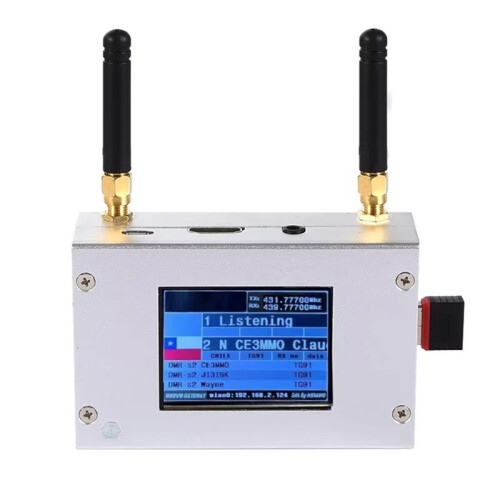
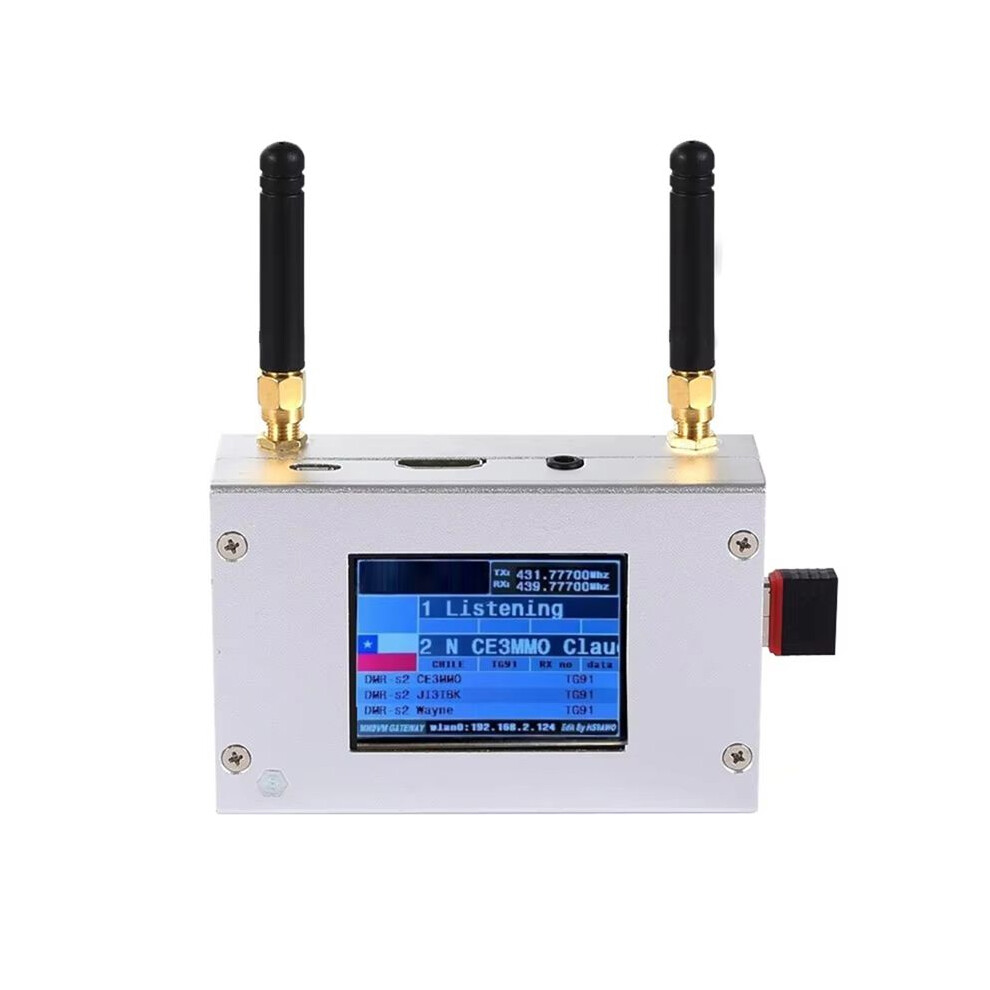
Duplex MMDVM Hotspot W/ Aluminum Alloy Shell Color Display Screen Supporting for C4FM/DMR/DSTAR P25 with Raspberry Pi1B+
På lager
Derfor vil du elske å handle hos OnBuy:
- Tjen Cashback på hvert kjøp – bruk det umiddelbart på din neste bestilling
- Gratis levering – på millioner av varer på hele nettstedet
- Kunder elsker oss – 137,000 anmeldelser med vurderingen “Utmerket”
Prisene for varer solgt av OnBuy inkluderer mva.
Rente- og gebyrfri delbetaling tilgjengelig


Se full produktbeskrivelse og detaljer
Levering: Standard (Gratis) | man 16. - lør 21. nov
Returer: 30 dager
180 dagers betalingsbeskyttelse
Du vil kanskje også like
Sammendrag
- Type:Duplex MMDVM Hotspot With Aluminum Alloy Shell Color Display Screen
- Material:aluminium alloy+Plastic
- MMDVM Hotspot Digital Networking Box
- MMDVM Hotspot
- duplex large board MMDVM Hotspot
Duplex MMDVM Hotspot W/ Aluminum Alloy Shell Color Display Screen Supporting for C4FM/DMR/DSTAR P25 with Raspberry Pi1B+ Beskrivelse
Type:Duplex MMDVM Hotspot With Aluminum Alloy Shell Color Display Screen
Material:aluminium alloy+Plastic
How to Use:
Settings when MMDVM first starts :
I. Connect to an automatic AP hotspot:
1. The hotspot is powered .
2. Wait for for Pi‑Star to start.It usually takes about a minute(longer if using for Pi0W).If your hotspot has an ‑screen display,you can watch for Pi‑Star start until you are prompted to log in.
3. Wait 2 minutes for the Auto AP feature to activate.
4. View the hotspot named Pi‑Star‑Setup your computer or cell phone and connect.Hotspot:Pi‑Star‑Setup;Password:12345678
II. Login for Pi‑Star page.
1. Connect successfully.
2. When you start for Pi‑Star for the first ,you will see a page showing No Mode Defined...Click Configure.Click Configure or wait 10seconds to be redirected to the configuration page.
3. Enter the configuration page,and enter your account password to log in to the for Pi‑Star page.Default user name:pi‑star;Password:12345678
III. Add individual connection:
1. After entering the configuration page,scroll to Configuration, click Configure.
2. Select your country or area code,click Scan for Networks (10seconds) to start searching for, and wait 10 seconds
3. If the you want to add is not in the search results,you can add it manually.After the hotspot reboots,it will connect to the set individual.Visit for Pi‑Star in your browser for additional configuration
Colour:Silver
Package Contents:
1 x Hotspot Board
2 x Antenna
Detaljer
| OPC | PVCCSNB |
|---|---|
| Koder | 6034215287592 (EAN) |
| Produkt- og sikkerhetsinformasjon |
Produktdata
| Height | 6cm |
|---|---|
| Width | 11cm |
| Length | 15cm |
| Weight | 0.218kg |
| Colour | Silver |
| Material | aluminium alloy+Plastic |
Sammenlign selgere for Duplex MMDVM Hotspot W/ Aluminum Alloy Shell Color Display Screen Supporting for C4FM/DMR/DSTAR P25 with Raspberry Pi1B+
- Ny fra 2 393,21 kr
| Selger | Vurderinger | Garanti | Returer | Pris | Levering | Totalt | Antall |
|---|---|---|---|---|---|---|---|
|
Sendt fra:

|
(82 anmeldelser) | - |
30 dager
Gratis retur Nei
|
2 393,21 kr
|
+Free Delivery
Estimert levering:
16-21 nov
|
2 393,21 kr
|
Tjen mens du handler med umiddelbar Cashback på alt.
Ingen binding, ingen kostnad
- Utbetalt til OnBuy-kontoen din
- Bruk det på neste kjøpet ditt
- Spar den eller ta den ut
Bli en Cashback VIP
Bare 1 kjøp gir deg større rabatter og bedre priser