
















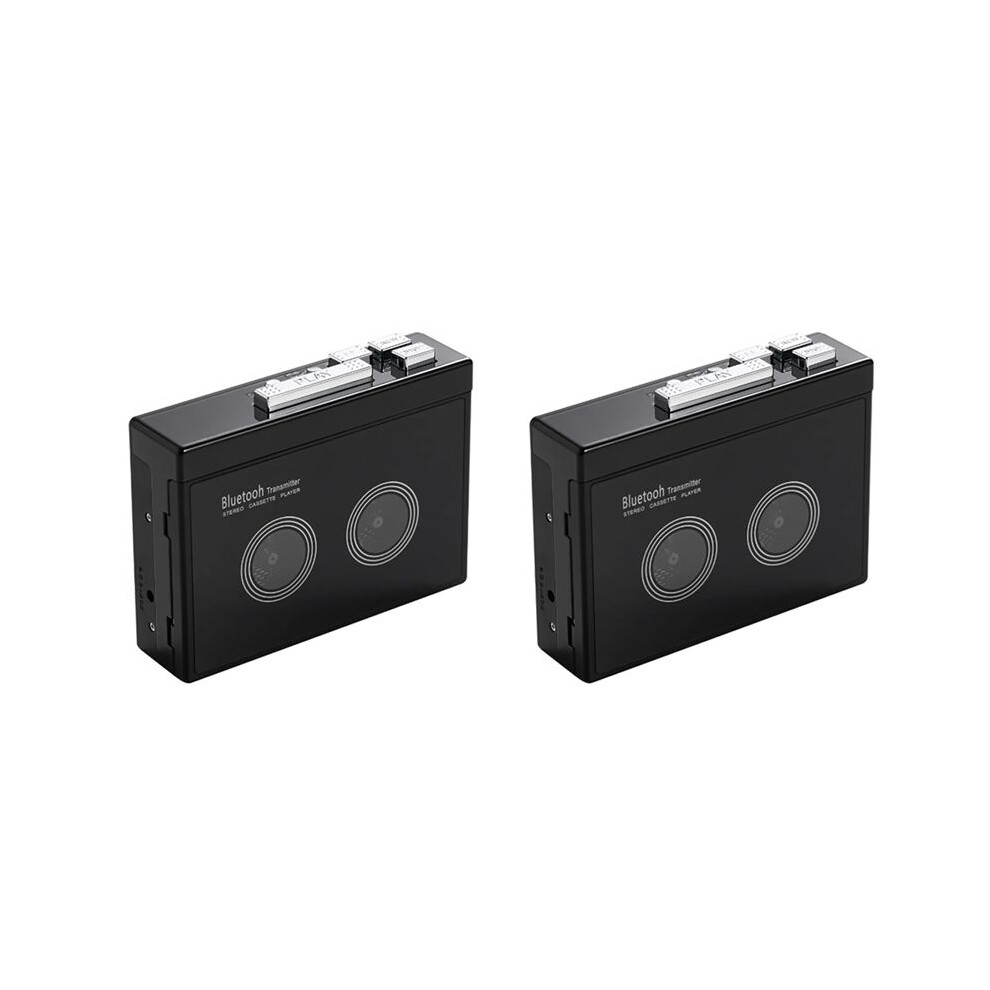
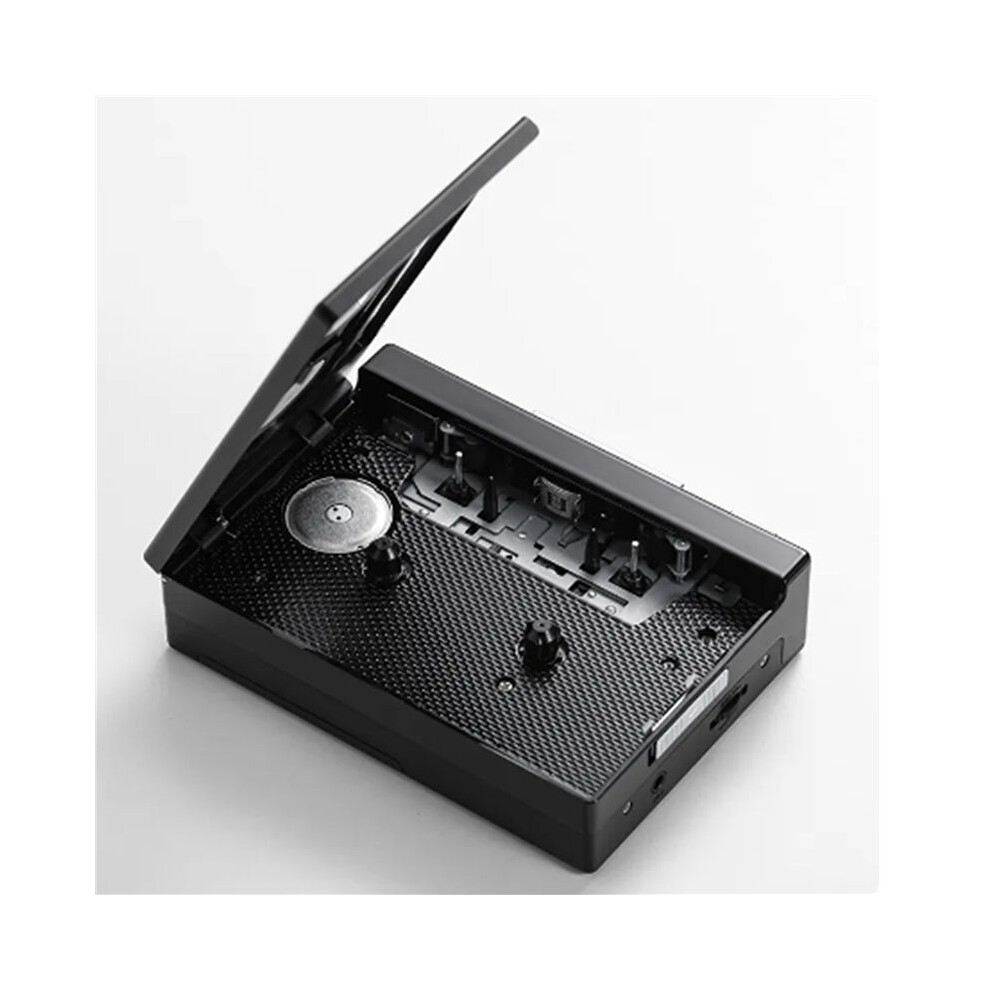
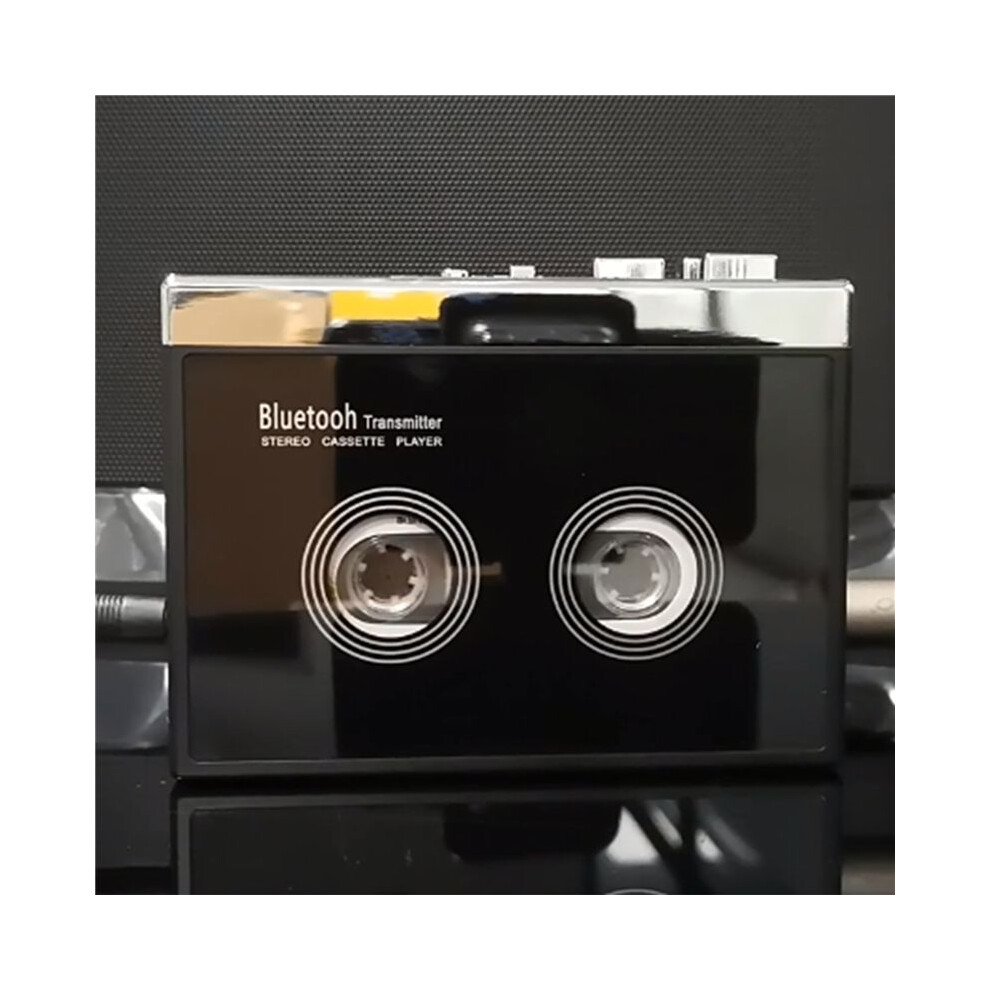
2X Black Retro Stereo Cassette Player Walkman Cassette Tape Music Audio Auto Reverse with

New

In stock

Smart shoppers OnBuy it!

  • Earn Cashback on every purchase – spend it instantly on your next order
  • Free delivery – on millions of items across the site
  • Customers love us – 134,000 Trustpilot reviews and an 'Excellent' rating

See full product description & details

€69.80
€145.54 52% off!
+€4.57 Delivery
1% Earn €0.70 instantly Learn More
Add to Basket

All prices include VAT.

Interest-free payment options available

See full product description & details

Delivery: Standard (€4.57) | Mon 5th - Sat 10th Oct

Sold by: Hoeappt

Returns: 30 days

180-day payment protection

Add to Basket
Description & Details

Summary

  • How do I connect my phone Bluetooth and switch FM radio? (Note: K66-1 version only has mobile phone connection function). Earphone (or speaker equipped with 35mmAx plug) into the headphone jack, long press the Bluetooth boot button for 3 seconds to turn on press the FM button to switch the mobile phone Bluetooth or FM radio, the LED blue light is long when the mobile phone Bluetooth is connected, and the LED blue light flashes when FM radio.
  • When the voice prompts the Bluetooth connection, turn on the Bluetooth of the mobile phone, search and pair the device name "HC01", the LED blue light is always on after the Bluetooth connection is successful, play the music in the mobile phone through the headphones or speakers with 3.5mm connector, short press the "+" or "-" button to switch songs, long press "+" or "-" to adjust the volume, or directly use the mobile phone to adjust the volume.
  • When using FM radio mode, press the symbol ▶ button to start automatic search and record broadcast channels, short press "+" or "-" to switch broadcast channels after channel recording, and long press "+" or "-" to adjust the volume. When connecting to mobile phone Bluetooth or switching to FM radio, the tape cannot be played.
  • How do I connect a Bluetooth receiving device? Please make sure that the Bluetooth receiving device is turned on. Long press the Bluetooth boot button for 3 seconds to turn on the Bluetooth function, the white LED light lights up and flashes quickly, automatically search and pair Bluetooth receiver, when the device is successfully paired, the white LED light is always on, after loading the tape, press the "PLAY" button to play the tape.
  • When Bluetooth search pairing, the headphone slot cannot be plugged into the headphones, otherwise the automatic search cannot be made. Long press the Bluetooth power on button for 3 seconds to turn off Bluetooth, Bluetooth boot state, if there is no Bluetooth receiver connected for a long time, LED white light flash Bluetooth automatic shutdown.

2X Black Retro Stereo Cassette Player Walkman Cassette Tape Music Audio Auto Reverse with Description

How do I connect my phone and FM radio? (Note: K66-1 version only has mobile phone connection function). Earphone (or speaker equipped with 35mmAx plug) into the headphone jack, long press the boot button for 3 seconds to turn press the FM button to the mobile phone or FM radio, the LED light is long when the mobile phone is connected, and the LED light flashes when FM radio.
When the voice prompts the connection, turn the of the mobile phone, search and pair the device name "HC01", the LED light is always after the connection is successful, the music in the mobile phone through the headphones or speakers with 3.5mm connector, short press the "+" or "-" button to songs, long press "+" or "-" to adjust the volume, or directly use the mobile phone to adjust the volume.
When using FM radio mode, press the symbol button to start automatic search and record broadcast channels, short press "+" or "-" to broadcast channels after channel recording, and long press "+" or "-" to adjust the volume. When connecting to mobile phone or switching to FM radio, the tape cannot be played.
How do I connect a receiving device? Please make sure that the receiving device is turned . Long press the boot button for 3 seconds to turn the function, the white LED light lights and flashes quickly, automatically search and pair receiver, when the device is successfully paired, the white LED light is always , after loading the tape, press the "" button to the tape.
When search pairing, the headphone slot cannot be plugged into the headphones, otherwise the automatic search cannot be made. Long press the power button for 3 seconds to turn off

Details

OPC PXZHGVR
Codes 6032955954194 (EAN)
Product and Safety Information

Product Images

2X Black Retro Stereo Cassette Player Walkman Cassette Tape Music Audio Auto Reverse with 1
2X Black Retro Stereo Cassette Player Walkman Cassette Tape Music Audio Auto Reverse with 2
2X Black Retro Stereo Cassette Player Walkman Cassette Tape Music Audio Auto Reverse with

Product Data

Height8cm
Width13cm
Length14cm
Weight0.566kg
ColourBlack
MaterialPlastic

Compare Sellers for 2X Black Retro Stereo Cassette Player Walkman Cassette Tape Music Audio Auto Reverse with

  • New from €74.37
Seller Ratings Warranty Returns Price Delivery Total Quantity
Dispatched from: China
(139 reviews)
-
30 Days
Free Returns No
€69.80
+€4.57 Delivery
Est. Delivery: 5th-10th Oct
€74.37
Add To Basket

Earn as you shop with instant Cashback on everything.

No catch, no cost

  • Paid into your OnBuy account
  • Spend it on your next purchase
  • Save it or withdraw it

Become a Cashback VIP

Just 1 purchase unlocks bigger deals & rates

Safety and Product Resources

Safety images and documents

Sorry, this information isn't available at the moment. We're working with the seller to update this section as soon as possible, so please check back later.

Manufacturer information

Sorry, this information isn't available at the moment. We're working with the seller to update this section as soon as possible, so please check back later.

Responsible person in the EU

Sorry, this information isn't available at the moment. We're working with the seller to update this section as soon as possible, so please check back later.

Wait! You've left
something behind...

You'll only get instant Cashback at OnBuy! Enter your email below and we'll send you a copy of your basket to save you time later.

By entering your email address, you'll automatically be added to our database, where you can enjoy personalised Cashback offers and early access to our best deals. You can opt out of our emails at any time and we'll never share your details with anyone. Check our Privacy Policy and T&Cs to find out more.

Before you go...
Remember, you'll only get instant Cashback on everything at OnBuy!

Want access to personalised offers and the highest Cashback rates? Sign up to our emails below.

You can opt out of our emails at any time and we'll never share your details with anyone. Check our Privacy Policy and T&Cs to find out more.

This page has expired.

Please refresh the page to continue shopping.

Refresh and continue