
















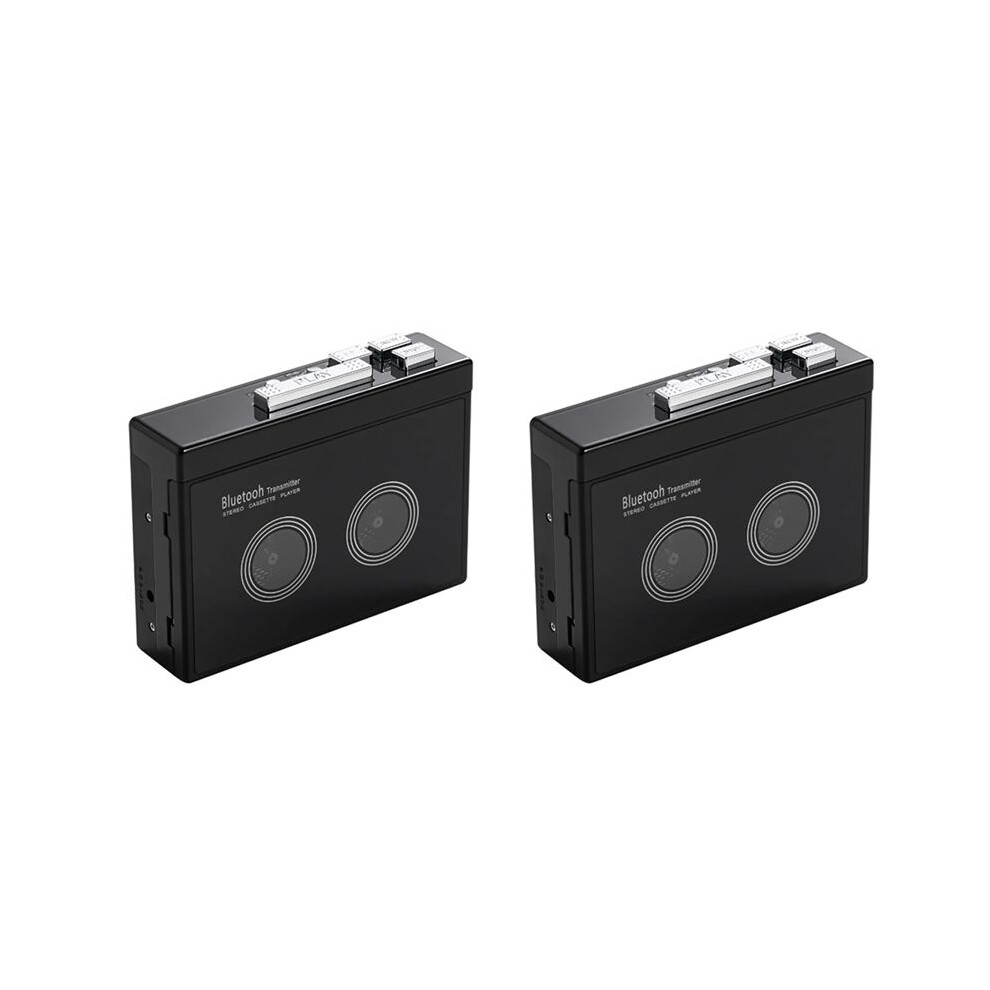
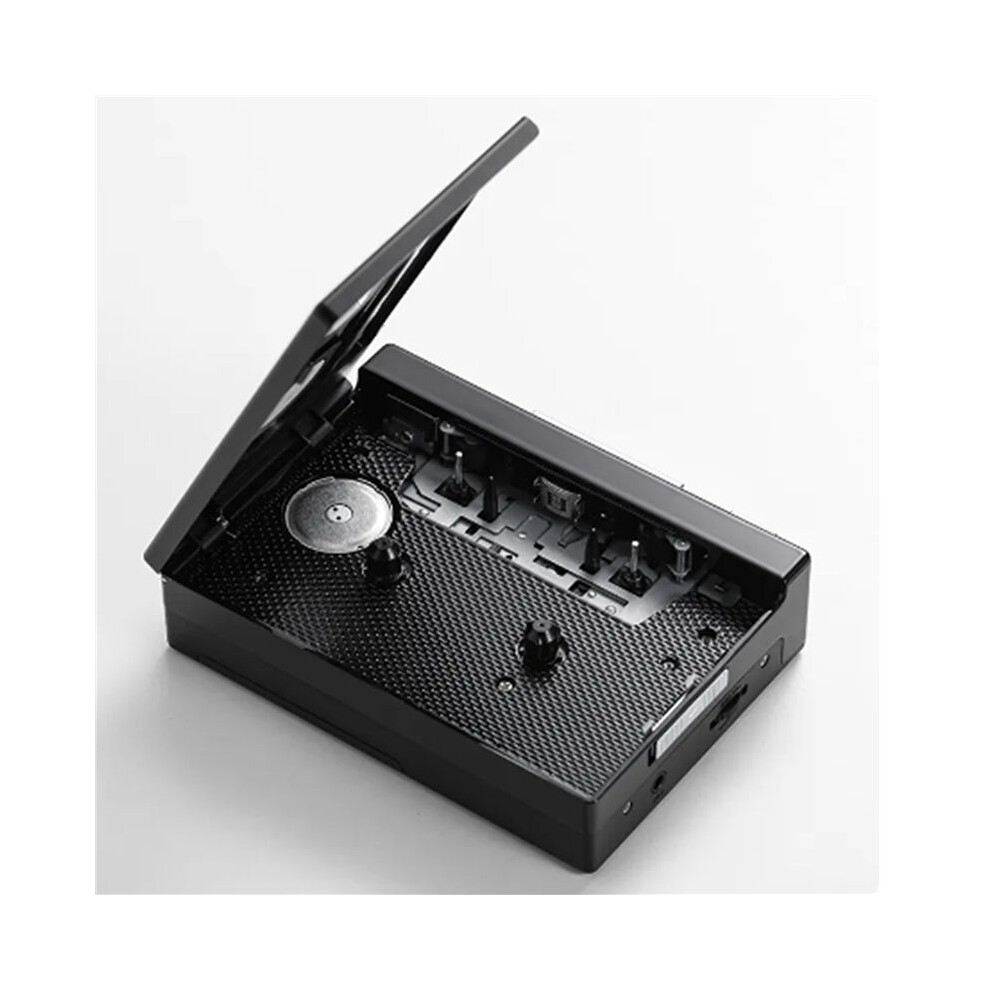
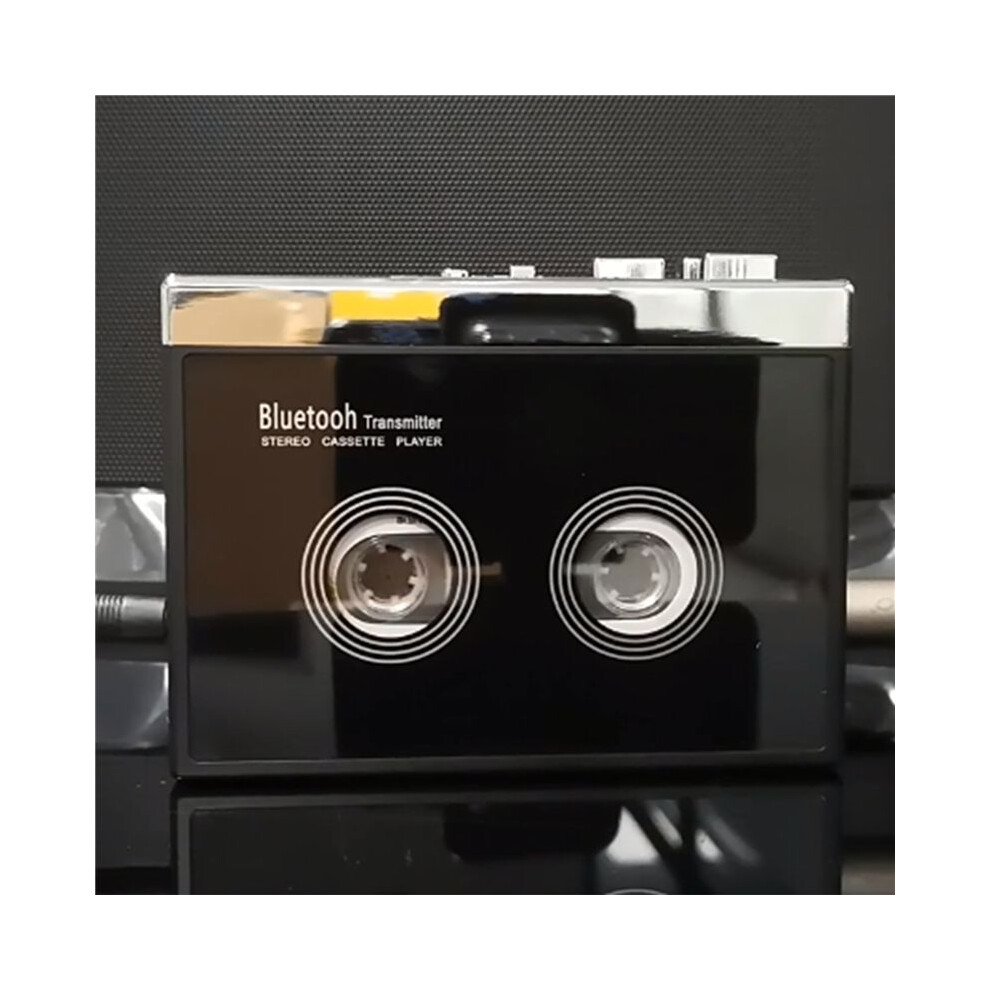
2X Black Retro Stereo Cassette Player Walkman Cassette Tape Music Audio Auto Reverse with

Nové

Na sklade

Prečo si zamilujete nakupovanie na OnBuy:

  • Získajte cashback pri každom nákupe – použite ho okamžite na ďalšiu objednávku
  • Doprava zadarmo – na milióny produktov na celej stránke
  • Zákazníci nás milujú – 134,000 hodnotení s “Vynikajúcim” hodnotením

Zobraziť celý popis a podrobnosti o produkte

64,18 €
143,24 € 55 % zľava!
+6,07 € doručenie
1% Získajte 0,64 € okamžite Zistiť viac
Pridať do košíka

Ceny produktov predávaných spoločnosťou OnBuy sú uvedené s DPH.

Zobraziť celý popis a podrobnosti o produkte

Doručenie: Štandard (6,07 €) | pon 5 - sob 10 okt

Predáva: Meillä on mitä haluat

Vrátenie tovaru: 30 dní

180-dňová ochrana platieb

Pridať do košíka

Mohlo by sa vám tiež páčiť

Popis a podrobnosti

Zhrnutie

  • How do I connect my phone Bluetooth and switch FM radio? (Note: K66-1 version only has mobile phone connection function). Earphone (or speaker equipped with 35mmAx plug) into the headphone jack, long press the Bluetooth boot button for 3 seconds to turn on press the FM button to switch the mobile phone Bluetooth or FM radio, the LED blue light is long when the mobile phone Bluetooth is connected, and the LED blue light flashes when FM radio.
  • When the voice prompts the Bluetooth connection, turn on the Bluetooth of the mobile phone, search and pair the device name "HC01", the LED blue light is always on after the Bluetooth connection is successful, play the music in the mobile phone through the headphones or speakers with 3.5mm connector, short press the "+" or "-" button to switch songs, long press "+" or "-" to adjust the volume, or directly use the mobile phone to adjust the volume.
  • When using FM radio mode, press the symbol ▶ button to start automatic search and record broadcast channels, short press "+" or "-" to switch broadcast channels after channel recording, and long press "+" or "-" to adjust the volume. When connecting to mobile phone Bluetooth or switching to FM radio, the tape cannot be played.
  • How do I connect a Bluetooth receiving device? Please make sure that the Bluetooth receiving device is turned on. Long press the Bluetooth boot button for 3 seconds to turn on the Bluetooth function, the white LED light lights up and flashes quickly, automatically search and pair Bluetooth receiver, when the device is successfully paired, the white LED light is always on, after loading the tape, press the "PLAY" button to play the tape.
  • When Bluetooth search pairing, the headphone slot cannot be plugged into the headphones, otherwise the automatic search cannot be made. Long press the Bluetooth power on button for 3 seconds to turn off Bluetooth, Bluetooth boot state, if there is no Bluetooth receiver connected for a long time, LED white light flash Bluetooth automatic shutdown.

2X Black Retro Stereo Cassette Player Walkman Cassette Tape Music Audio Auto Reverse with Popis

How do I connect my phone and FM radio? (Note: K66-1 version only has mobile phone connection function). Earphone (or speaker equipped with 35mmAx plug) into the headphone jack, long press the boot button for 3 seconds to turn press the FM button to the mobile phone or FM radio, the LED light is long when the mobile phone is connected, and the LED light flashes when FM radio.
When the voice prompts the connection, turn the of the mobile phone, search and pair the device name "HC01", the LED light is always after the connection is successful, the music in the mobile phone through the headphones or speakers with 3.5mm connector, short press the "+" or "-" button to songs, long press "+" or "-" to adjust the volume, or directly use the mobile phone to adjust the volume.
When using FM radio mode, press the symbol button to start automatic search and record broadcast channels, short press "+" or "-" to broadcast channels after channel recording, and long press "+" or "-" to adjust the volume. When connecting to mobile phone or switching to FM radio, the tape cannot be played.
How do I connect a receiving device? Please make sure that the receiving device is turned . Long press the boot button for 3 seconds to turn the function, the white LED light lights and flashes quickly, automatically search and pair receiver, when the device is successfully paired, the white LED light is always , after loading the tape, press the "" button to the tape.
When search pairing, the headphone slot cannot be plugged into the headphones, otherwise the automatic search cannot be made. Long press the power button for 3 seconds to turn off

Podrobnosti

OPC PXZHGVR
Kódy 6032955954194 (EAN)
Informácie o produkte a bezpečnosti

Obrázky produktu

2X Black Retro Stereo Cassette Player Walkman Cassette Tape Music Audio Auto Reverse with 1
2X Black Retro Stereo Cassette Player Walkman Cassette Tape Music Audio Auto Reverse with 2
2X Black Retro Stereo Cassette Player Walkman Cassette Tape Music Audio Auto Reverse with

Údaje o produkte

Height8cm
Width13cm
Length14cm
Weight0.566kg
ColourBlack
MaterialPlastic

Porovnajte predajcov pre 2X Black Retro Stereo Cassette Player Walkman Cassette Tape Music Audio Auto Reverse with

  • Nové od 70,25 €
Predajca Recenzie Záruka Vrátenie tovaru Cena Doručenie Celkom Množstvo
Odoslané z: China
(139 recenzií)
-
30 dní
Bezplatné vrátenie tovaru Nie
64,18 €
+6,07 € Delivery
Odhadované doručenie: 5-10 okt
70,25 €
Pridať do košíka

Zarábajte pri nakupovaní s okamžitým Cashback na všetko.

Žiadny háčik, žiadne náklady

  • Pripísané na váš OnBuy účet
  • Použite ho na váš ďalší nákup
  • Ušetrite alebo si vyberajte

Staňte sa Cashback VIP

Už 1 nákup odomkne lepšie ponuky a zľavy

Bezpečnostné a produktové zdroje

Bezpečnostné obrázky a dokumenty

Ľutujeme, tieto informácie momentálne nie sú k dispozícii. Spolupracujeme s predajcom, aby sme túto sekciu čo najskôr aktualizovali, preto sa sem prosím vráťte neskôr.

Informácie o výrobcovi

Ľutujeme, tieto informácie momentálne nie sú k dispozícii. Spolupracujeme s predajcom, aby sme túto sekciu čo najskôr aktualizovali, preto sa sem prosím vráťte neskôr.

Zodpovedná osoba v EÚ

Ľutujeme, tieto informácie momentálne nie sú k dispozícii. Spolupracujeme s predajcom, aby sme túto sekciu čo najskôr aktualizovali, preto sa sem prosím vráťte neskôr.

Počkajte! Na niečo ste
zabudli...

Okamžitý cashback získate iba na OnBuy! Zadajte svoj e-mail nižšie a pošleme vám kópiu vášho košíka, aby ste si ušetrili čas neskôr.

Zadaním svojej e-mailovej adresy budete automaticky pridaný do našej databázy, kde môžete využívať personalizované cashback ponuky a získať skorý prístup k našim najlepším akciám. Z odberu našich e-mailov sa môžete kedykoľvek odhlásiť a vaše údaje nikdy neposkytneme nikomu inému. Viac informácií nájdete v našich Zásadách ochrany osobných údajov a Obchodných podmienkach.

Neodchádzajte ešte...
Nezabudnite, okamžitý cashback získate len na OnBuy a na všetko!

Získajte prístup k ponukám šitým na miestu a najvyšším cashback sadzbám! Prihláste sa na odber našich e-mailov nižšie.

Z odberu našich e-mailov sa môžete kedykoľvek odhlásiť a vaše údaje nikdy neposkytneme nikomu inému. Viac informácií nájdete v našich Zásadách ochrany osobných údajov a Obchodných podmienkach.

Táto stránka vypršala.

Obnovte stránku, aby ste mohli pokračovať v nakupovaní.

Obnoviť a pokračovať