
















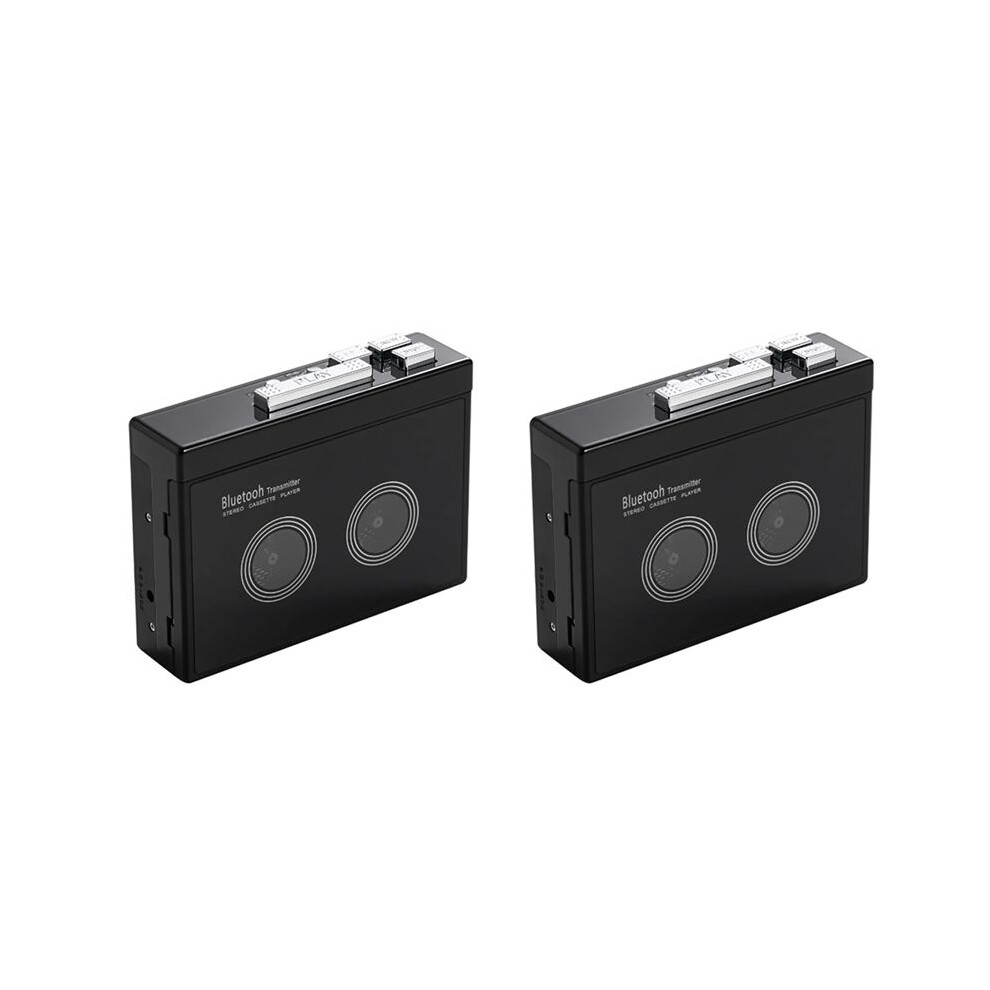
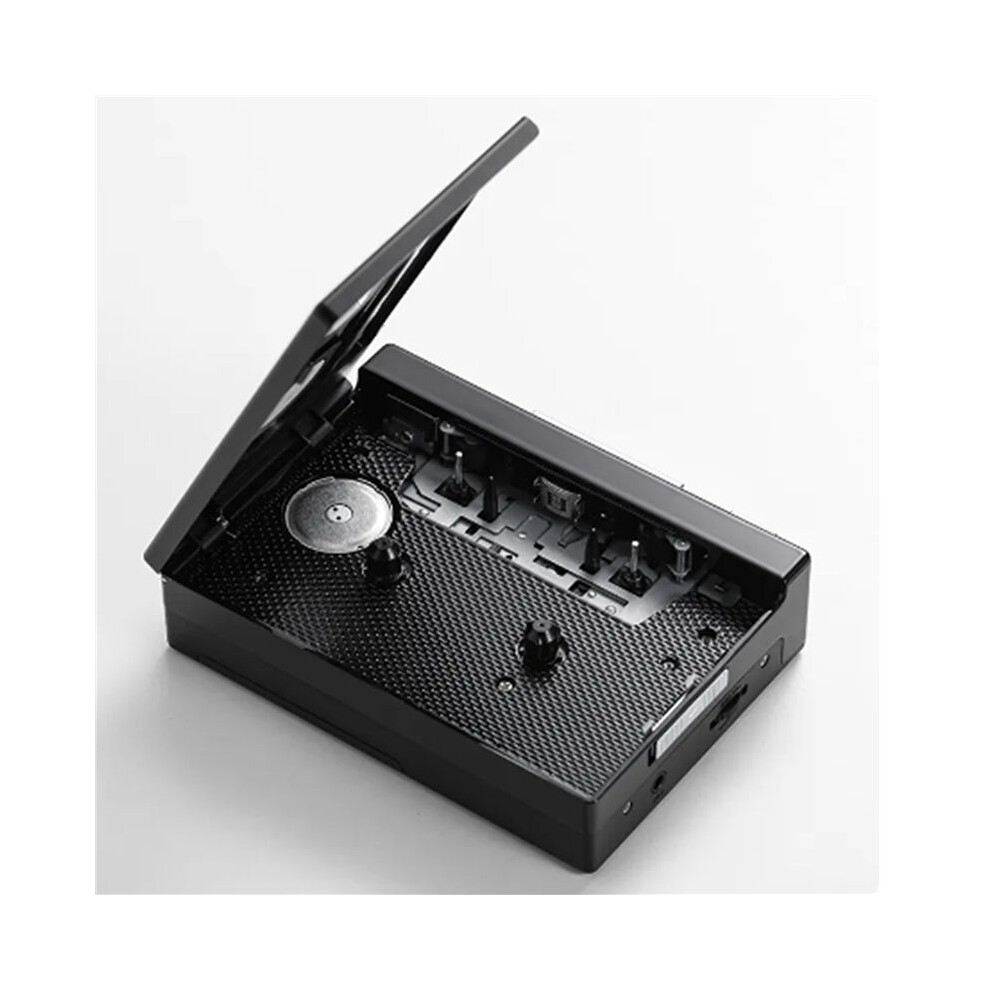
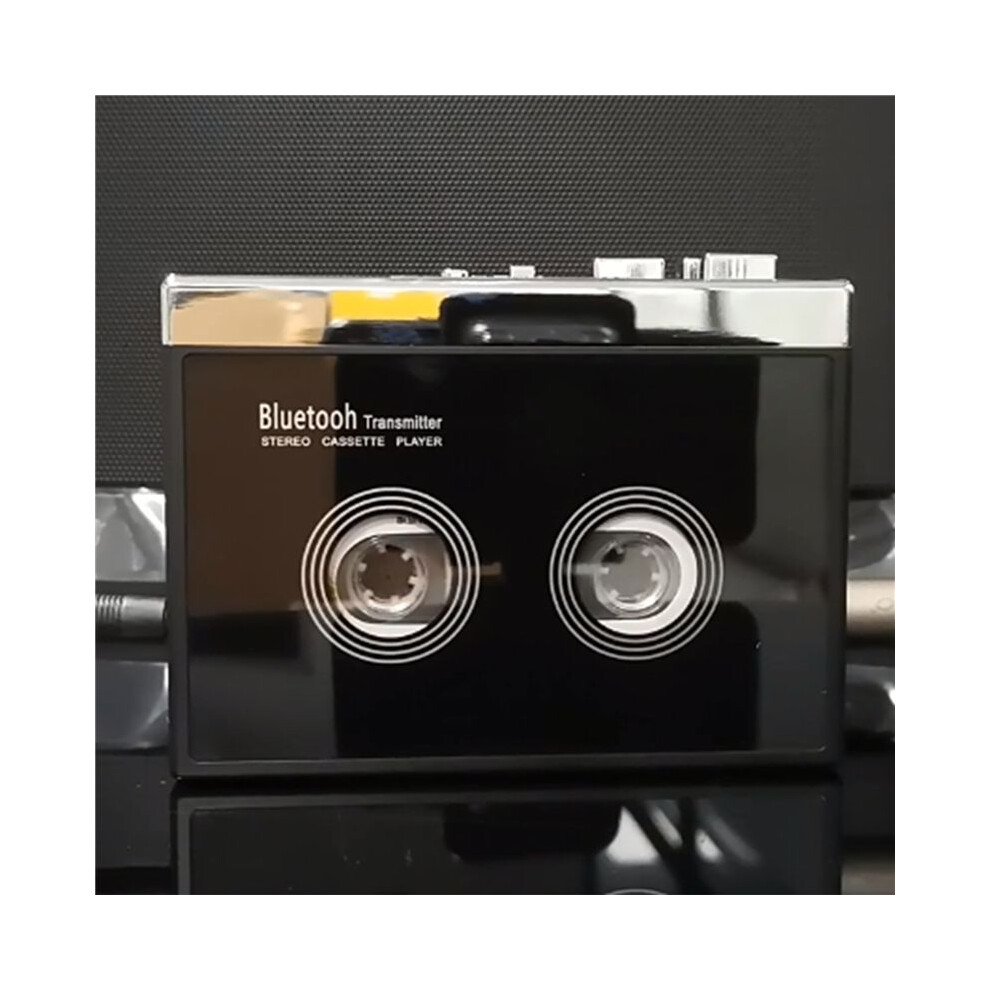
2X Black Retro Stereo Cassette Player Walkman Cassette Tape Music Audio Auto Reverse with

Nou

În stoc

De ce îți va plăcea să cumperi de la OnBuy:

  • Câștigi Cashback la fiecare achiziție – folosește-l la următoarea comandă
  • Livrare gratuită – la milioane de produse de pe site
  • Clienții ne iubesc – 134,000 de recenzii cu evaluare “Excelent”

Vezi descrierea completă și detaliile produsului

534,69 RON
809,84 RON Reducere de 34%!
+125,66 RON livrare
1% Câștigați 5,35 RON instant Află mai multe
Adaugă în coș

Prețurile articolelor vândute de OnBuy includ TVA.

Opțiuni de plată în rate fără dobândă disponibile

Vezi descrierea completă și detaliile produsului

Livrare: Standard (125,66 RON) | lun 5 - sâm 10 oct.

Vândut de: Hoeappt

Returnări: 30 zile

Protecție la plată pentru 180 de zile

Adaugă în coș
Descriere & Detalii

Rezumat

  • How do I connect my phone Bluetooth and switch FM radio? (Note: K66-1 version only has mobile phone connection function). Earphone (or speaker equipped with 35mmAx plug) into the headphone jack, long press the Bluetooth boot button for 3 seconds to turn on press the FM button to switch the mobile phone Bluetooth or FM radio, the LED blue light is long when the mobile phone Bluetooth is connected, and the LED blue light flashes when FM radio.
  • When the voice prompts the Bluetooth connection, turn on the Bluetooth of the mobile phone, search and pair the device name "HC01", the LED blue light is always on after the Bluetooth connection is successful, play the music in the mobile phone through the headphones or speakers with 3.5mm connector, short press the "+" or "-" button to switch songs, long press "+" or "-" to adjust the volume, or directly use the mobile phone to adjust the volume.
  • When using FM radio mode, press the symbol ▶ button to start automatic search and record broadcast channels, short press "+" or "-" to switch broadcast channels after channel recording, and long press "+" or "-" to adjust the volume. When connecting to mobile phone Bluetooth or switching to FM radio, the tape cannot be played.
  • How do I connect a Bluetooth receiving device? Please make sure that the Bluetooth receiving device is turned on. Long press the Bluetooth boot button for 3 seconds to turn on the Bluetooth function, the white LED light lights up and flashes quickly, automatically search and pair Bluetooth receiver, when the device is successfully paired, the white LED light is always on, after loading the tape, press the "PLAY" button to play the tape.
  • When Bluetooth search pairing, the headphone slot cannot be plugged into the headphones, otherwise the automatic search cannot be made. Long press the Bluetooth power on button for 3 seconds to turn off Bluetooth, Bluetooth boot state, if there is no Bluetooth receiver connected for a long time, LED white light flash Bluetooth automatic shutdown.

Descriere 2X Black Retro Stereo Cassette Player Walkman Cassette Tape Music Audio Auto Reverse with

How do I connect my phone and FM radio? (Note: K66-1 version only has mobile phone connection function). Earphone (or speaker equipped with 35mmAx plug) into the headphone jack, long press the boot button for 3 seconds to turn press the FM button to the mobile phone or FM radio, the LED light is long when the mobile phone is connected, and the LED light flashes when FM radio.
When the voice prompts the connection, turn the of the mobile phone, search and pair the device name "HC01", the LED light is always after the connection is successful, the music in the mobile phone through the headphones or speakers with 3.5mm connector, short press the "+" or "-" button to songs, long press "+" or "-" to adjust the volume, or directly use the mobile phone to adjust the volume.
When using FM radio mode, press the symbol button to start automatic search and record broadcast channels, short press "+" or "-" to broadcast channels after channel recording, and long press "+" or "-" to adjust the volume. When connecting to mobile phone or switching to FM radio, the tape cannot be played.
How do I connect a receiving device? Please make sure that the receiving device is turned . Long press the boot button for 3 seconds to turn the function, the white LED light lights and flashes quickly, automatically search and pair receiver, when the device is successfully paired, the white LED light is always , after loading the tape, press the "" button to the tape.
When search pairing, the headphone slot cannot be plugged into the headphones, otherwise the automatic search cannot be made. Long press the power button for 3 seconds to turn off

Detalii

OPC PXZHGVR
Coduri 6032955954194 (EAN)
Informații despre produs și siguranță

Imagini produs

2X Black Retro Stereo Cassette Player Walkman Cassette Tape Music Audio Auto Reverse with 1
2X Black Retro Stereo Cassette Player Walkman Cassette Tape Music Audio Auto Reverse with 2
2X Black Retro Stereo Cassette Player Walkman Cassette Tape Music Audio Auto Reverse with

Date despre produs

Height8cm
Width13cm
Length14cm
Weight0.566kg
ColourBlack
MaterialPlastic

Compară vânzătorii pentru 2X Black Retro Stereo Cassette Player Walkman Cassette Tape Music Audio Auto Reverse with

  • Nou de la 660,35 RON
Vânzător Note Garanție Retururi Preț Livrare Total Cantitate
Expediat din: China
(139 recenzii)
-
30 zile
Retur gratuit Nu
534,69 RON
+125,66 RON Delivery
Livrare estimată: 5-10 oct.
660,35 RON
Adaugă în coș

Câștigați în timp ce cumpărați cu Cashback instant la orice produs.

Fără condiții ascunse, fără costuri

  • Plătit în contul dumneavoastră OnBuy
  • Folosiți-i pentru următoarea achiziție
  • Economisiți-l sau retrageți-l

Deveniți un Cashback VIP

O singură achiziție deblochează oferte și rate mai avantajoase

Resurse despre siguranță și produs

Imagini și documente privind siguranța

Ne pare rău, aceste informații nu sunt disponibile momentan. Colaborăm cu vânzătorul pentru a actualiza această secțiune cât mai curând posibil, așadar vă rugăm să reveniți mai târziu.

Informații despre producător

Ne pare rău, aceste informații nu sunt disponibile momentan. Colaborăm cu vânzătorul pentru a actualiza această secțiune cât mai curând posibil, așadar vă rugăm să reveniți mai târziu.

Persoană responsabilă în UE

Ne pare rău, aceste informații nu sunt disponibile momentan. Colaborăm cu vânzătorul pentru a actualiza această secțiune cât mai curând posibil, așadar vă rugăm să reveniți mai târziu.

Așteaptă! Ai uitat
ceva...

Doar pe OnBuy primești Cashback instant! Introdu adresa ta de e-mail mai jos și îți vom trimite o copie a coșului pentru a economisi timp mai târziu.

Prin introducerea adresei tale de e-mail, vei fi adăugat automat în baza noastră de date, unde poți beneficia de oferte personalizate de Cashback și acces anticipat la cele mai bune promoții. Te poți dezabona oricând de la e-mailurile noastre, iar datele tale nu vor fi niciodată partajate cu terți. Consultă Politica de Confidențialitate și Termenii și Condițiile pentru mai multe informații.

Înainte să pleci...
Nu uita, pe OnBuy primești Cashback instant la toate produsele!

Vrei să beneficiezi de oferte personalizate și cele mai mari rate de Cashback? Înscrie-te la newsletter-ul nostru mai jos.

Poți renunța la e-mailurile noastre în orice moment și nu vom împărtăși niciodată datele tale cu nimeni. Consultă Politica de Confidențialitate și Termenii și Condițiile pentru a afla mai multe.

Această pagină a expirat.

Te rugăm să reîmprospătezi pagina pentru a continua cumpărăturile.

Reîncarcă și continuă