





















Product Images




In stock
Smart shoppers OnBuy it!
Interest-free payment options available


See full product description & details
Delivery: Standard (£7.30) | Tue 1st - Mon 7th Sep
Sold by: CollBea
Returns: 30 days
180-day payment protection



Summary
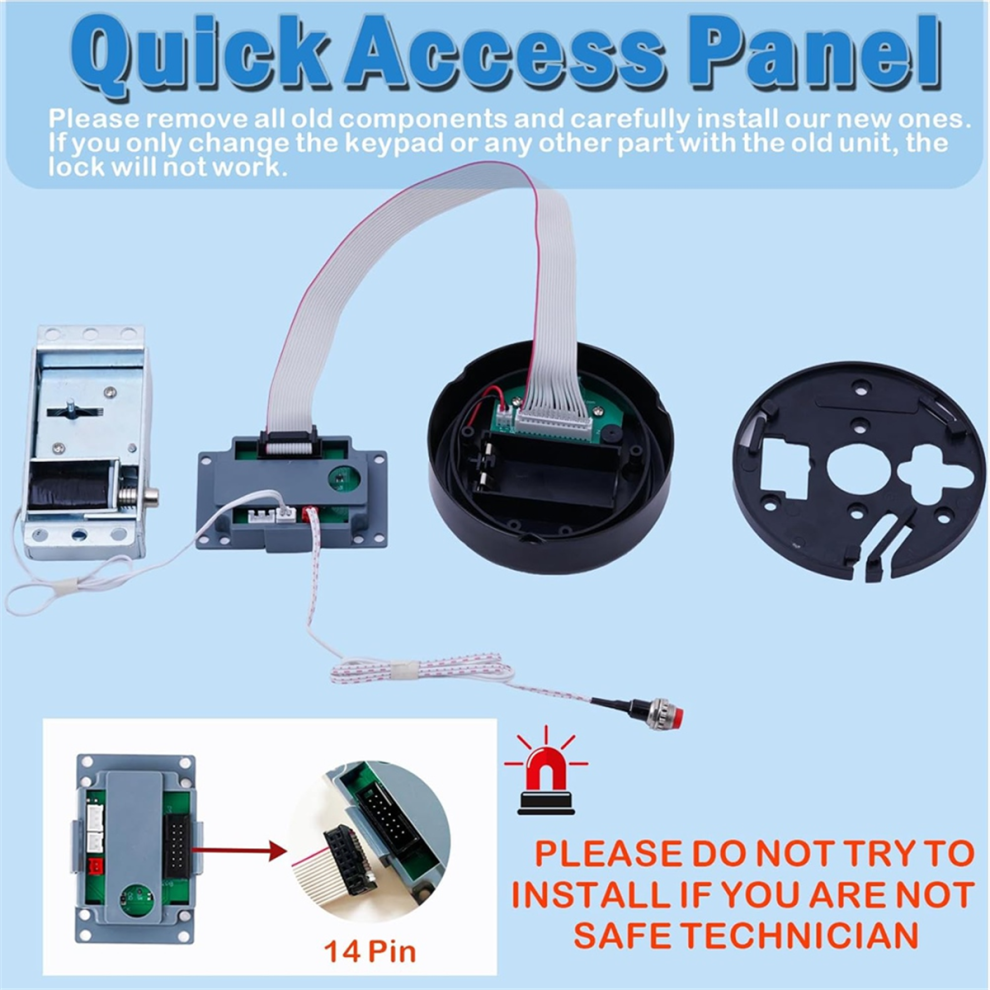
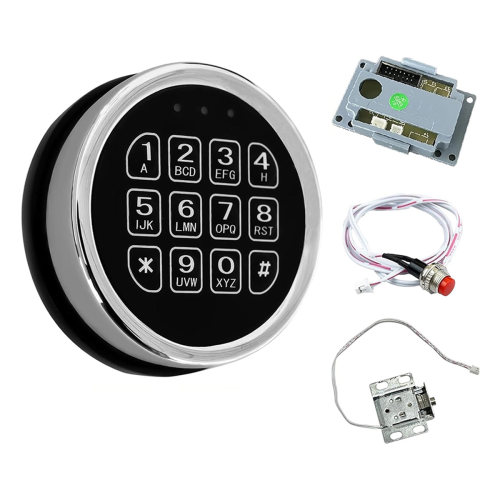
Includes black zinc alloy electronic panel, solenoid lock, 2 emergency keys, motherboard, red reset button, user manual ( This product requires 9V batteries, which are not included in the package for safety reasons) This product is a set of combination products, please remove all your old parts and adopt all our new parts to work properly
Our fire safe lock is strong, , fire , , provides physical protection against forced entry, and can set 1 management password and up to 2 user passwords; Added protection with interference codes to safeguard your real passwords
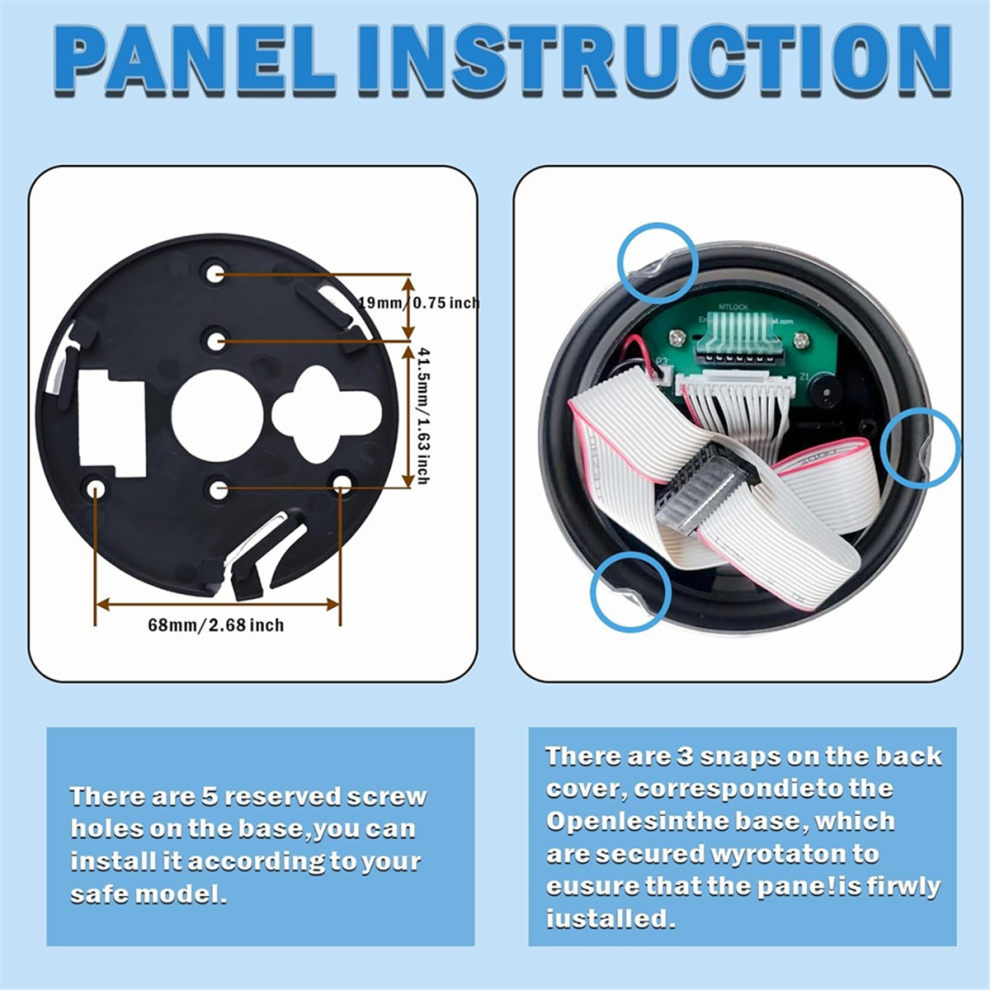
Open with 3-8 digital codes that can be programmed and 3 different colors of lights indicating different states. To replace the battery, remove the keypad face by pressing the tab
Our digital keypad security solenoid lock replacement are suitable for home and lockboxes, , hotel , cabinet , slot
If you are not a safe technician or professional locksmith, please do not attempt the installation.
How To Change Management Password?
1 x Keypad, 1 x Solenoid Lock, 1 x Motherboard, 1 x Red Color Reset Cable,2 x Override Keys
1.Enter "000000#", the yellow light turn on.
2. Enter "147#", the red light turn on.
3. new 3 to 8 digits password and "#". Repeat the operation twice. the yellow and red lights turn off, the new user password is set successfully.
Tip:Each time you change your admin password after that, you need to the red reset button to reset it.
How To Add User Code?
User Code 1:
1. Enter "000000#", the yellow light turn on.
2. Enter the new management password followed by "#", and the red light turn on.
3. "11*#" followed by a new 3 to 8 digits password and "#". Repeat the operation twice. the yellow and red lights turn off, the new user code 1 is set successfully.
User Code 2:
1. Enter "000000#", the yellow light turn on.
2. Enter the new management password followed by "#", and the red light turn on.
3. "22*#" followed by a new 3 to 8 digits password and "#". Repeat the operation twice. the yellow and red lights turn off, the new user code 2 is set successfully.
Tip: The management password must be changed before other password changes and settings can be made.
Color: Black
Material: Metal
Package Contents:
1 x electronic safe
Only the above package content, other products are not included.
Note: Light reflection and different displays may cause the color of the item in the picture a little different from the real thing. The measurement allowed error is +/- 1-3cm.
Details
| OPC | PKC2KQW |
|---|---|
| Brand | merkkitön |
| Codes | 4713049682170 (EAN) |
| Seller | Ratings | Warranty | Returns | Price | Delivery | Total | Quantity |
|---|---|---|---|---|---|---|---|
|
Dispatched from:

|
(206 reviews) | - |
30 Days
Free Returns No
|
£20.22
|
+£7.30 Delivery
Est. Delivery:
1st-7th Sep
|
£27.52
|
Earn as you shop with instant Cashback on everything.
No catch, no cost
Become a Cashback VIP
Just 1 purchase unlocks bigger deals & rates
You'll only get instant Cashback at OnBuy! Enter your email below and we'll send you a copy of your basket to save you time later.
By entering your email address, you'll automatically be added to our database, where you can enjoy personalised Cashback offers and early access to our best deals. You can opt out of our emails at any time and we'll never share your details with anyone. Check our Privacy Policy and T&Cs to find out more.
Want access to personalised offers and the highest Cashback rates? Sign up to our emails below.
You can opt out of our emails at any time and we'll never share your details with anyone. Check our Privacy Policy and T&Cs to find out more.
This page has expired.
Refresh and continue