





















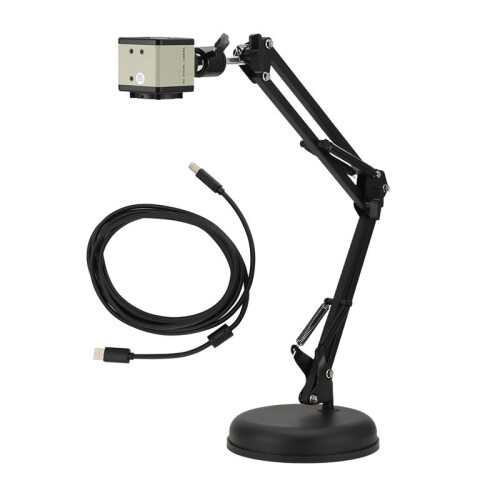
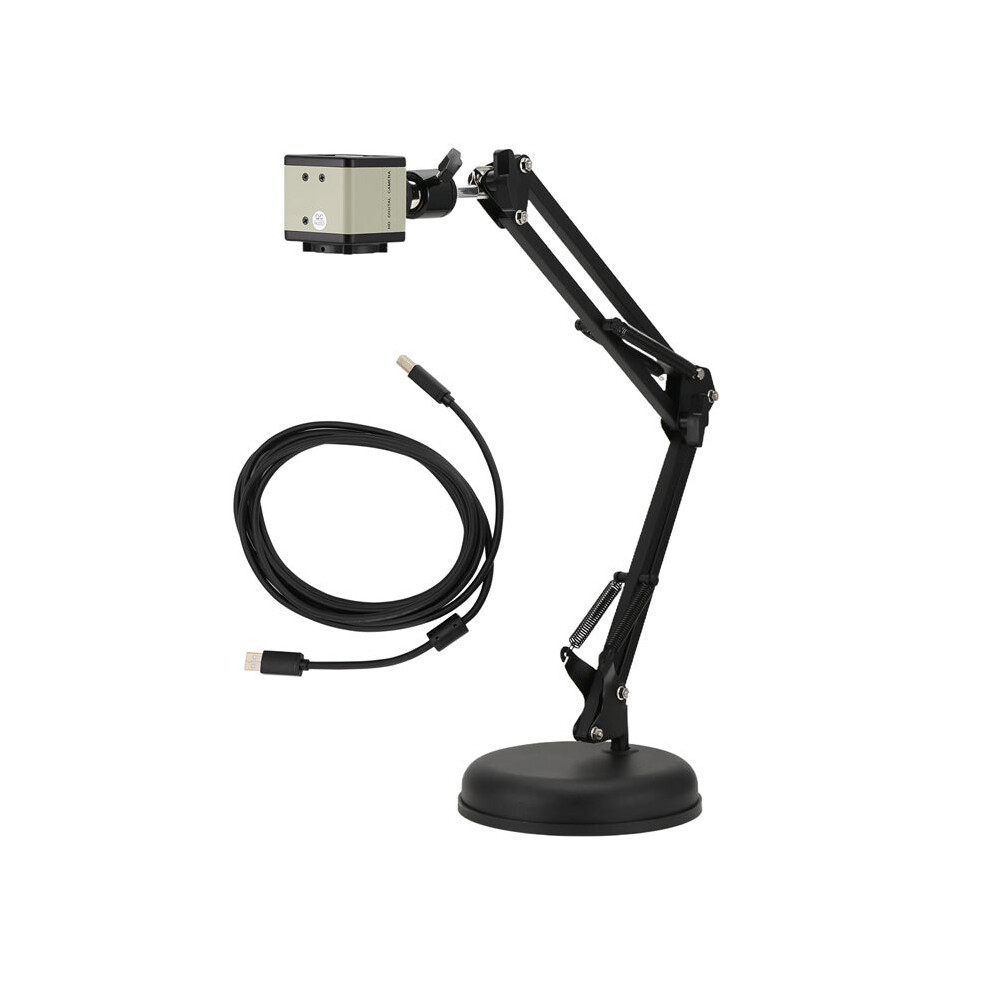
Teacher Document Camera,8 Megapixel Autofocus USB Document Camera for Distance Education Teaching Web Conference
In stock
Smart shoppers OnBuy it!
- Earn Cashback on every purchase – spend it instantly on your next order
- Free delivery – on millions of items across the site
- Customers love us – 135,000 Trustpilot reviews and an 'Excellent' rating
Interest-free payment options available


See full product description & details
Delivery: Standard (£8.82) | Mon 12th - Sat 17th Oct
Sold by: CollBea
Returns: 30 days
180-day payment protection
You might also like








Summary
- [Ultra HD imagery] 8MP sensor captures live images of Ultra HD (3264 x 2448p) at 15 fps and of Full HD (1920 x 1080p) at 30 fps. Auto-focus lens quickly shifts focus between objects with macro capturing objects as close as 10 cm.
- [Wide Compatibility] USB document camera fits with most computer systems such as PC (Windows XP/7/8/10), (OS10.11 or higher), and Chromebook (38.00 or higher); Also compatible with most online software such as for Skype, for Zoom, for FaceTime, for Facebook, for YouTube, for Hangouts, for Twitch, for Bandicam, for Amcap, and for OBS.
- [Diverse Function] Document camera designed for teachers, students and workers alike. Teachers can use this as a doc camera for remote teaching, distance education, in class demonstration and a webcam to interact with students. Students can use this USB doc cam to collaborate in projects remotely. Workers can perform web conference calls.
- [Functional Design] Flexible multi-joint design allows for different use functions as webcam and overhead document camera and allows you to capture images from all angles. A stable base enables full stretching to capture a maximum shooting area of 16 X 12 inches.
- document camera for teachers
Teacher Document Camera,8 Megapixel Autofocus USB Document Camera for Distance Education Teaching Web Conference Description
[Ultra HD imagery] 8MP sensor captures live images of Ultra HD (3264 x 2448p) at 15 fps and of Full HD (1920 x 1080p) at 30 fps. Auto-focus lens quickly shifts focus between objects with macro capturing objects as close as 10 cm.
[Wide Compatibility] USB document camera fits with most computer systems such as PC (Windows XP/7/8/10), (OS10.11 or higher), and Chromebook (38.00 or higher); Also compatible with most online software such as for Skype, for Zoom, for FaceTime, for Facebook, for YouTube, for Hangouts, for Twitch, for Bandicam, for Amcap, and for OBS.
[Diverse Function] Document camera designed for teachers, students and workers alike. Teachers can use this as a doc camera for remote teaching, distance education, in class demonstration and a webcam to interact with students. Students can use this USB doc cam to collaborate in projects remotely. Workers can perform web conference calls.
[Functional Design] Flexible multi-joint design allows for different use functions as webcam and overhead document camera and allows you to capture images from all angles. A stable base enables full stretching to capture a maximum shooting area of 16 X 12 inches.
Colour:black
Material:Metal + plastic
Package Contents:
1 x document camera
Details
| OPC | PW6WWTP |
|---|---|
| Codes | 6033239455499 (EAN) |
Product Data
| Height | 13cm |
|---|---|
| Width | 16cm |
| Length | 28cm |
| Weight | 1.3765kg |
| Colour | Black |
| Material | Metal + plastic |
Compare Sellers for Teacher Document Camera,8 Megapixel Autofocus USB Document Camera for Distance Education Teaching Web Conference
- New from £58.57
| Seller | Ratings | Warranty | Returns | Price | Delivery | Total | Quantity |
|---|---|---|---|---|---|---|---|
|
Dispatched from:

|
(206 reviews) | - |
30 Days
Free Returns No
|
£49.75
|
+£8.82 Delivery
Est. Delivery:
12th-17th Oct
|
£58.57
|
Earn as you shop with instant Cashback on everything.
No catch, no cost
- Paid into your OnBuy account
- Spend it on your next purchase
- Save it or withdraw it
Become a Cashback VIP
Just 1 purchase unlocks bigger deals & rates