































Product Images

In stock
Smart shoppers OnBuy it!
Interest-free payment options available


See full product description & details
Delivery: Standard (Free) | Mon 12th - Wed 14th Oct
Sold by: Acute LTD, there is 1 other seller
Returns: 30 days
180-day payment protection
Summary
192KHz DAC Converter, HDMI ARC Audio Extractor, HDMI/Digital Optical Toslink SPDIF Coaxial to Analog RCA 3.5mm Jack L/R Coaxial SPDIF Audio Adapter for HDTV Amplifier Soundbar Speaker
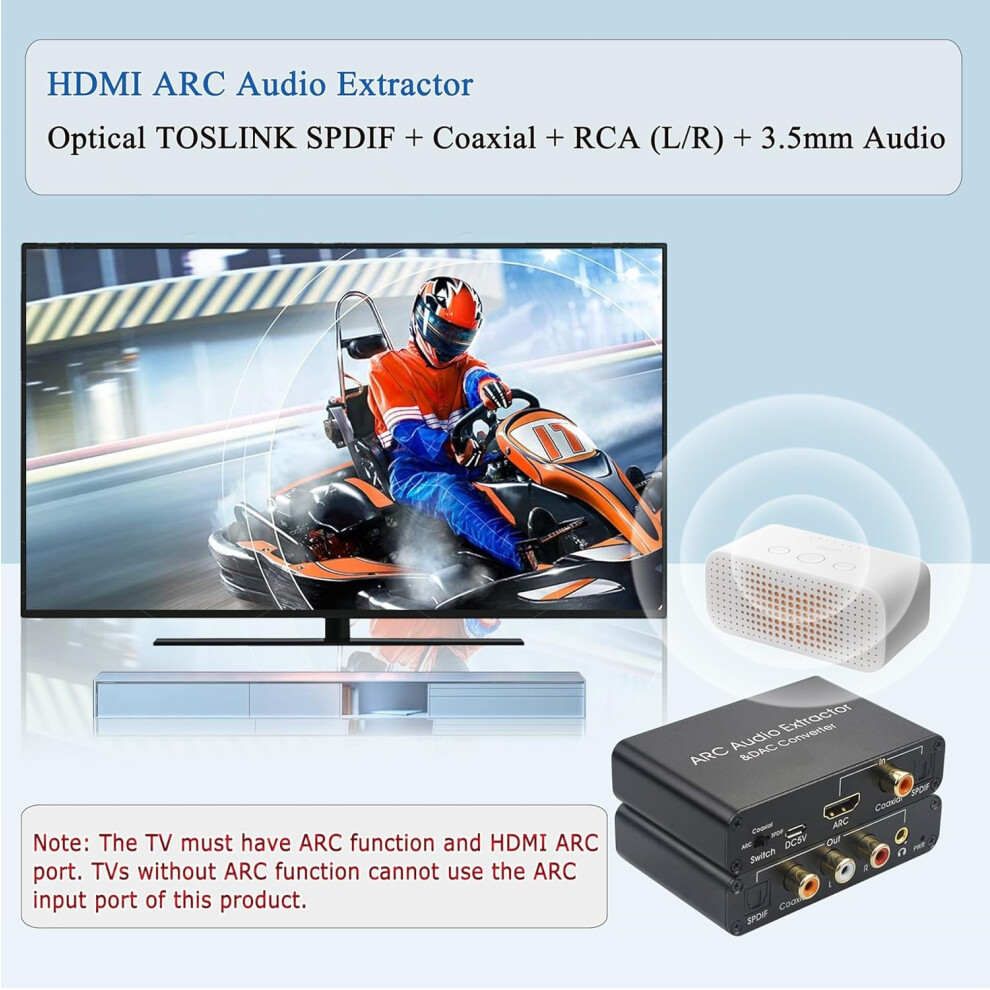
Note: The TV must have ARC function and HDMI ARC port. TVs without ARC function cannot use the ARC input port of this product. CEC is only applicable to devices and HDMI cables with HDMI version 1.4 or above.
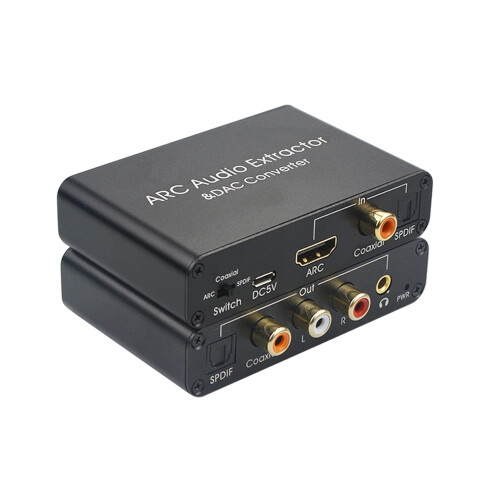
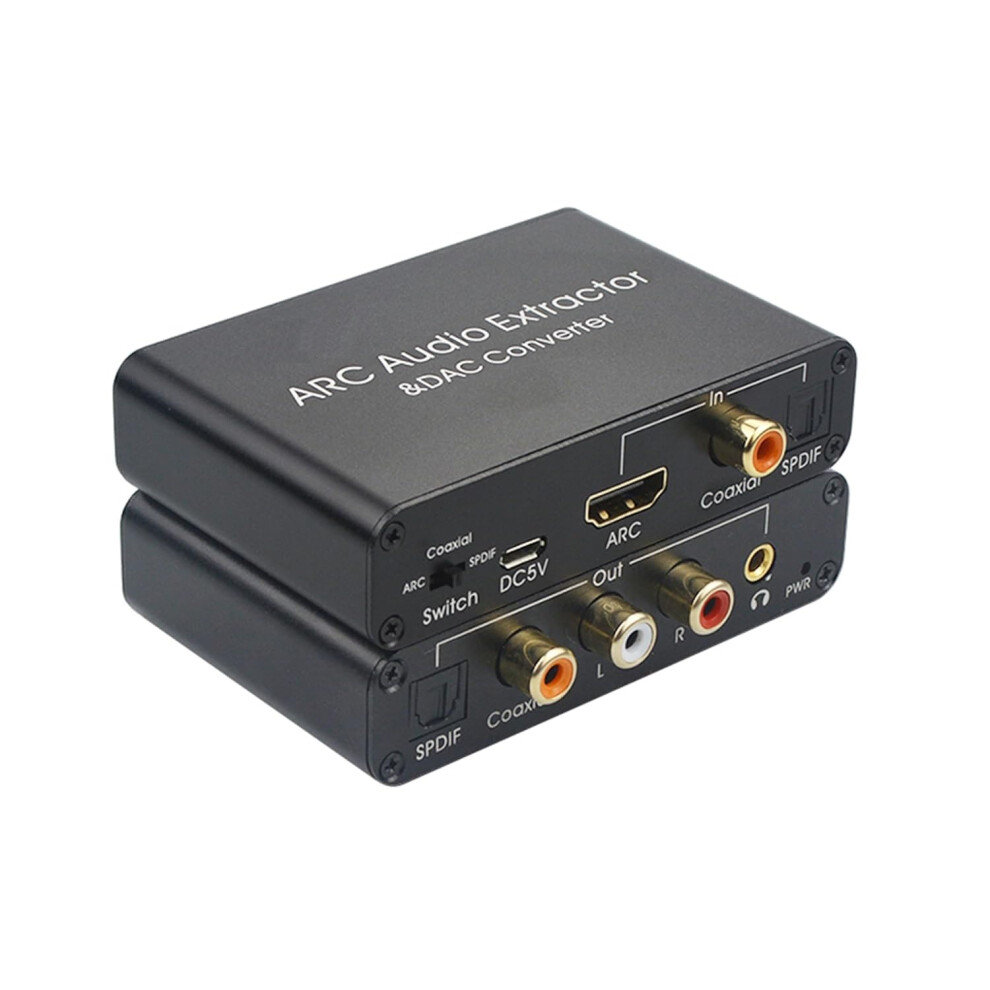
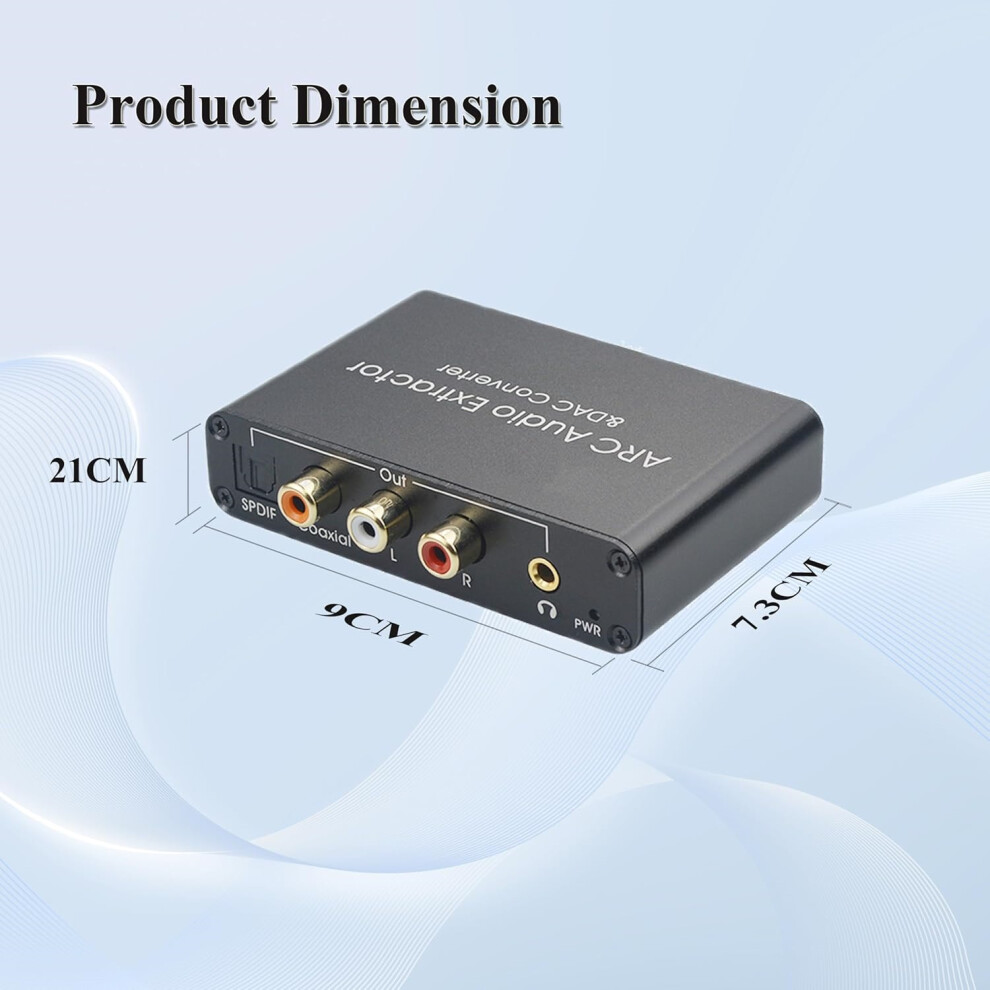
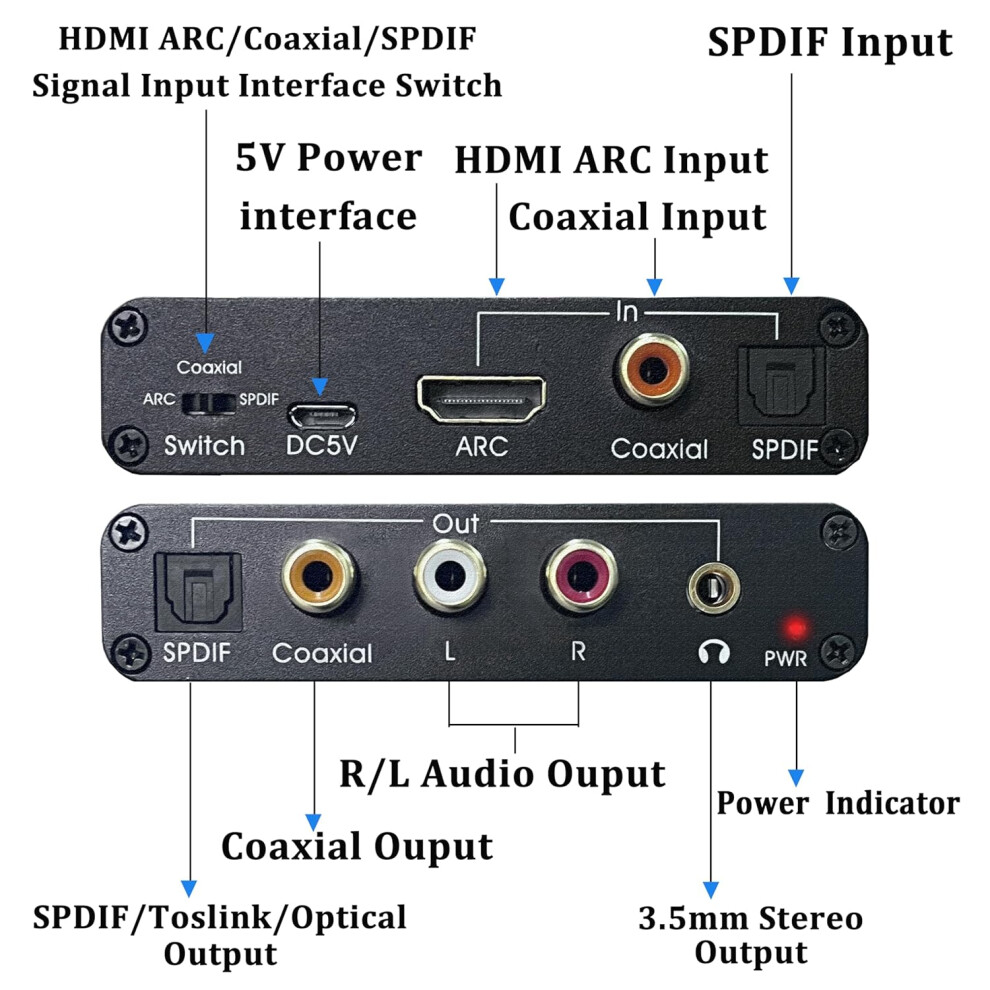
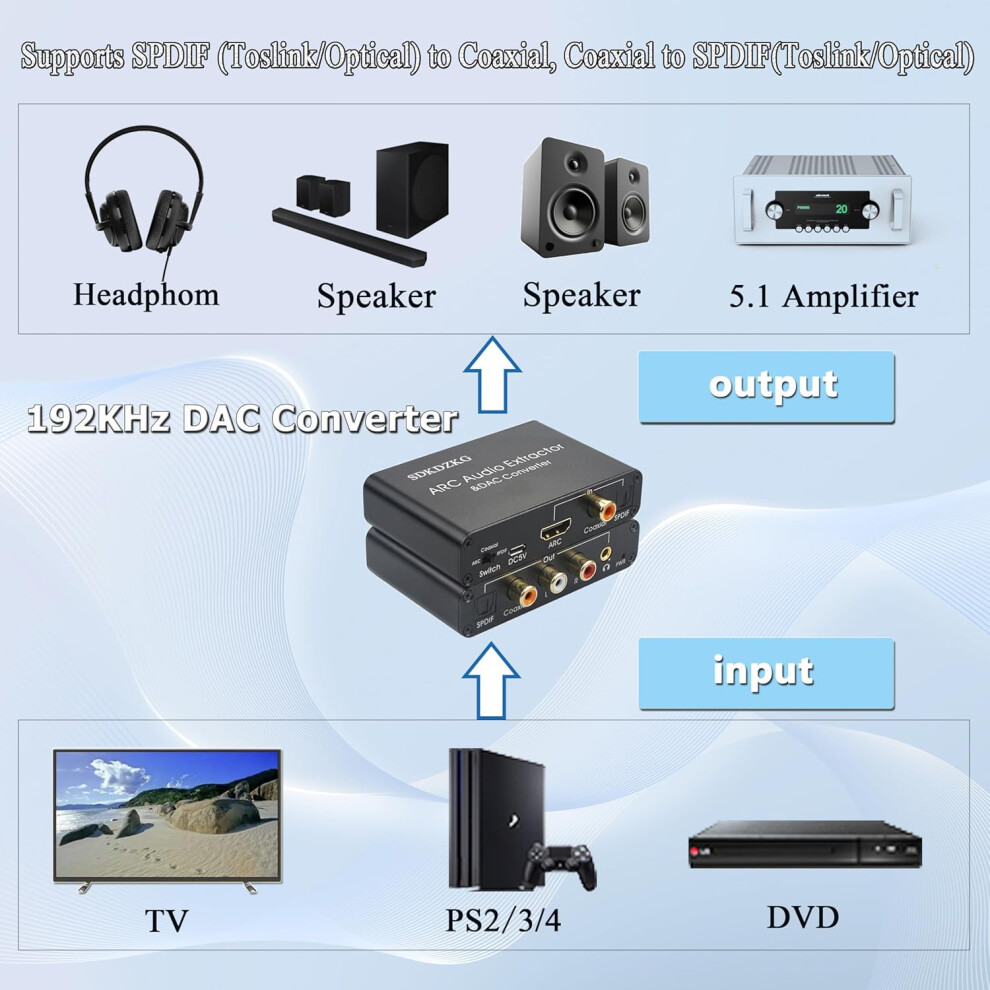
HDMI ARC Audio Extractor &DAC Converter, with input ports HDMI ARC Optical TOSLINK SPDIF 、Coaxial ,Output port Optical TOSLINK SPDIF Coaxial digital audio and RCA L/R 3.5mm stereo analog audio converter adapter.
-When you want to use headphones or speakers for an immersive gaming experience, but find that the interface does not match
-Or, when you want your TV to have a more three-dimensional sound and be able to hear various sound effects in the game more clearly while playing games, but cannot successfully connect to your voice card or amplifier.
This SDK-A803 ARC audio adapter will easily solve your audio connection problems. You only need an HDMI cable that supports ARC function, or a fiber optic cable or coaxial cable, to easily send audio signals from HDTV, DVD TV boxes, and playstations to headphones, soundbars, speakers, home theaters, A/V receivers, and other devices.
Input port: HDMI ARC, Optical TOSLINK SPDIF, Coaxial (supports one key switch)
Output port: Optical TOSLINK SPDIF+Coaxial+RCA (L/R)+3.5mm Audio (four output ports can work simultaneously).
Supporting audio formats: DTS (Toslink output)/Dolby-AC3 (Toslink output)/DSD/PCM/LPCM 2.0. (Does not support Dolby Digital Plus/LPCM5.1)
Audio sampling rate: 32 KHz, 44.1 KHz, 48 KHz, 96 KHz, and 192 KHz.
Input compatible devices: high-definition TV (with HDMI ARC), TV box, set-top box, Blu ray DVD, projector playstation (PS2,PS3,PS4,Xbox,Swich,wii)
Output compatible devices: AV amplifier, speaker (2CH, 5CH), amplifier, headphones Soundbar、 Home theater system, etc
Operation and Connection:
(Before installation, please ensure that all devices you wish to connect are functioning properly.)
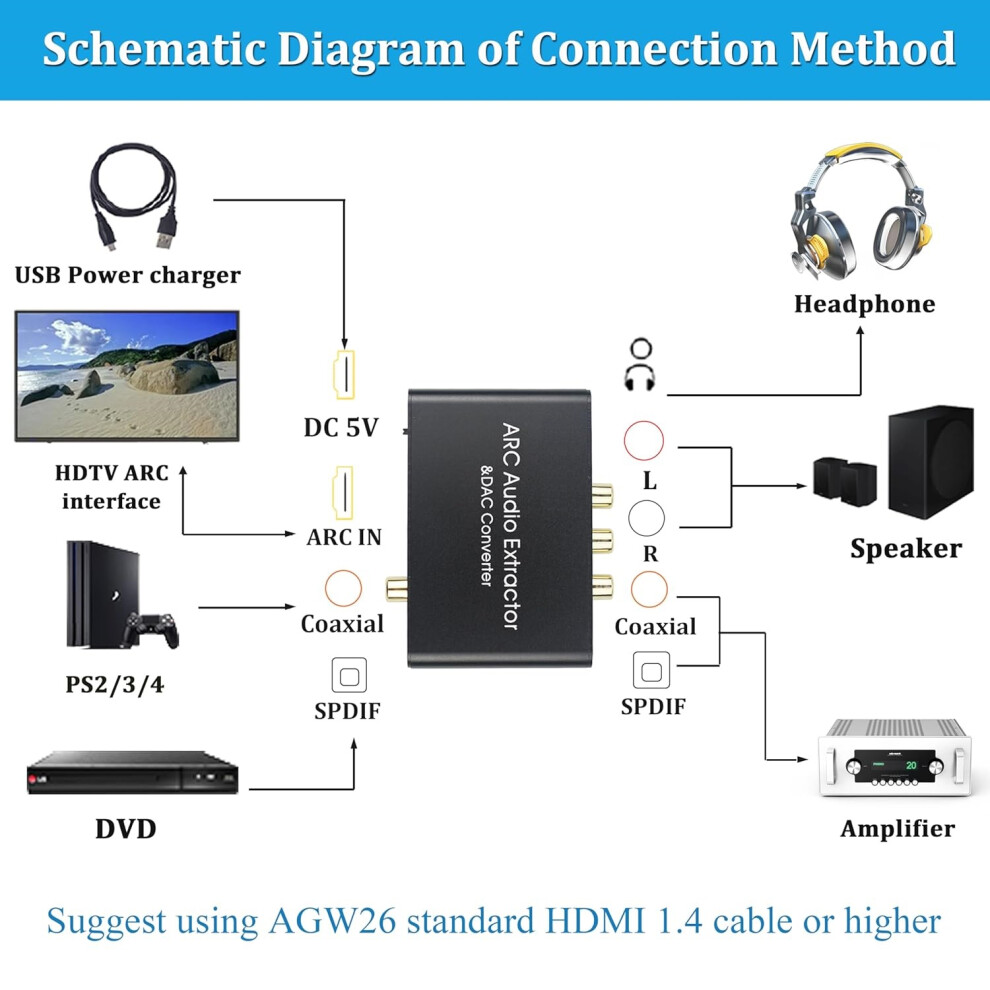
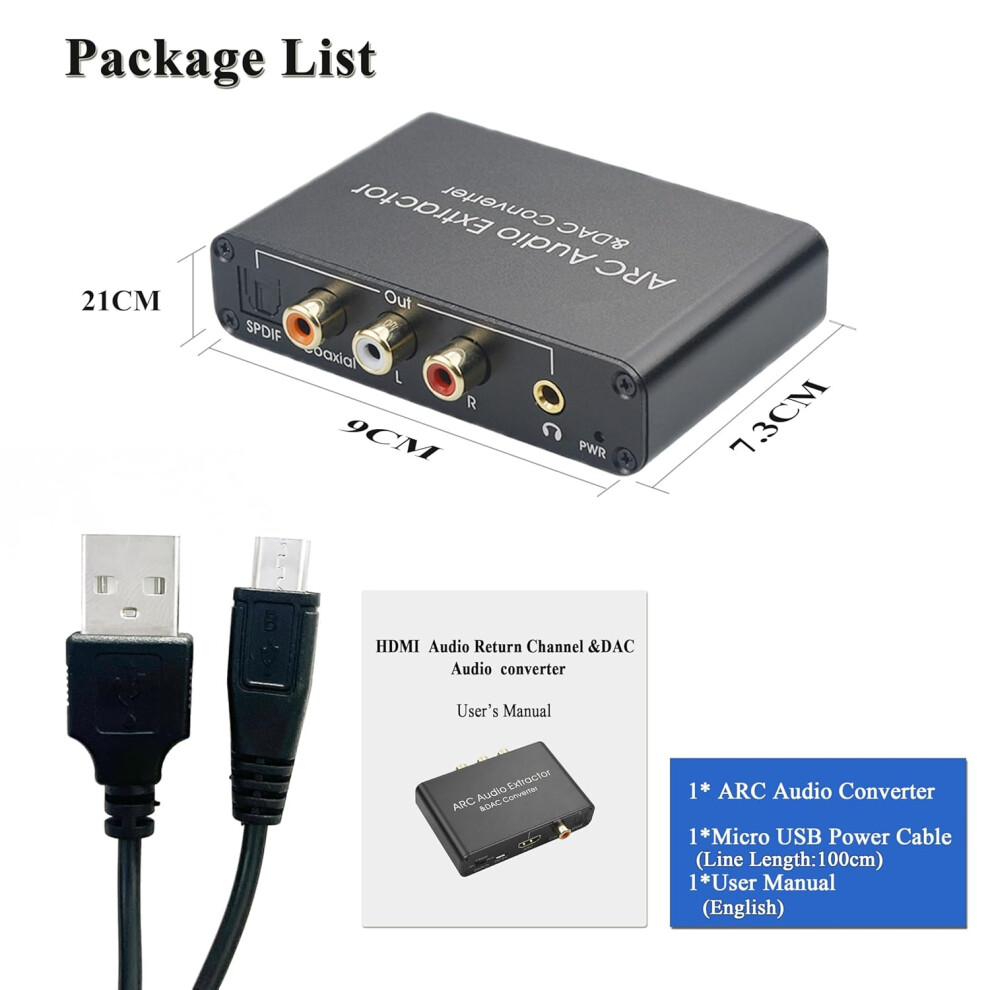
1、Connect the Micro USB power cord to the DC 5V power input interface of the product. The Micro USB power cord can be used to power the product by connecting to a USB port or a power adapter (5V 500mA). The red indicator light (POW) is constantly on, indicating that the power supply is normal.
2、 Find the HDMI ARC port of the TV (HDMI eARC port is also compatible with this product), and use an HDMI cable (19+1 core) that supports ARC function to connect the TV's HDMI ARC port to the ARC IN port of this product.
3、 Connect the fiber optic and coaxial input ports of the converter to the corresponding audio interface of the DVD or PS3 through fiber optic cables and coaxial lines
4、Switch to the corresponding channel (Swich) by toggling the switch, which has three switchable input functions: HDMI ARC, Optical TOSLINK SPDIF, and Coaxial.
5、Connect the audio output port of the ARC adapter to external devices through an audio cable and start working.
HDTV needs to support ARC function and configure HDMI ARC port. The HDMI cable connecting the ARC audio adapter to the TV source must support ARC functionality. (It is recommended to use AGW26 standard HDMI 1.4 cable or higher)
Coaxia Output Port:
Use coaxial audio cables to connect Soundbar/Amplifier/Home theater and other devices, set the TV fiber port to source code output (output unchanged compressed audio), and directly control the volume through Soundbar/Amplifier/Home theater and other devices;
SPDIF Output Port :
Use fiber optic cables to connect Soundbar/Amplifier/Home theater and other devices, set the TV fiber optic port to source code output (output unchanged compressed audio), and directly control the volume through Soundbar/Amplifier/Home theater and other devices.
3.5mm Audio OUT Port :
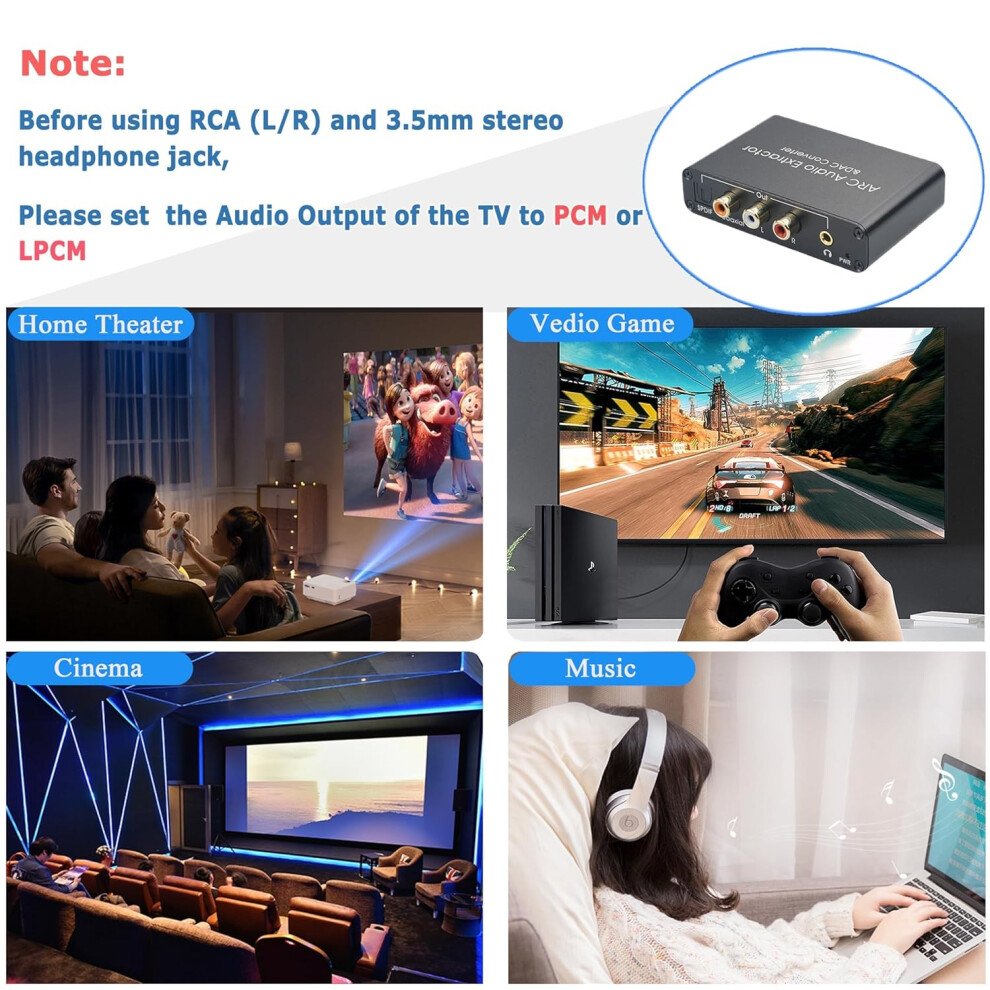
Use a 3.5mm audio cable to connect Headphones/Speakers and other devices, set the audio output of the TV to stereo output (PCM/LPCM 2.0), and directly control the volume through the TV (CEC);
R/L OUT port:
Use L/R audio cable to connect Speakers/Soundbar and other devices, set the audio output of the TV to stereo output (PCM/LPCM 2.0), and directly control the volume through the TV (CEC);
Common Problems and Solutions:
1. What should I do if the power supply of the HDMI ARC adapter is abnormal after normal connection?
(1) Firstly, check if the power indicator light is on. If it goes off, please check if the power adapter or power cord is properly connected to the power connector.
(2) Check if the power adapter is DC 5V and if the current reaches or exceeds 500mA.
2. What should I do if there is no sound after the HDMI ARC adapter is connected normally?
(1) Firstly, check if the TV supports ARC function. The TV source must support ARC function and be configured with HDMI ARC port to connect and work properly with the ARCadapter.
(2) Check if the switch of SDK-A803 ARC adapter is turned on. The ARC function can only be turned on normally after the adapter switch is switched to "ON".
(3) Please check if the ARC function is enabled on the TV. If not, you can use the TV remote control to activate the ARC function.
(4) Check if the HDMI cable is connected to the HDMI ARC interface of the TV source. Only the HDMI ARC interface of the TV source can transmit audio signals back.
(5) Please check if the HDMI cable is an AGW26 standard 19+1 core HDMI cable or a higher standard cable. HDMI cables below this standard do not support ARC functionality.
3. How to solve the problem of noise or abnormal operation when using RCA (R/L) interface or 3.5mm audio interface to connect speakers or headphones?
(1) Firstly, set the audio output of the TV to stereo output (PCM/LPCM 2-channel output).
(2) Then plug and unplug the audio cable several times to check if there is poor contact with the cable or connector, or just replace the audio cable to try to reconnect it.
4. What should I do if there is no 5.1CH audio signal output when using fiber optic or coaxial interfaces?
(1) Firstly, check if the audio format currently being played on the TV is 5.1CH.
(2) Set the TV fiber optic port to source code output (output unchanged compressed audio).
(3) When using fiber optic and coaxial interfaces to connect power amplifiers or speakers, if the speaker or amplifier supports decoding DTS and Dolby, the TV does not need to set the audio output format. If the amplifier does not support decoding DTS and Dolby, the TV needs to set the audio output format to PCM output.
(4) The fiber optic and coaxial interfaces of this ARC adapter support the output of DTS5.1, Dolby 5.1, PCM, and LPCM2.0 (LPCM5.1 is not supported). If your TV source audio output format is not compatible with this product, the ARC adapter will not function properly.
5. If my TV is equipped with an HDMI eARC output port, is the ARCadapter compatible?
(1) The HDMI eARC port is compatible with ARC, so the ARCadapter can connect to the HDMI eARC output port of a TV and work properly.
Details
| OPC | PJ5WTPB |
|---|---|
| Brand | Etruston |
| Codes | 0763559354023 (EAN) |
| 763559354023 (UPC) | |
| Rank | In demand |
Detailed Product Information
| Weight | 0.1kg |
|---|---|
| Height | 0.5cm |
| Length | 6cm |
| Width | 9cm |
| Weight | 0.1kg |
| Height | 0.5cm |
| Length | 6cm |
| Width | 9cm |
| Weight | 0.1kg |
| Height | 0.5cm |
| Length | 6cm |
| Width | 9cm |
| Seller | Ratings | Warranty | Returns | Price | Delivery | Total | Quantity |
|---|---|---|---|---|---|---|---|
| (2 reviews) | - |
30 Days
Free Returns No
|
£17.99
|
+Free Delivery
Est. Delivery:
12th-14th Oct
|
£17.99
Recommended
We recommend listings based on a combination of price, delivery time, quality of seller reviews and other factors
|
||
|
Dispatched from:

|
(21 reviews) | - |
30 Days
Free Returns No
|
£26.99
|
+Free Delivery
Est. Delivery:
19th Oct - 6th Nov
|
£26.99
|
Earn as you shop with instant Cashback on everything.
No catch, no cost
Become a Cashback VIP
Just 1 purchase unlocks bigger deals & rates
You'll only get instant Cashback at OnBuy! Enter your email below and we'll send you a copy of your basket to save you time later.
By entering your email address, you'll automatically be added to our database, where you can enjoy personalised Cashback offers and early access to our best deals. You can opt out of our emails at any time and we'll never share your details with anyone. Check our Privacy Policy and T&Cs to find out more.
Want access to personalised offers and the highest Cashback rates? Sign up to our emails below.
You can opt out of our emails at any time and we'll never share your details with anyone. Check our Privacy Policy and T&Cs to find out more.
This page has expired.
Refresh and continue