

























Product Images

In stock
Smart shoppers OnBuy it!
Interest-free payment options available


See full product description & details
Delivery: Standard (Free) | Sat 24th Oct - Thu 12th Nov
Returns: 30 days
180-day payment protection
Summary
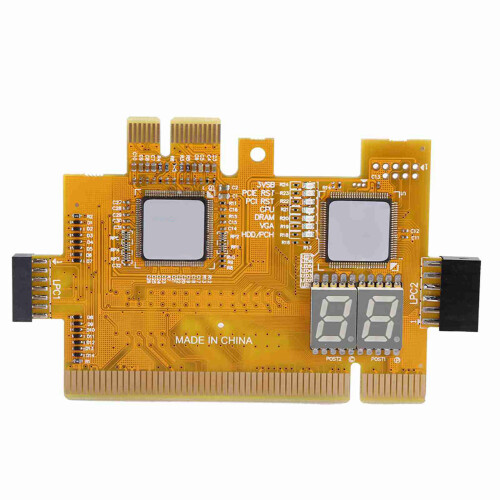
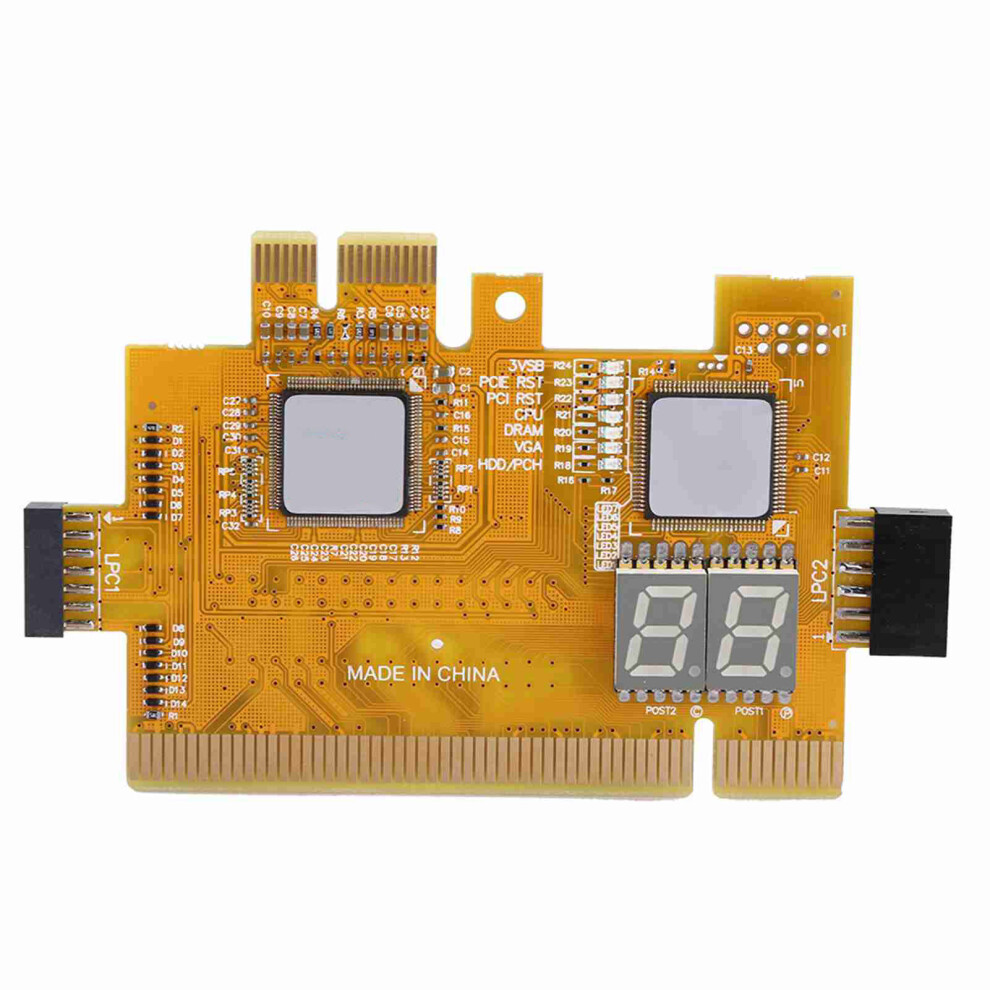
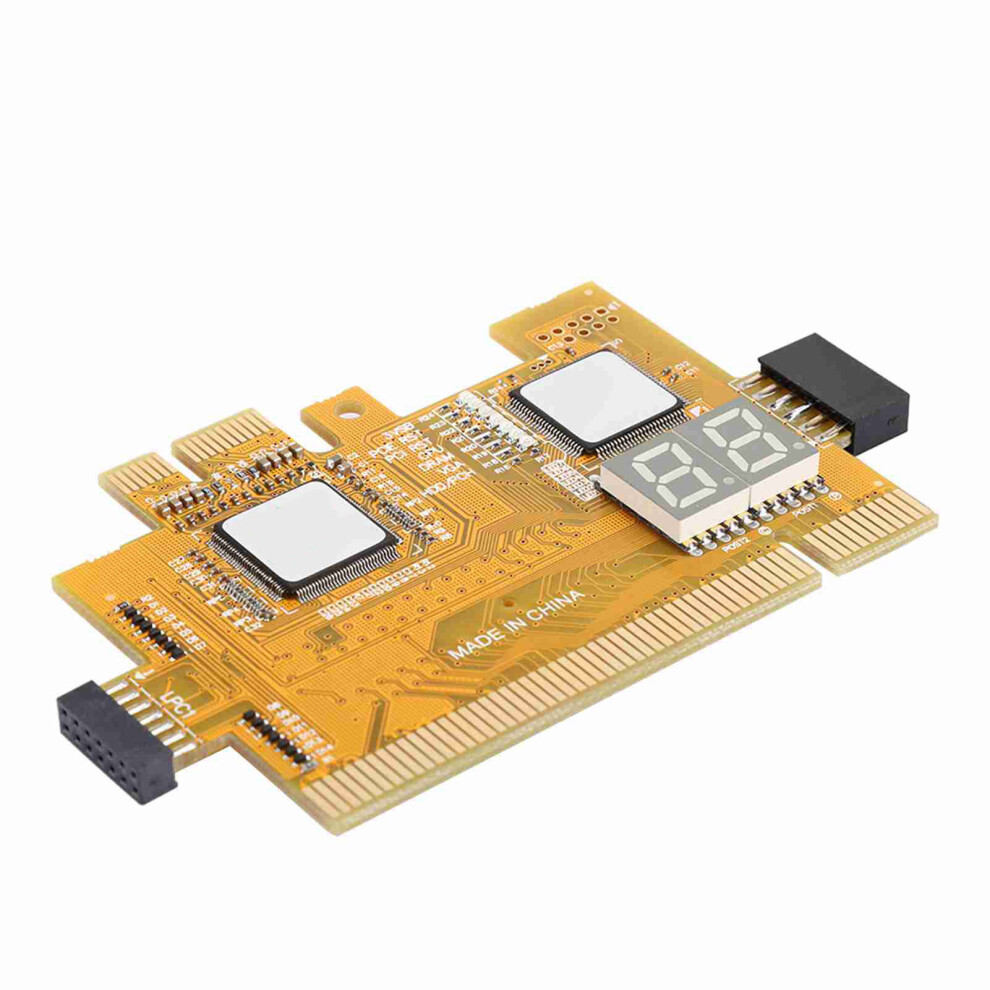
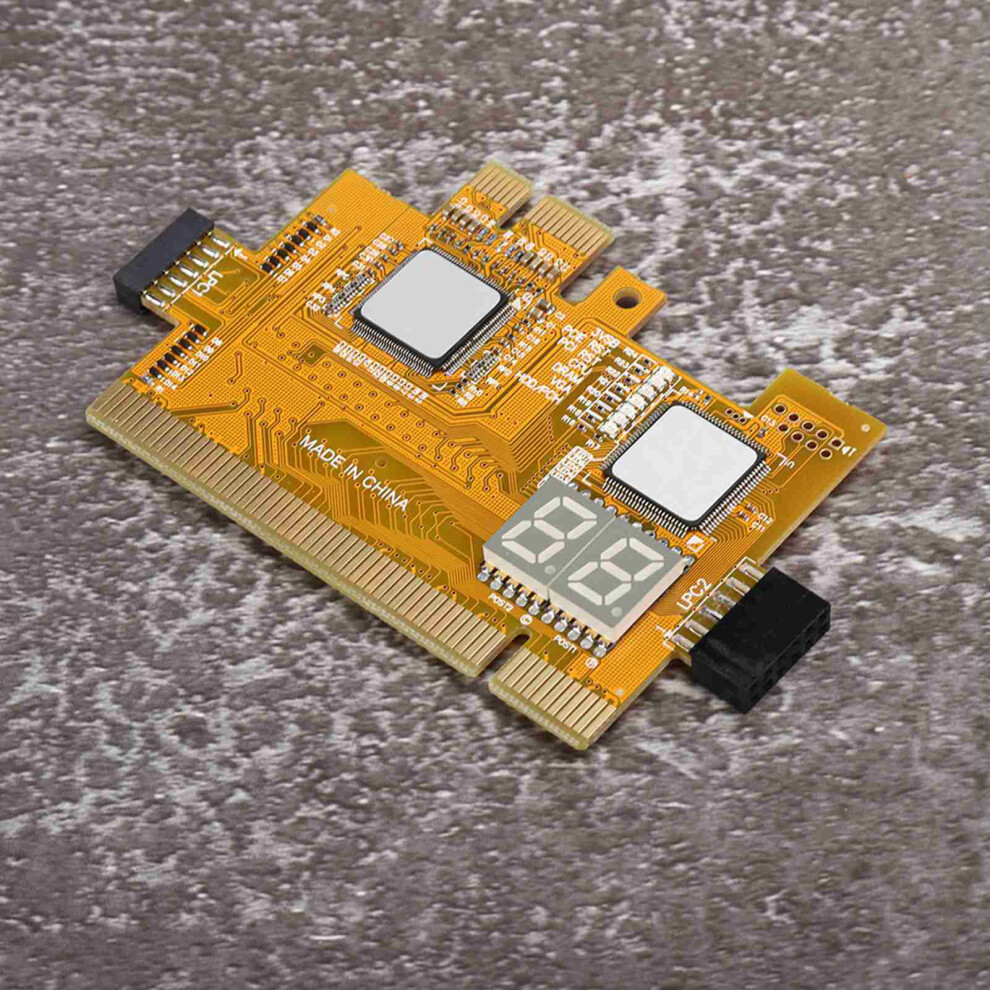
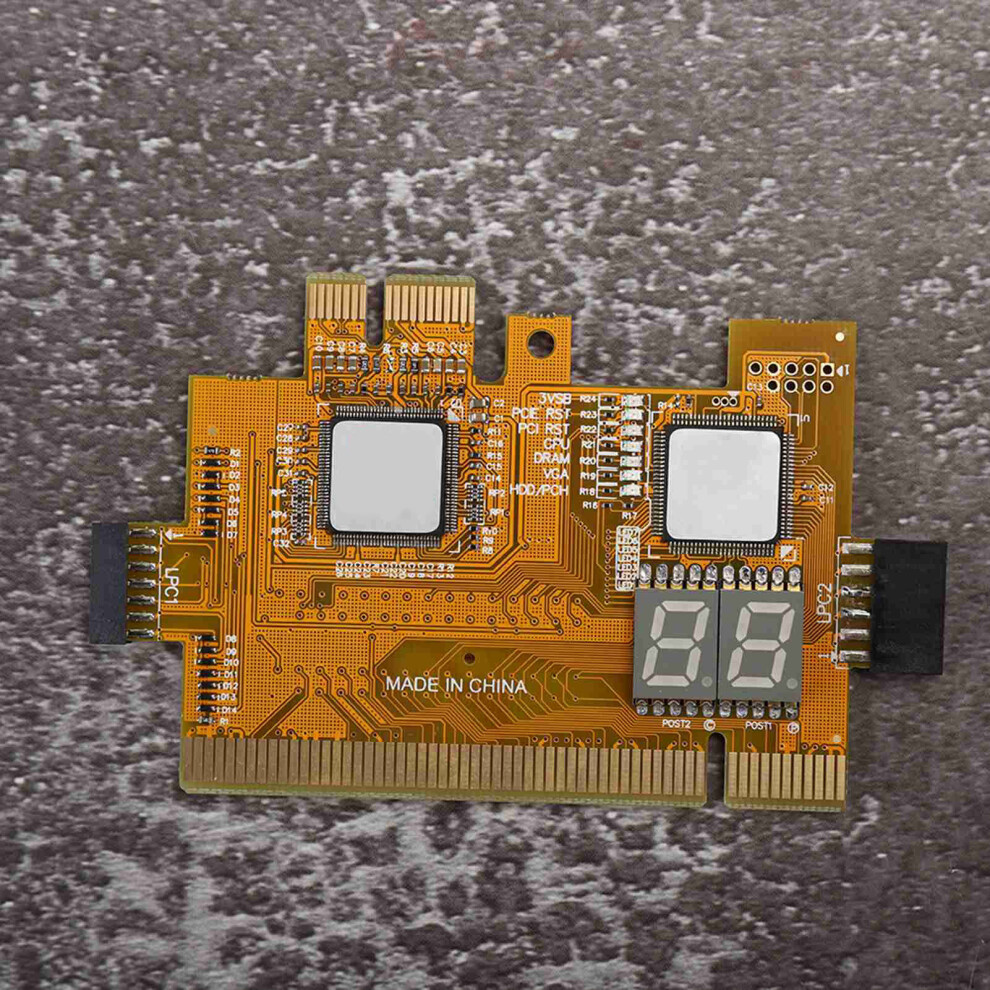
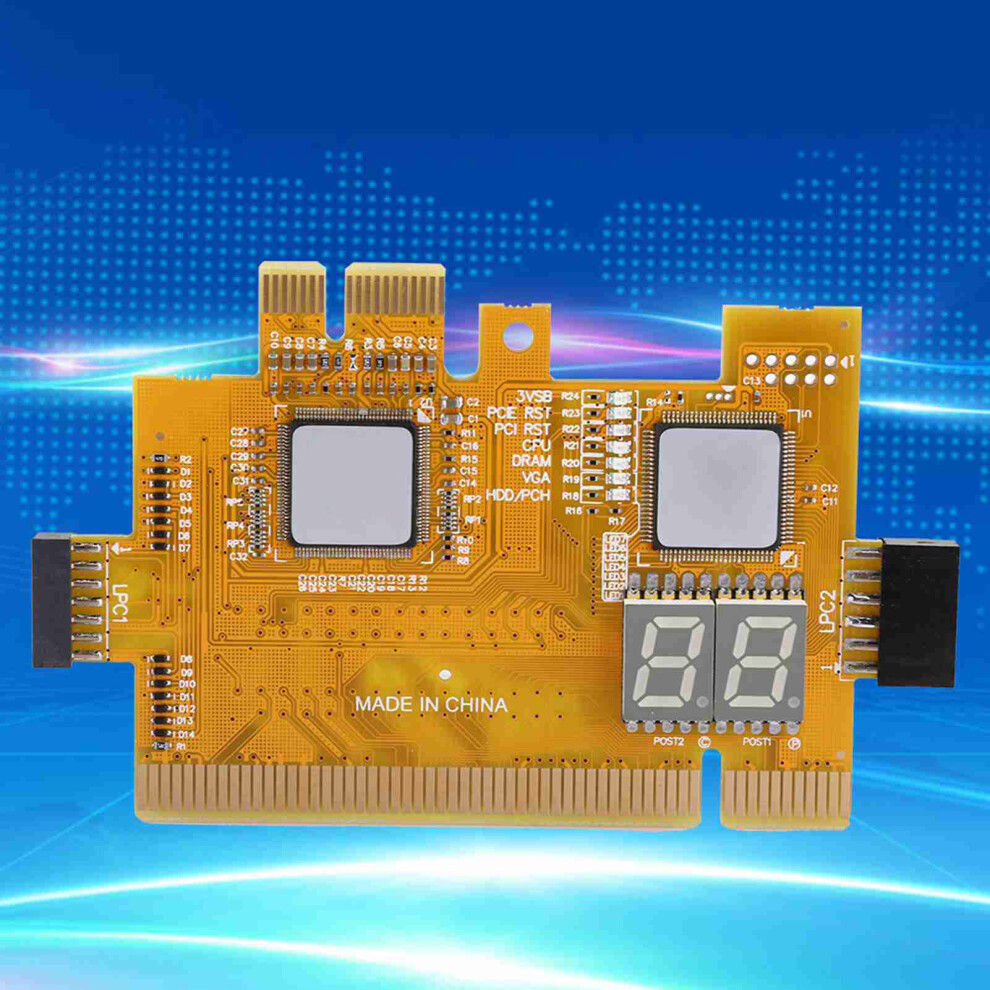
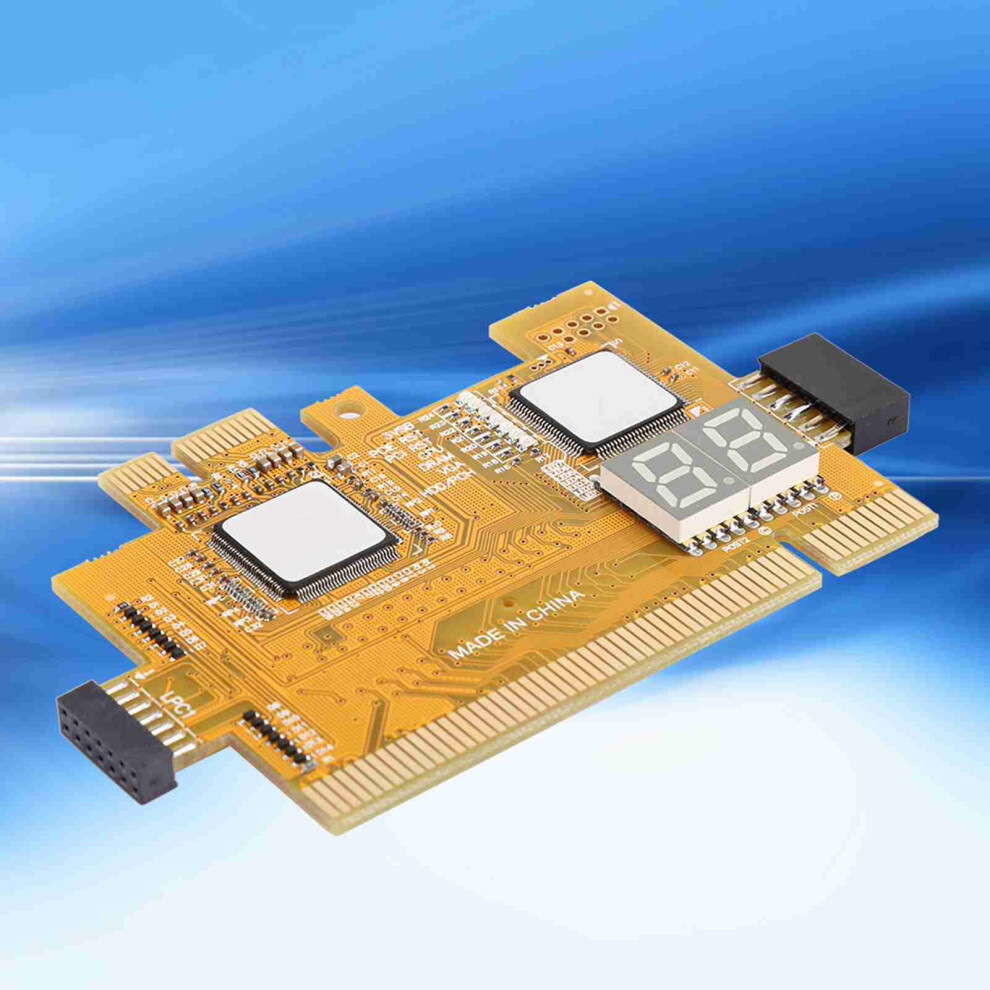
Desktop Debug Card 4 in 1 Diagnostic Card Computer Motherboard Detection Accessories
1、The diagnostic card is mainly used for computer motherboard.The four-layer PCB designed makes the signal more stable and can work for a long time in harsh environment. 2、The four-layer PCB designed makes the signal more stable and can work for a long time in harsh environment. 3、Tantalum capacitor is adopted to provide more stable and reliable power supply for the whole product. 4、In the layout is more perfect, more convenient to operate. 5、Made of high quality electronic components, stable and reliable performance.
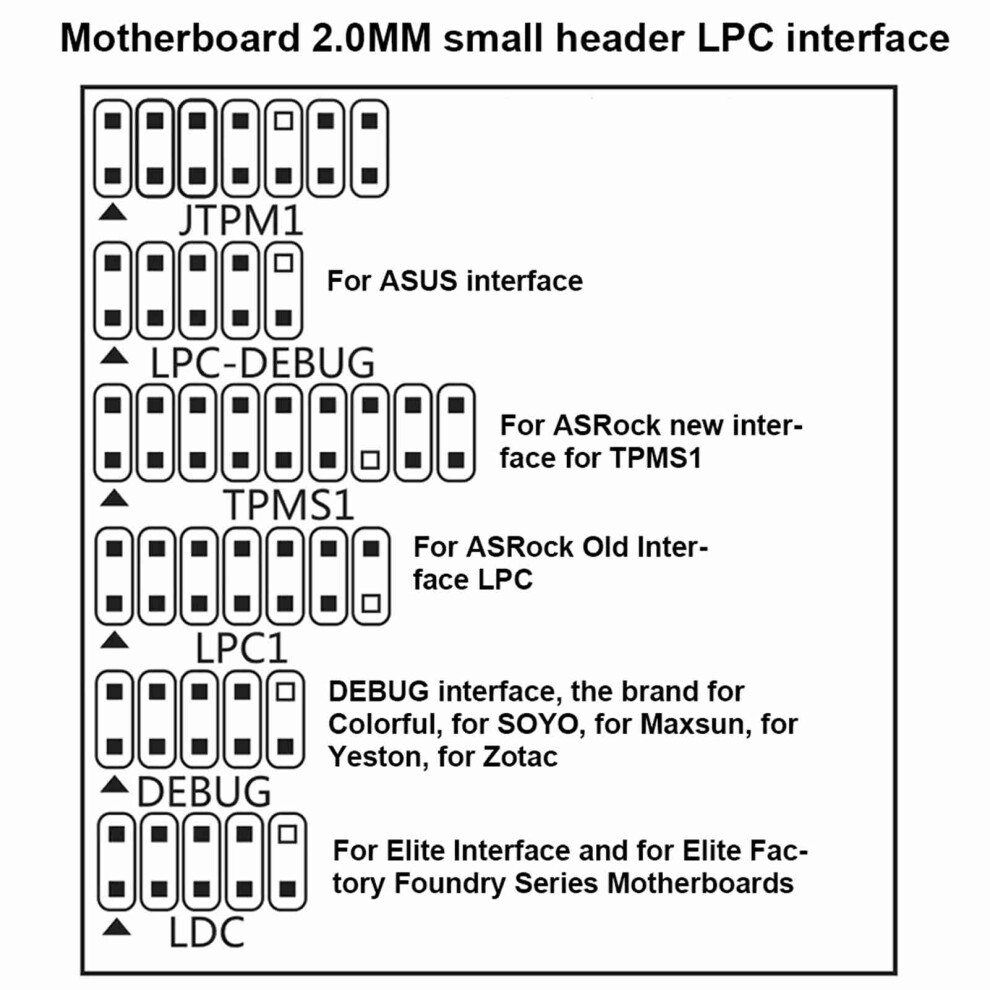
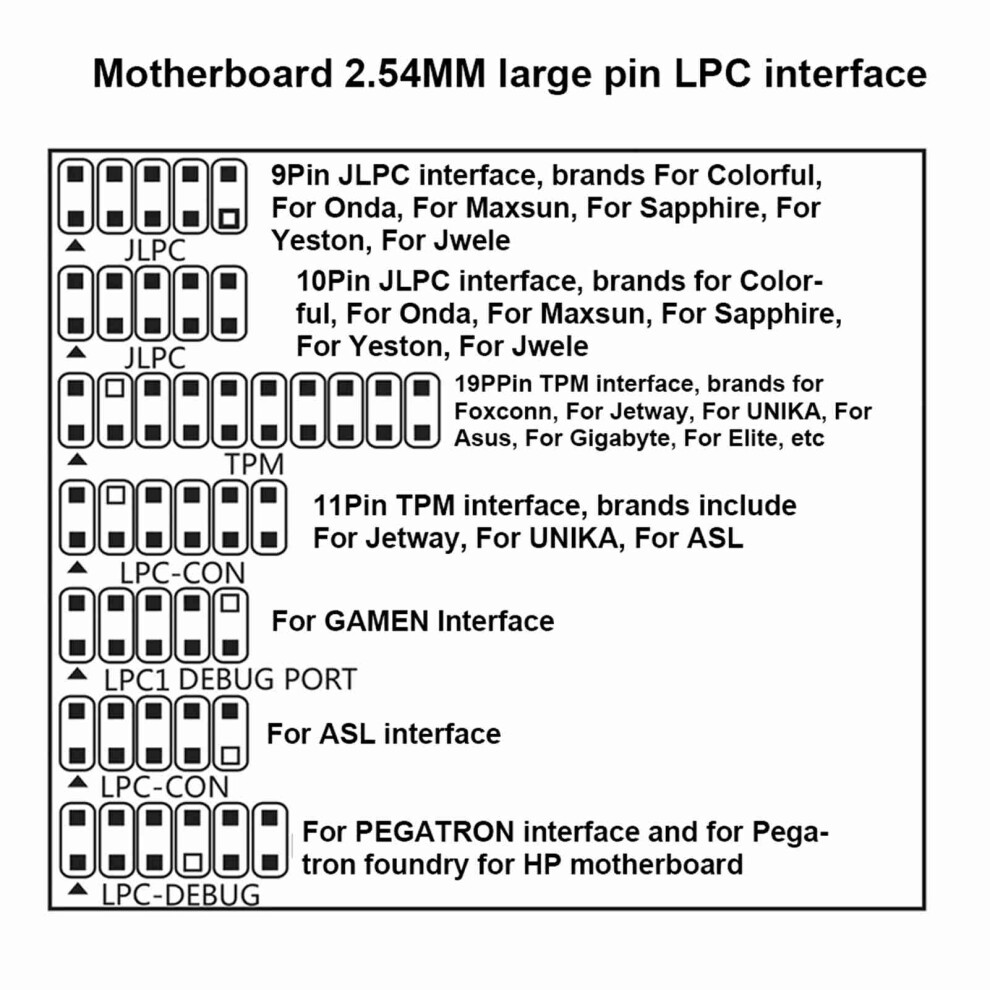
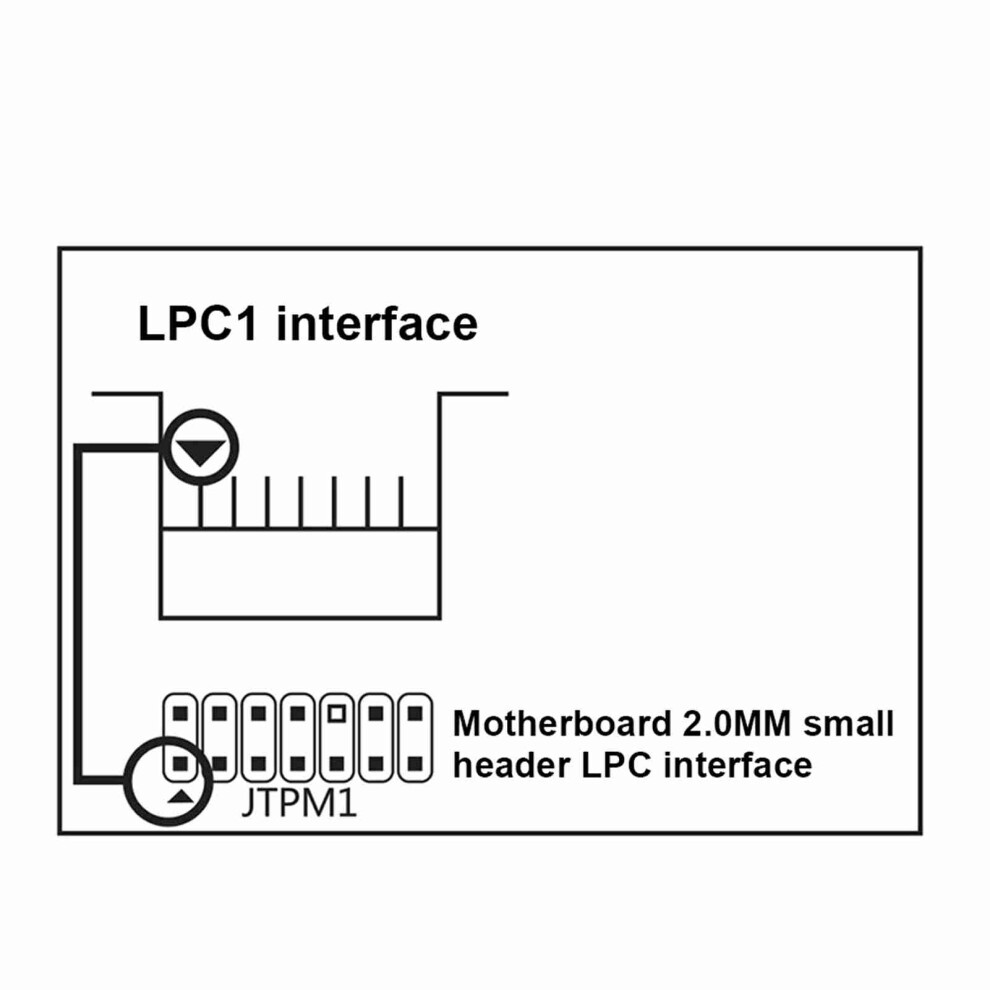
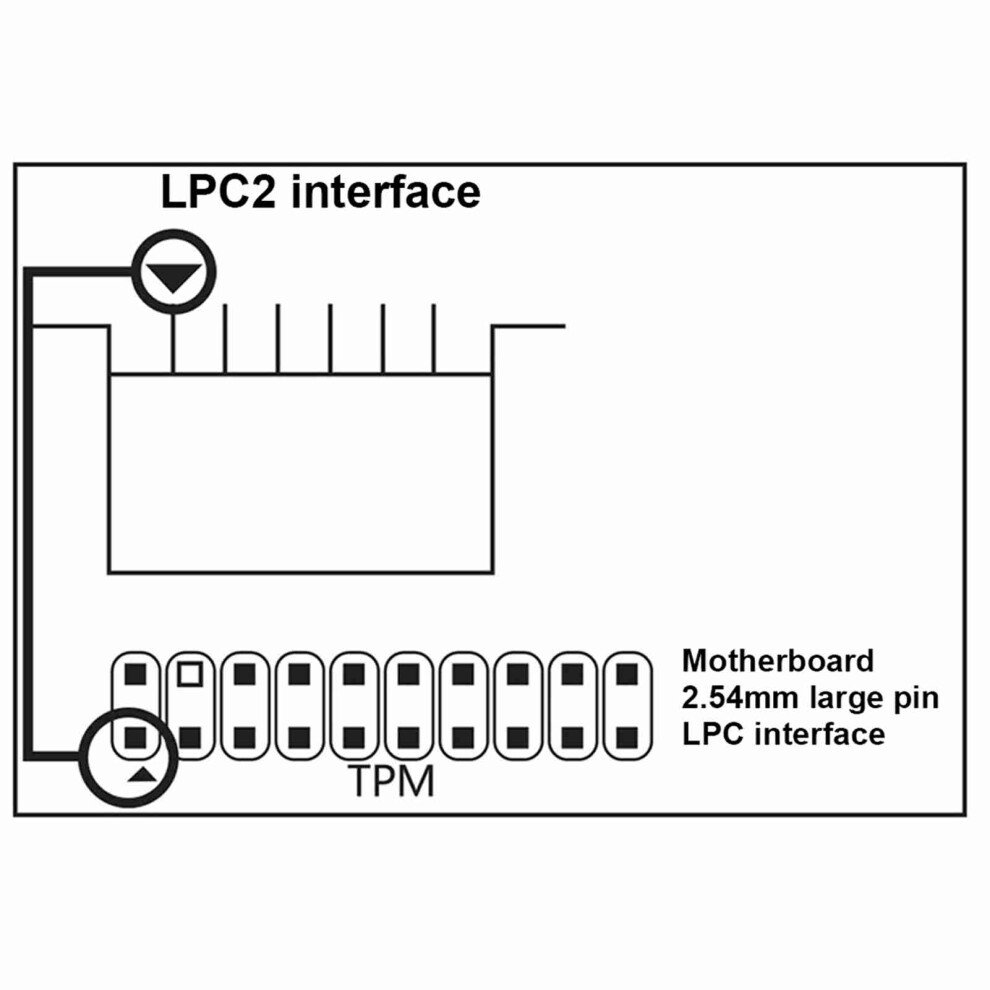
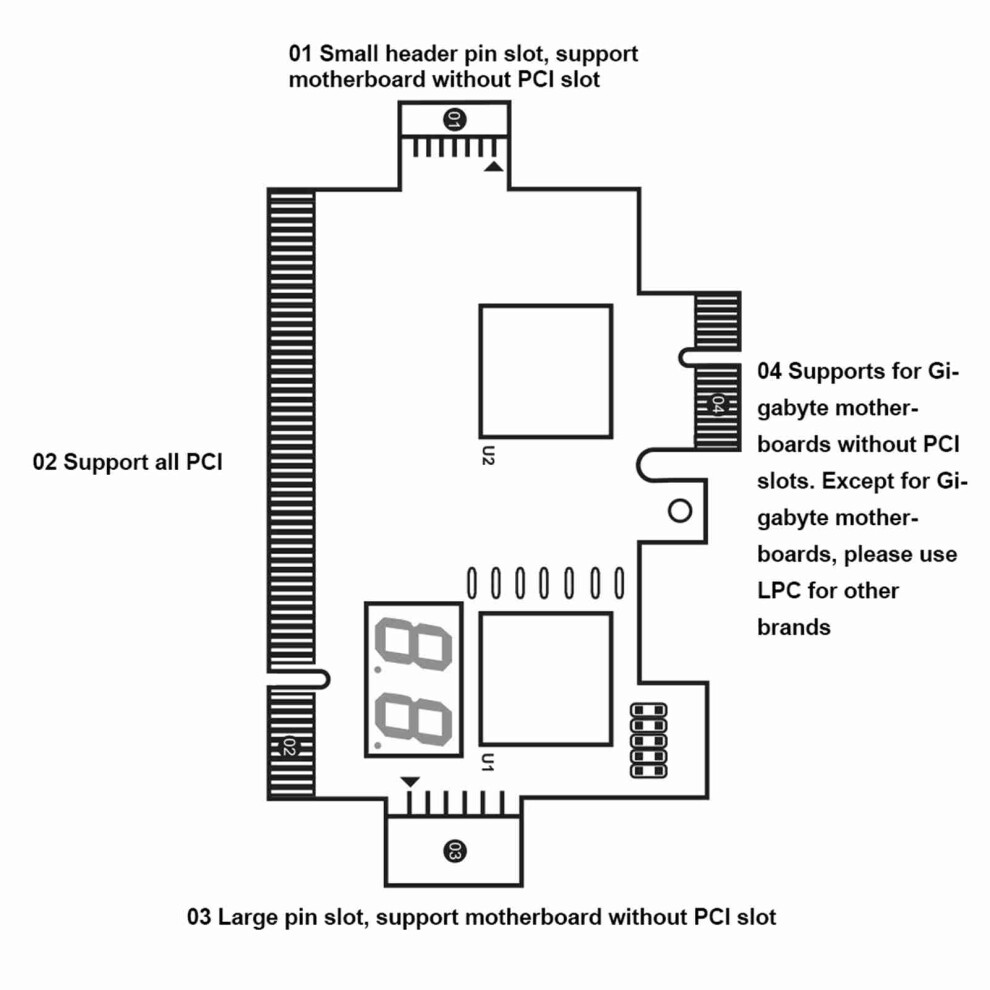
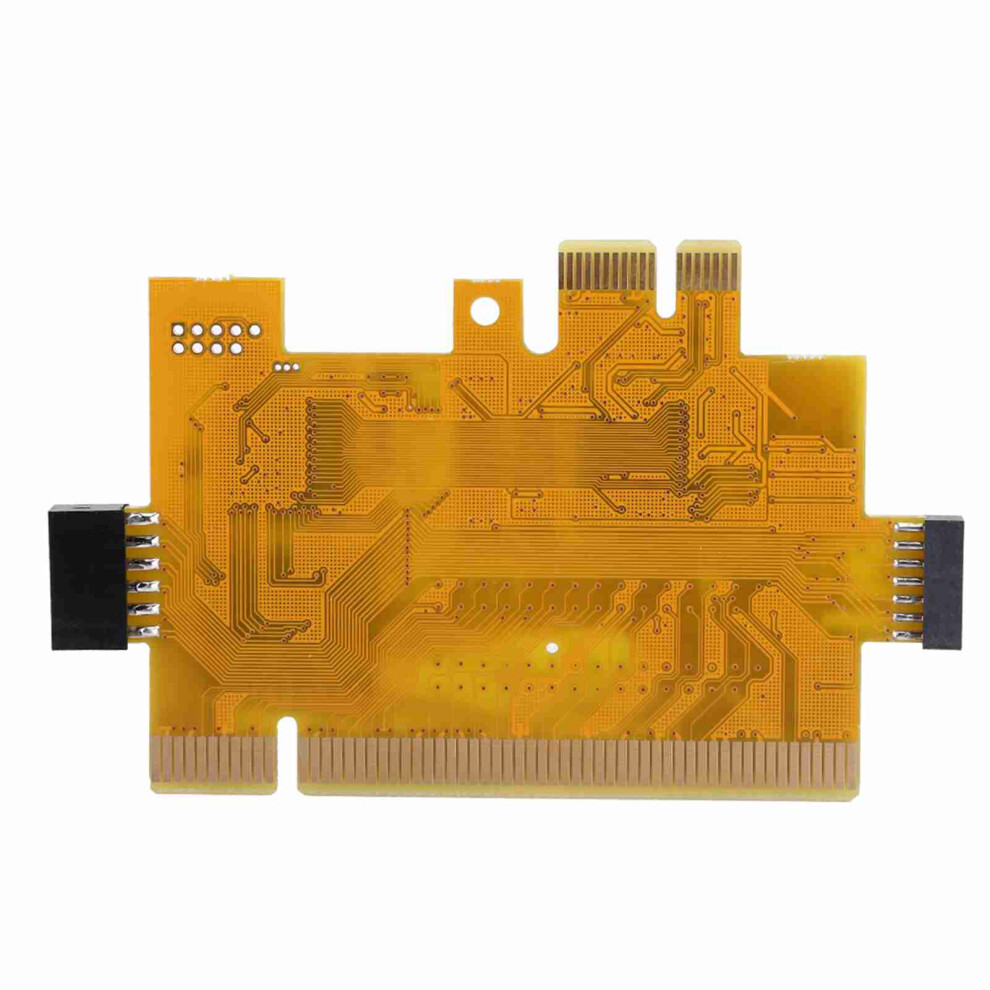
Item Type: Debug Card Material: PCB Color: Yellow Instructions for desktop four-in-one diagnostic card: I. Know the LPC interface of various brands of motherboards and the 1st pin direction of the interface. The interface picture can be viewed at the description of the desktop 4-in-1 diagnostic card purchased or the interface picture below. (Figures 1 and 2) 2. The four-in-one diagnostic card for the desktop is aimed at the 1st pin of the motherboard's LPC interface, as shown in the figure: Desktop 4-in-1 diagnostic card LPC interface introduction, in order to properly place the desktop 4-in-1 diagnostic card in the motherboard, the desktop 4-in-1 diagnostic card LPC interface and motherboard LPC interface have two starting points, the triangular indicates Pin 1 (Figures 3 and 4) 3. Note that the desktop four-in-one diagnostic card interface and the motherboard LPC interface are incorrect. It can be used. The desktop four-in-one diagnostic card can be pointed at the 1st pin of the motherboard's LPC interface. The motherboard's LPC interface has more or fewer pins. Leave him alone. 4. Many customers have questions about understanding the motherboard code running interface. Why does PCI-E not support all brands of motherboards? Assuming that PCI-E can support all brands of motherboards, then there is no need for LPC to run the code. The motherboard's LPC interface is used to run the code, so customers do not need to search and find if there is a PCI-E universal card. Desktop 4 in 1 The diagnostic card is already better, please rest assured. The PCI-E slot code running is a for Gigabyte solution. Just for Gigabyte motherboards have the BIOS code sent to the PCI-E slot. Other brands send the BIOS code to the LPC header, and some send it to the PCI slot. for Gigabyte motherboard code running interface has PCI and PCI-E. A few use LPC. Some PCI can run code, then PCI-E will not run code. Conversely, if there is no PCI slot, then PCI-E will run code. Other brands use PCI and LPC interfaces to run codes. Some PCI can run codes, so LPC will not run codes. Conversely, if there is no PCI slot, then LPC will run codes. Each motherboard has an interface that can run codes, and interfaces that have BIOS codes can run codes. Interfaces that do not have a BIOS code are definitely not able to run codes. In short, each motherboard has an interface that can run codes. 5. Display 00, please replace the interface test, replace the LPC without a PCI slot, PCI-E does not run the code to replace the PCI, each motherboard has just one interface can run the code, display 00 users switch the interface test. 6.Desktop four-in-one diagnostic card Full view (Figure 5)
1 x Diagnosis Card 1 x Instruction
Details
| OPC | PKDGKYF |
|---|---|
| Codes | 8320539009919 (EAN) |
Product Data
Dimensions
| Height | 1.0cm |
|---|---|
| Width | 12.0cm |
| Seller | Ratings | Warranty | Returns | Price | Delivery | Total | Quantity |
|---|---|---|---|---|---|---|---|
|
Dispatched from:

|
(1 review) | 1 month |
30 Days
Free Returns No
|
£44.58
|
+Free Delivery
Est. Delivery:
24th Oct - 12th Nov
|
£44.58
|
Earn as you shop with instant Cashback on everything.
No catch, no cost
Become a Cashback VIP
Just 1 purchase unlocks bigger deals & rates
You'll only get instant Cashback at OnBuy! Enter your email below and we'll send you a copy of your basket to save you time later.
By entering your email address, you'll automatically be added to our database, where you can enjoy personalised Cashback offers and early access to our best deals. You can opt out of our emails at any time and we'll never share your details with anyone. Check our Privacy Policy and T&Cs to find out more.
Want access to personalised offers and the highest Cashback rates? Sign up to our emails below.
You can opt out of our emails at any time and we'll never share your details with anyone. Check our Privacy Policy and T&Cs to find out more.
This page has expired.
Refresh and continue