





















Product Images

Sorry, this item is temporarily out of stock.






![[2 Pack] Steam Deck OLED / Steam Deck Tempered Glass Screen Protectors](https://cdn.onbuy.com/product/9bec805a0c4849f381ae11f9f843275b/500-500/pdshqcz.jpg)


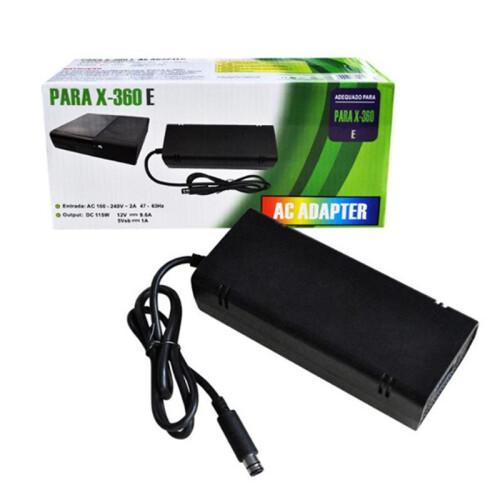
Would you like us to let you know when it's back?
Summary
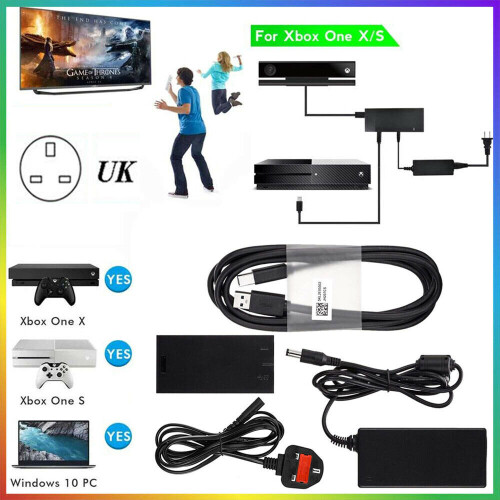
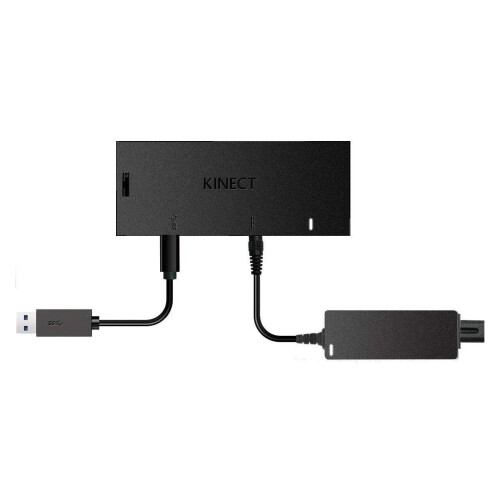
How to set up the Kinect Adapter with an Xbox One S console
Step 1: Set up the adapter
1. Plug the wall plug into the power supply.
2. Insert the round connector of the power supply into the Kinect hub.
3. Insert the Kinect sensor cable into the Kinect hub.
4. Insert the included USB cable into the Kinect hub.
5. You're now ready to connect the adapter to your console.
Step 2: Connect the adapter to the Xbox One S console
1. Insert the USB 3.0 cable into the left USB port labeled 'Kinect' on the back of the console.
Your Kinect sensor is now ready to be set up on your console.
2. For best practice, make sure your Kinect sensor and Kinect Adapter are not sitting directly on top of your console.
3. On your console, scroll left to the Guide and select Settings.
4. Select All settings and scroll down to Kinect & devices.
5. Select Kinect and follow the instructions to set up your sensor.
Specifications:
Applicable products: XBOX ONE S/X, Windows 8/8.1/10 PC
Interface type: dedicated to Kinect
Product size: 17*14.5*5CM
Colour: Black
Support computer use, computer hardware requirements: 64-bit (x64) processor, i7 2.5-GHz or faster processor
Package Includes:
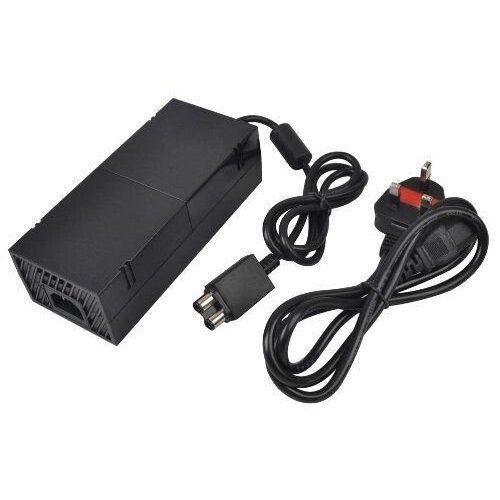
1 × Power Adapter
1 × Manual
Notes:
1. Due to the difference between different monitors, the picture may not reflect the actual color of the item.
2. Please allow slight deviation for the measurement data and make sure you do not mind before ordering.
Details
| OPC | P8RNQTJ |
|---|---|
| Codes | 7632472378481 (EAN) |
| Rank | #31 Console Parts & Accessories |
| #799 Video Games, Consoles & Accessories | |
| Links | Xbox One Accessories |
Detailed Product Information
| Colour | Black |
|---|---|
| Material | ABS |
| Manufacturer Recommended Age | 8+ |
| Weight | 500g |
| Height | 5.5cm |
| Length | 20.1cm |
| Width | 14.5cm |
Would you like us to let you know when it's back?
For Xbox One S / X & Windows PC For Kinect 2.0 Sensor USB 3.0 Adapter
You'll only get instant Cashback at OnBuy! Enter your email below and we'll send you a copy of your basket to save you time later.
By entering your email address, you'll automatically be added to our database, where you can enjoy personalised Cashback offers and early access to our best deals. You can opt out of our emails at any time and we'll never share your details with anyone. Check our Privacy Policy and T&Cs to find out more.
Want access to personalised offers and the highest Cashback rates? Sign up to our emails below.
You can opt out of our emails at any time and we'll never share your details with anyone. Check our Privacy Policy and T&Cs to find out more.
This page has expired.
Refresh and continue