






















Product Images

In stock
Smart shoppers OnBuy it!
Interest-free payment options available


See full product description & details
Delivery: Standard (Free) | Mon 3rd - Fri 7th Aug
Returns: 30 days
180-day payment protection








Summary
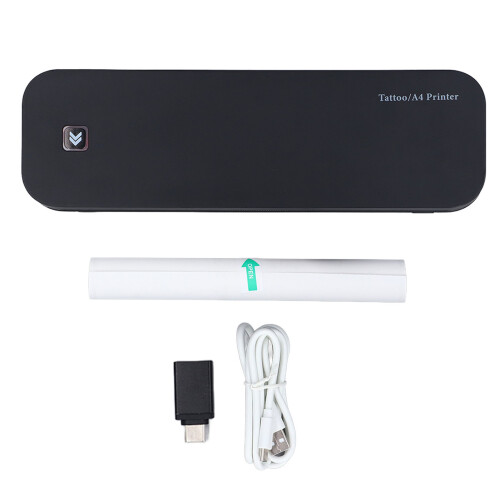
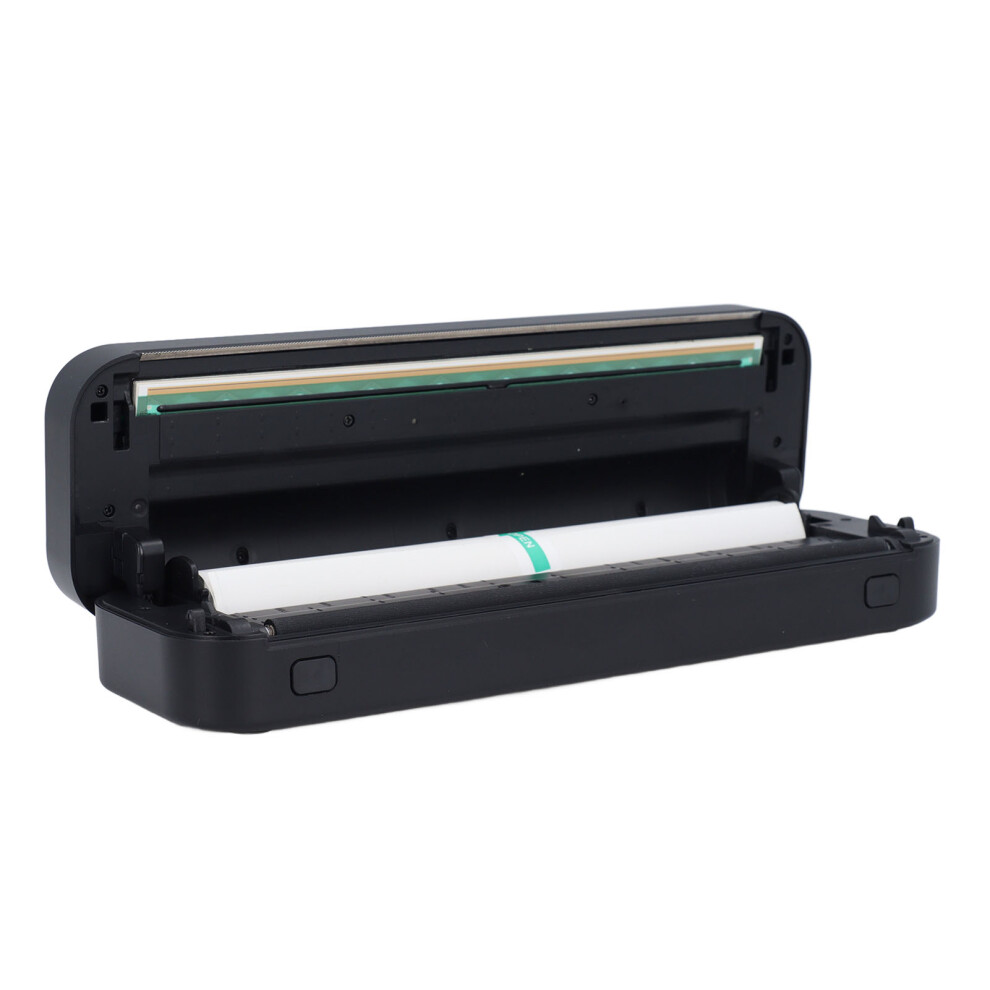
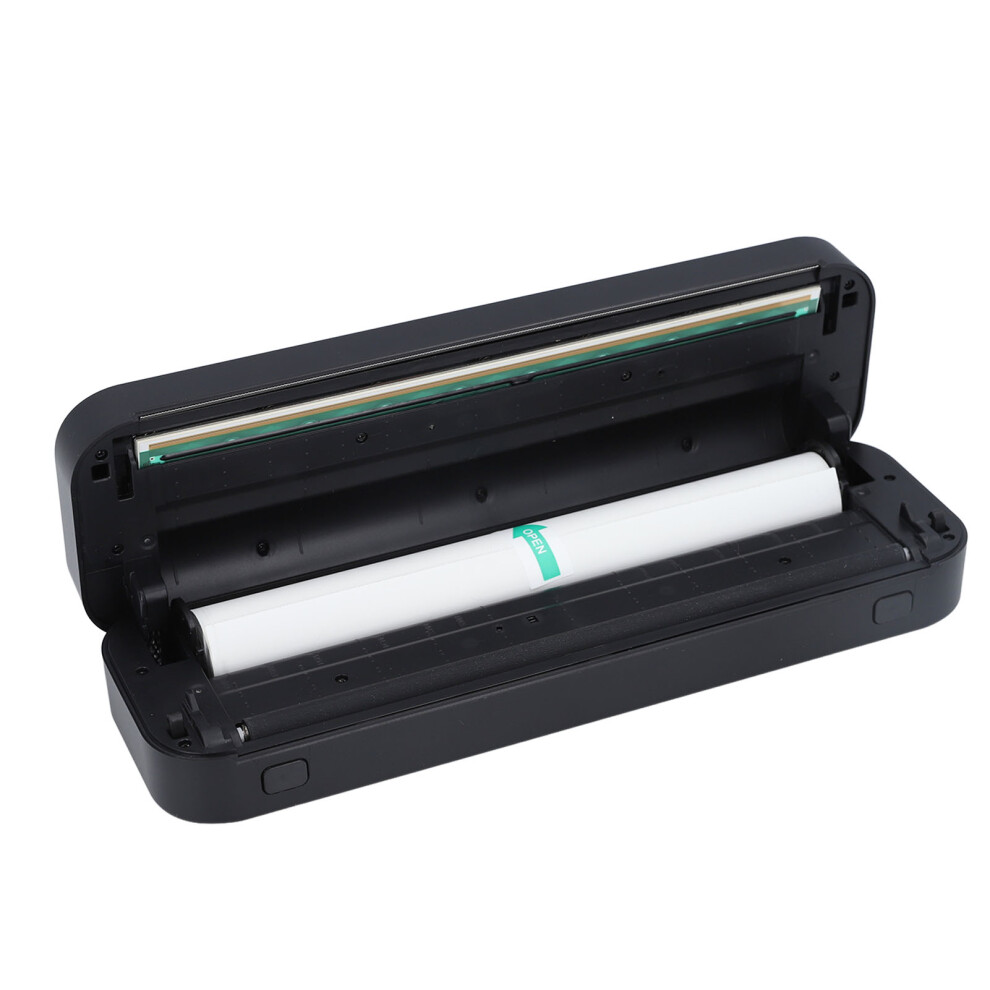
1、Portable Size: Tattoo transfer stencil printer is small in size and light in weight, made of ABS shell material, makes it easy for tattoo artists to carry around, saving space for storage. 2、Simple Connection: Wireless tattoo stencil printer data interface adopts AC adapter and Bluetooth wireless connection. Simply connect to your PC or mobile device, select the desired pattern on the APP, and transfer the tattoo pattern in seconds. 3、Easy Operation: No complicated buttons on the tattoo printer machine, just operate on the APP. Adjust print size, beautify image printing, and quickly and effectively copy tattoo patterns onto transfer paper, improving the efficiency of tattoo artists. 4、Clear Transfer: Wireless tattoo transfer printer utilizing thermal printing technology, with high resolution, no need to replace parts and ink, fast transfer speed, low noise, stable performance, and clear transfer of patterns. 5、USB Rechargeable: Built in 2600mAh battery allows for long battery life, eliminating the need to connect to a power source like traditional transfer machines, enabling tattoo artists to use it anytime, anywhere.
Item Type: Tattoo Thermal Transfer Printer
Material: ABS, Electronic Components
Color: Black
Battery Type: Lithium Battery 2600mAh (Included)
Input: 5V 2A
Charging Port: Type C
Interface: USB, Bluetooth
Printer Size: 265 x 80 x 48mm / 10.4 x 3.1 x 1.9in
Printing Type: Thermal Printing
Auto Shutdown: 30min
Standby Time: About 30 days
Charging Time: About 1.5 hours
Continuous Printing: 90 sheets of tattoo transfer paper
Paper Width Specification: 50-216mm / 1.97-8.5in
Supported Devices: Mobile Phones (for IOS, for Android supported), Tablets, PC
Button Functions:
Power Button: Long press to power on/off, indicator light flashes green. Green indicator light flashes during charging, stays on green when fully charged.
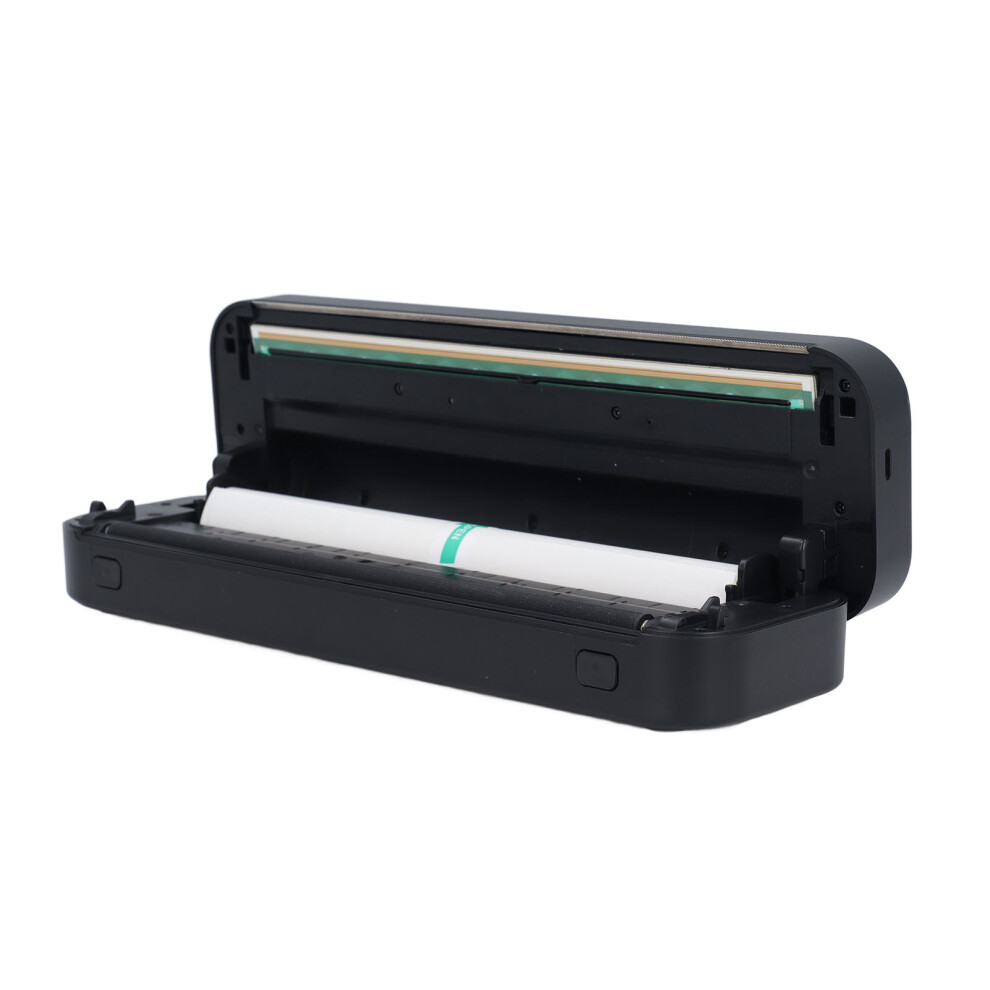
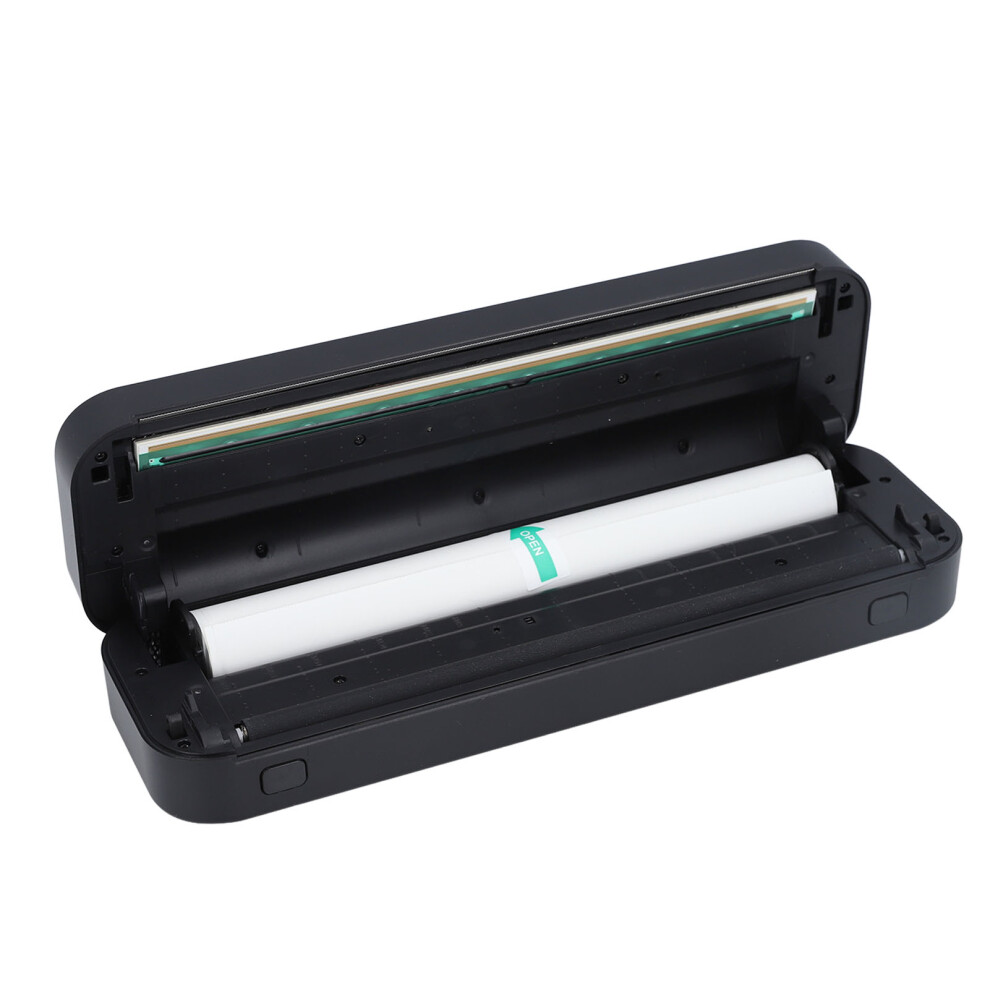
Open Button: Press to open for cleansing and paper jam handling operation
Note: Please use A4 four link tattoo transfer paper for printing. Poor quality transfer paper may result in unclear printing, affecting the printing experience.
How to Use:
1. Install the application
Download method for the app:
(1) For IOS users: Scan the QR code on the instruction manual or packaging box;
(2) For Android users: Scan the QR code on the packaging box;
(3) Scan the QR code on the instruction manual.
2. Power on/off
Power on: Press the power button for 2 seconds until the indicator light turns on.
Power off: Press the power button for 2 seconds until the indicator light turns off.
3. Paper loading
Pull out the middle layer paper from the tattoo printing paper, then tear off the yellow paper. Open the printer cover, place the white side facing down and the smoothing coated side up, insert it neatly into the middle input slot, and close the cover tightly.
4. Card paper, troubleshooting, and cleansing
As shown in the picture: Press the cover opening button, open the cover assembly, and rotate it to a certain angle. Use a damp cloth to wipe and dry the print head.
8. Connect to the application
After turning on the device, open the app, click on the 'Not Connected' button in the top right corner, enter the 'Add Device' list, click on the Bluetooth device to connect, and then print.
Tips:
When connecting, make sure the phone's Bluetooth is turned on and the device is close to the phone.
9. Paper type
It is recommended to use specialized printing paper. Non specialized printing paper may not be safe, can cause paper jams or inaccurate paper readings, also easy to cause printing skew.
10. Common problems
Q: No connected device was found when the APP added a device?
A: Please check whether the device is turned on to ensure that the Bluetooth works properly.
Q: What can I do if my device cannot print?
A: Confirm whether the Bluetooth of the mobile phone is turned on, and exclude the possibility of others connecting to the device.
Check the tattoo printer for paper jams.
Is the print head overheating? If it is overheating, wait for the print head to cool before attempting to print.
Q: Why are the printed pages blank with no content?
A: This may be caused by incorrect installation of the printing paper. Please refer to the replacement paper guide
Reinstall it.
Q: Why does the printed word fade?
A: Please check whether the power supply of the device is low.
To check the print head for dirts, wipe it gently with a cloth stained with cleanser.
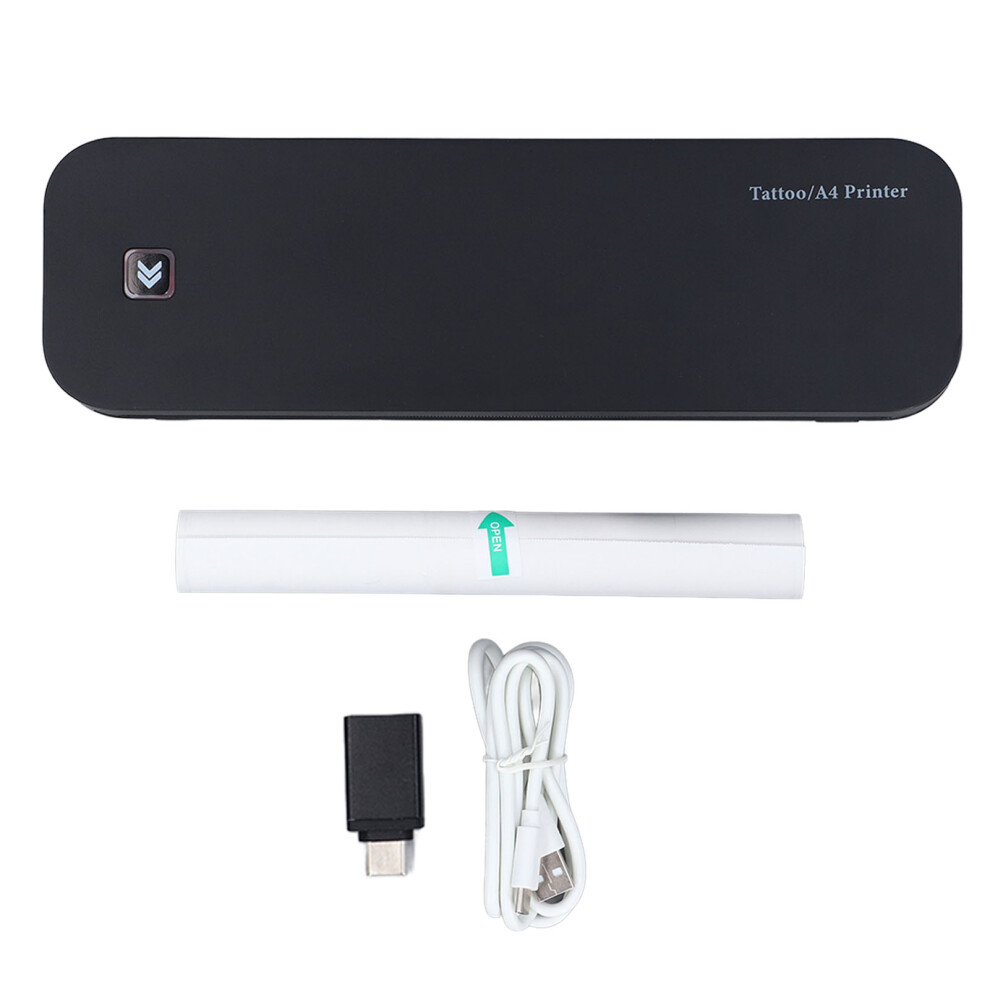
1 x Tattoo Thermal Transfer Printer
1 x Roll of Printing Paper (Inside the Machine)
1 x USB Charging Cable
1 x AC Adapter
1 x User Manual
Details
| OPC | PMJFWNJ |
|---|---|
| Codes | 461605309170 (UPC) |
| Seller | Ratings | Warranty | Returns | Price | Delivery | Total | Quantity |
|---|---|---|---|---|---|---|---|
|
Dispatched from:

|
(19 reviews) | - |
30 Days
Free Returns No
|
£95.84
|
+Free Delivery
Est. Delivery:
3rd-7th Aug
|
£95.84
|
Earn as you shop with instant Cashback on everything.
No catch, no cost
Become a Cashback VIP
Just 1 purchase unlocks bigger deals & rates
Wait! You've left
something behind...
You'll only get instant Cashback at OnBuy! Enter your email below and we'll send you a copy of your basket to save you time later.
No thanks, I'm alright for now
By entering your email address, you'll automatically be added to our database, where you can enjoy personalised Cashback offers and early access to our best deals. You can opt out of our emails at any time and we'll never share your details with anyone. Check our Privacy Policy and T&Cs to find out more.
Before you go...
Remember, you'll only get instant Cashback on everything at OnBuy!
Want access to personalised offers and the highest Cashback rates? Sign up to our emails below.
No thanks, I'm alright for now
You can opt out of our emails at any time and we'll never share your details with anyone. Check our Privacy Policy and T&Cs to find out more.