






















Product Images


In stock
Smart shoppers OnBuy it!
Interest-free payment options available


See full product description & details
Delivery: Standard (Free) | Tue 15th - Thu 17th Sep
Returns: 30 days
180-day payment protection









Summary
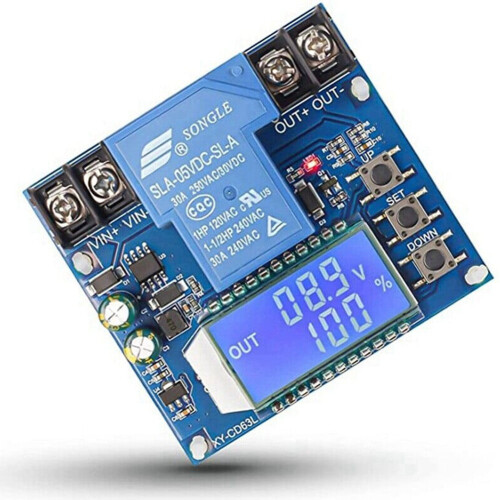
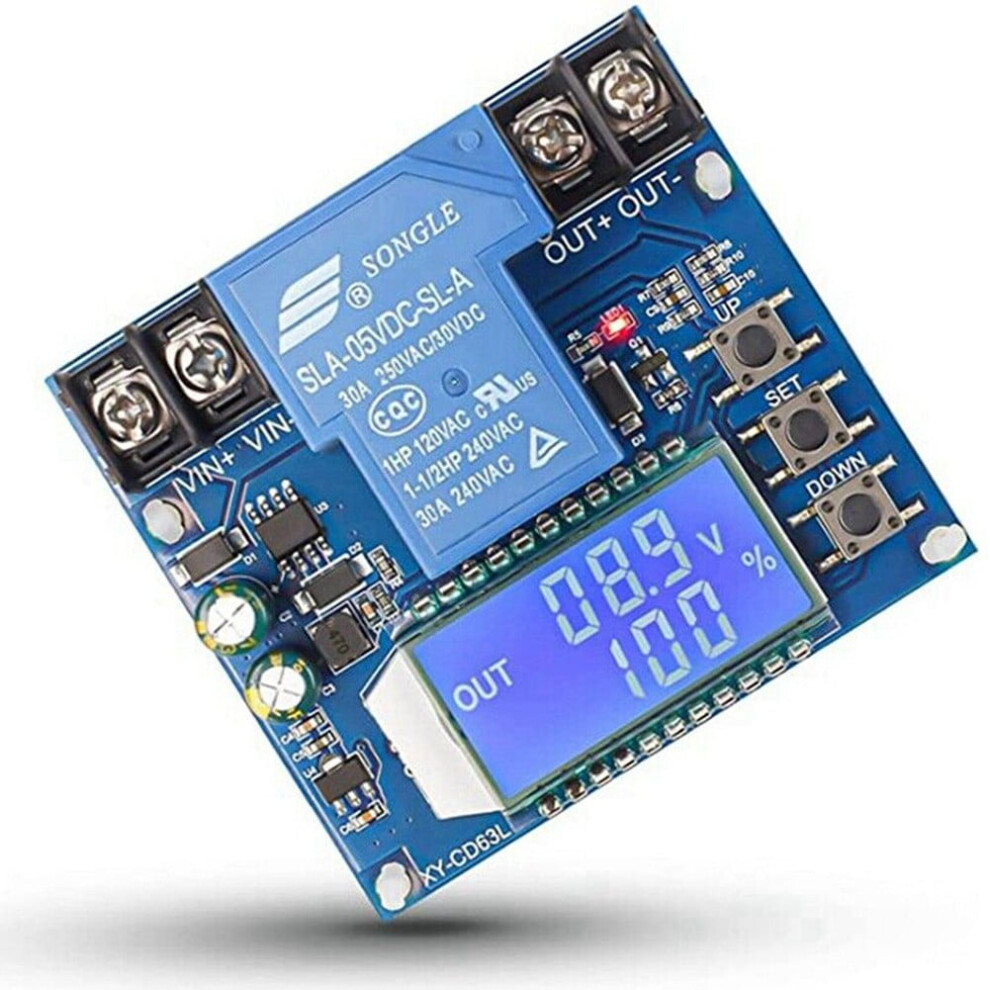
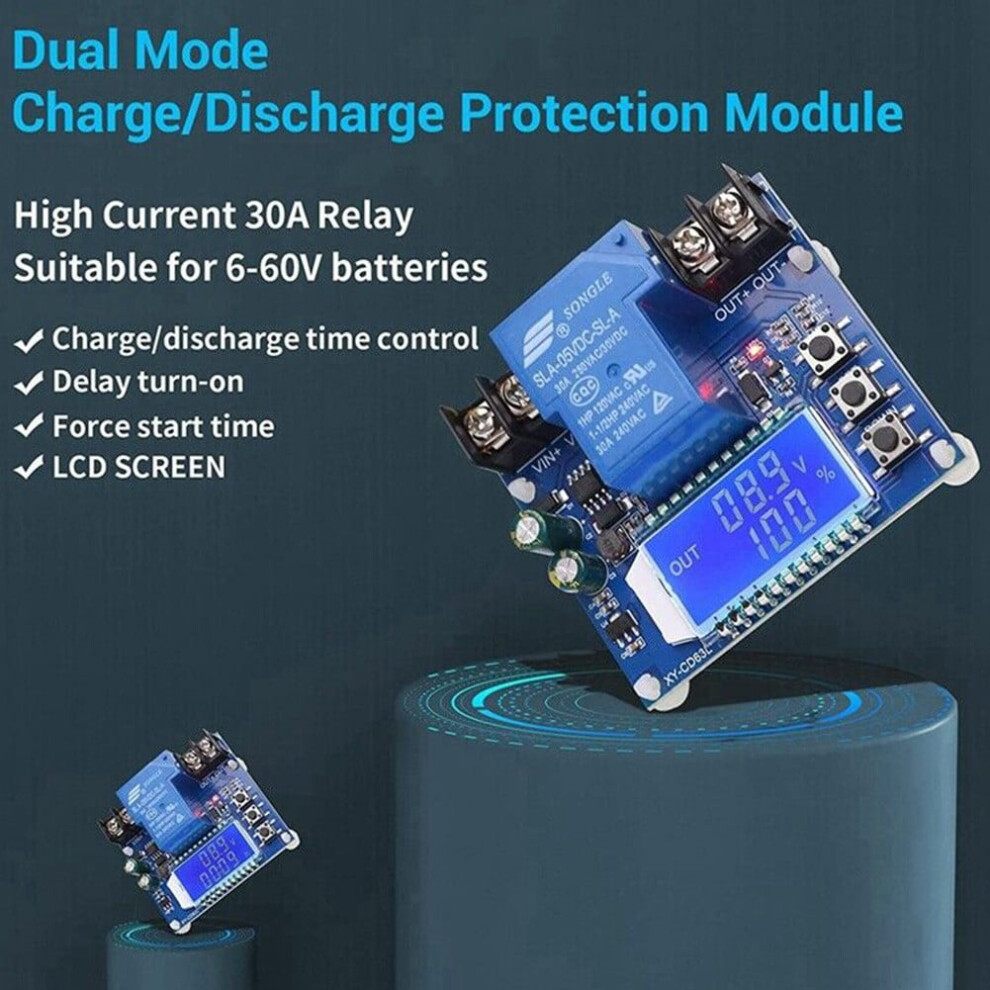
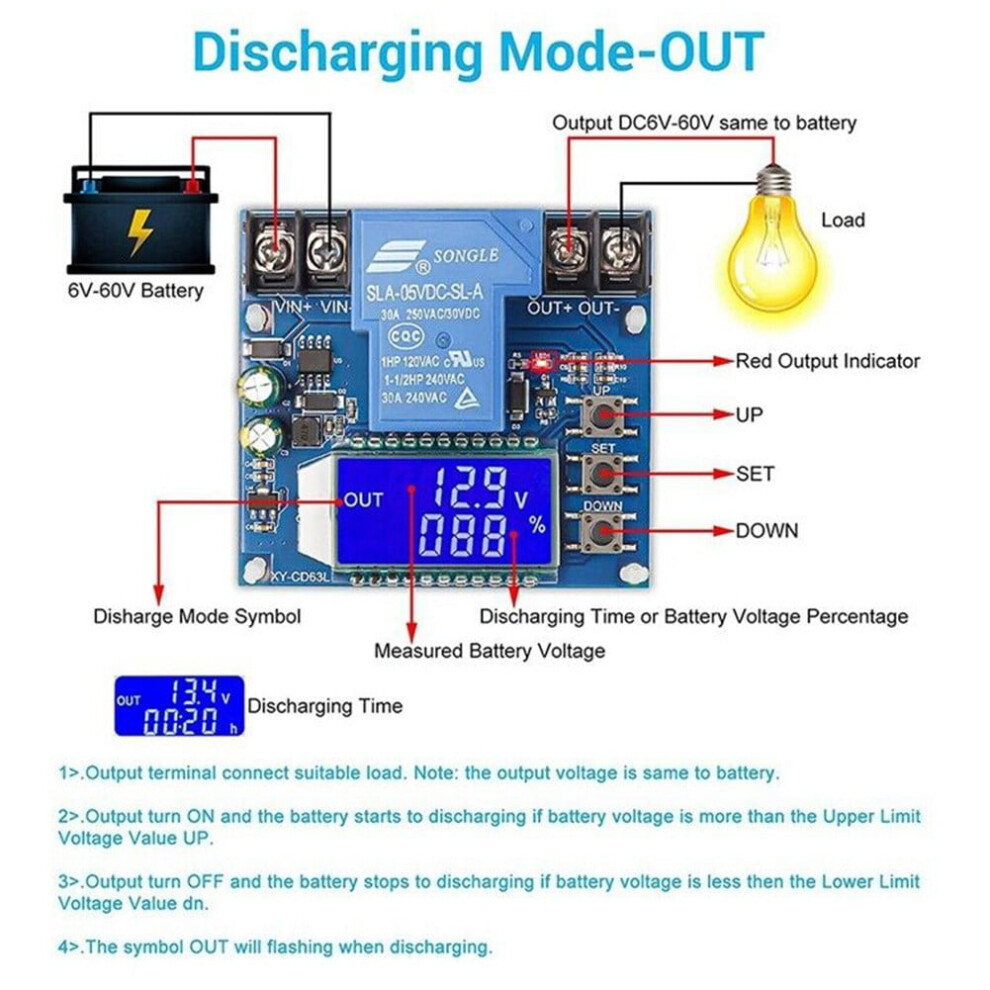
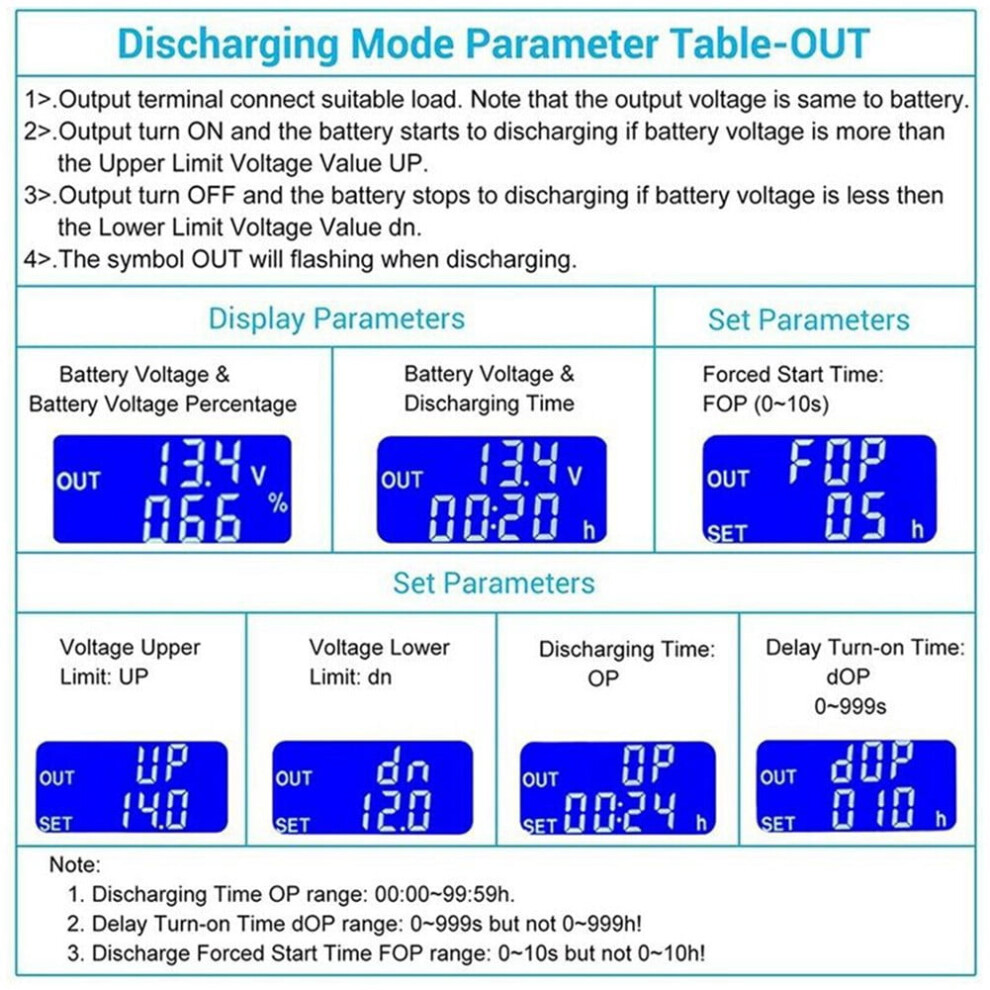
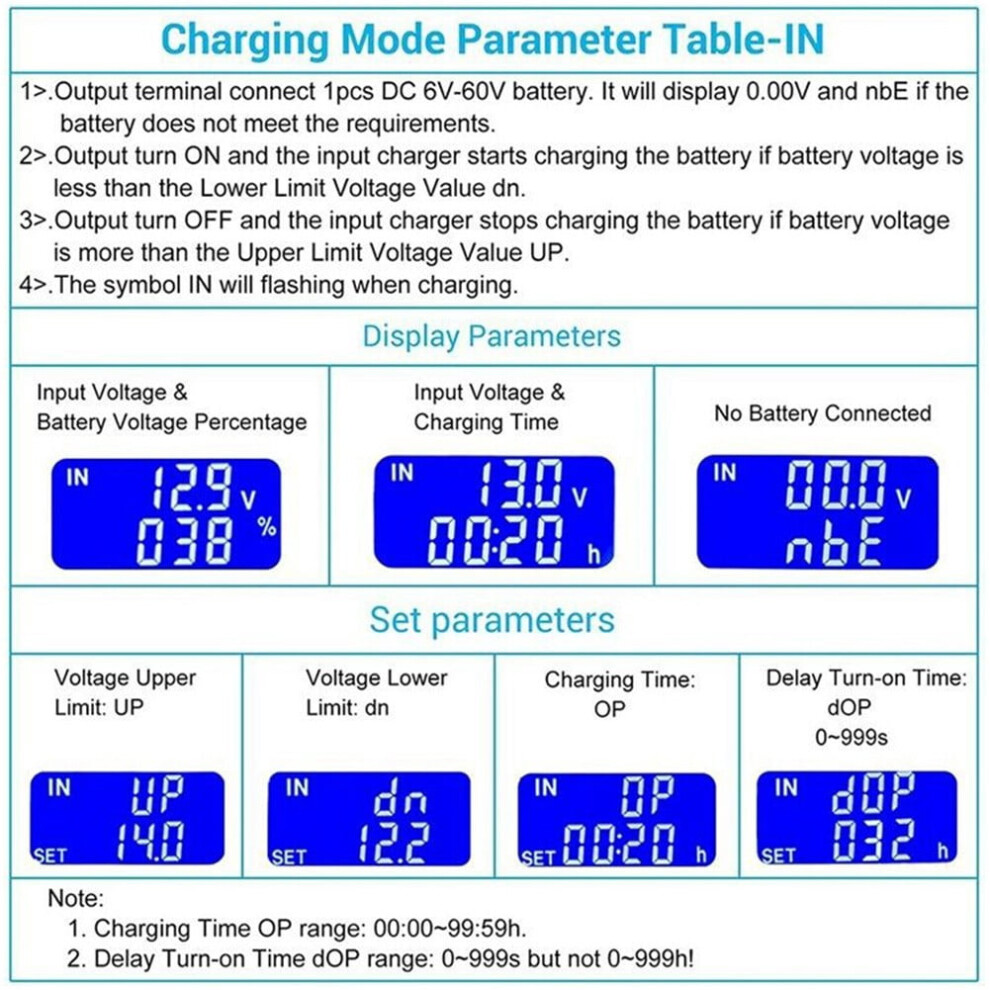
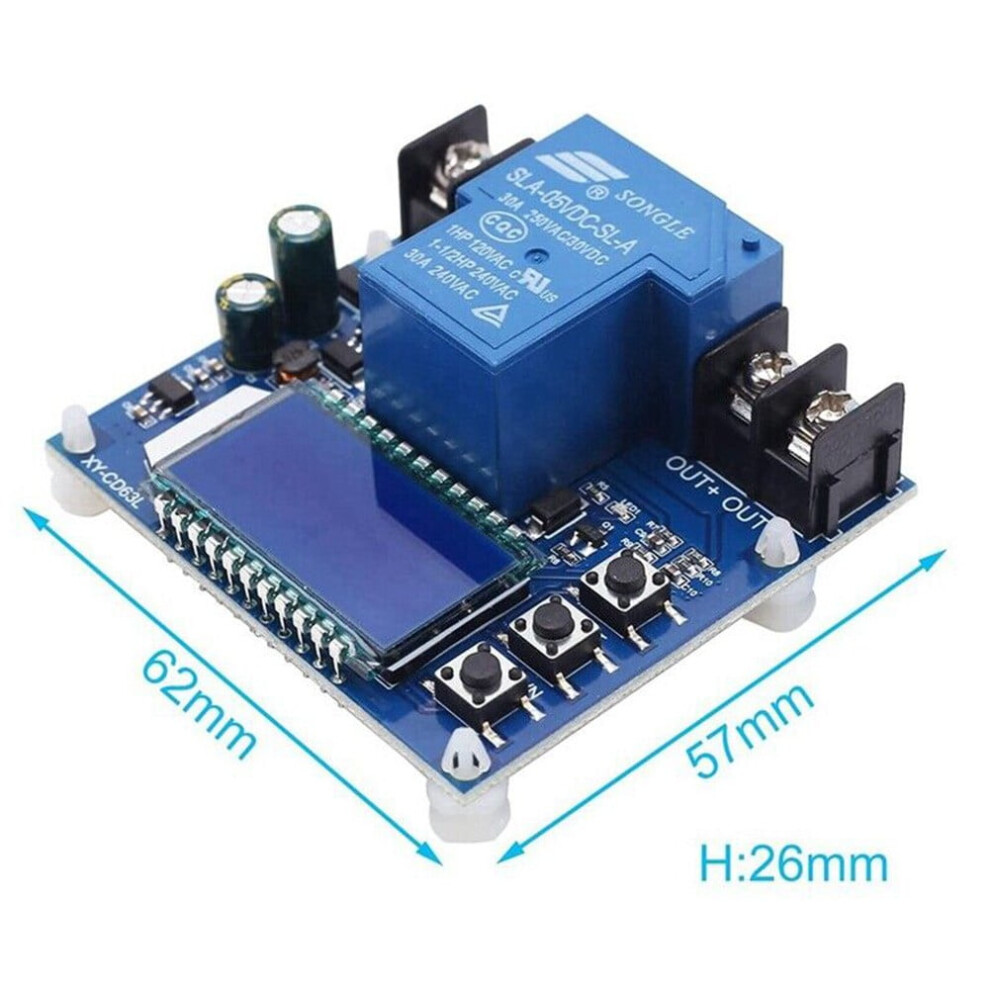
Product Description: New high quality Made of high quality material and durable Charging mode IN By setting the upper limit voltage UP and the lower limit voltage dn; When the battery voltage is less than the lower limit voltage dn, the relay is switched on and the charger starts to charge the battery. When the battery voltage is not less than the upper limit voltage UP, the relay is disconnected and an automatic charge is completed. The relay is on and blinking IN indicates that it is being charged. Discharge mode OUT By setting the upper limit voltage UP and the lower limit voltage dn; When the battery voltage is greater than or equal to the upper limit voltage UP, the relay switches on and starts discharging. When the battery voltage is less than or equal to the lower limit voltage dn, the relay is disconnected to complete an automatic discharge function; The relay is on and blinking OUT indicates that it is discharging. Note: This product is a simple voltage controller, which is used to turn on and off the output through the relay. It only plays the role of switching, but cannot change the voltage. Function description: 1. Calculation of voltage percentage: battery voltage/(upper voltage - lower voltage) 2. Key function: UP button: Short press to switch the display % and time, long press for 5 seconds to switch modes, charging mode: IN, discharge mode: OUT SET key: Short press to view the current set parameters; Long press the SET button to enter the parameter setting interface, and set UP: upper voltage limit, dn: lower voltage limit, OP: turn-on time, dOP: delay turn-on time (0-999 seconds), FOP: strong guidance turn-on time (0-10 seconds) in discharge mode. DOWN button: Press the button to turn OFF/on the relay (emergency stop function). After closing, the LCD will be off and the relay will be disconnected Long press the DOWN button to set the state of the LCD backlight L-P:OFF the backlight is always ON, ON: the backlight will be automatically extinguished after 5-10 minutes; Any button to wake up after extinguishing. 3. Set parameters a. Hold down the SET key to enter the parameter setting screen. b. On the parameter setting screen, press the SET key to switch to the set parameters. c. After selecting the parameters, you can use the UP/DOWN keys to set the parameters. You can press or hold down the parameters. d. To set other parameters, repeat steps b), c); e. After all parameters are SET, long press the Set key to exit and save; 3.1 Charge/discharge time control function When the time parameter OP is set to non-zero, start the charge/discharge time control; When the relay conduction starts a charge/discharge, the timing begins; When the timing is complete, the relay is automatically disconnected to complete a charge/discharge process; If the timing is complete, in charging mode, the detection voltage is < lower limit voltage dn or in discharge mode, the detection voltage is > upper limit voltage UP, the charging time control function is automatically closed, and H:ER flashes to remind the user that the time parameter setting is unreasonable. Press any key to stop flashing; When the charging/discharging time control is not enabled, the product will record a complete time. When entering the time display interface, the charging time will be displayed blinking; Then exit the time display interface or open the next charge (relay conduction) empty; 3.2 Automatic parameter detection: When the parameters are set and exit, if the lower limit dn is greater than the upper limit DN is up, the system displays ERR to remind you. 3.3 Delay Switch Function dOP(0-999 seconds): The in
Details
| OPC | PW2RHRC |
|---|---|
| Codes | 9107258956293 (EAN) |
| Seller | Ratings | Warranty | Returns | Price | Delivery | Total | Quantity |
|---|---|---|---|---|---|---|---|
|
Dispatched from:

|
(18 reviews) | - |
30 Days
Free Returns No
|
£23.58
|
+Free Delivery
Est. Delivery:
15th-17th Sep
|
£23.58
|
Earn as you shop with instant Cashback on everything.
No catch, no cost
Become a Cashback VIP
Just 1 purchase unlocks bigger deals & rates
You'll only get instant Cashback at OnBuy! Enter your email below and we'll send you a copy of your basket to save you time later.
By entering your email address, you'll automatically be added to our database, where you can enjoy personalised Cashback offers and early access to our best deals. You can opt out of our emails at any time and we'll never share your details with anyone. Check our Privacy Policy and T&Cs to find out more.
Want access to personalised offers and the highest Cashback rates? Sign up to our emails below.
You can opt out of our emails at any time and we'll never share your details with anyone. Check our Privacy Policy and T&Cs to find out more.
This page has expired.
Refresh and continue