





















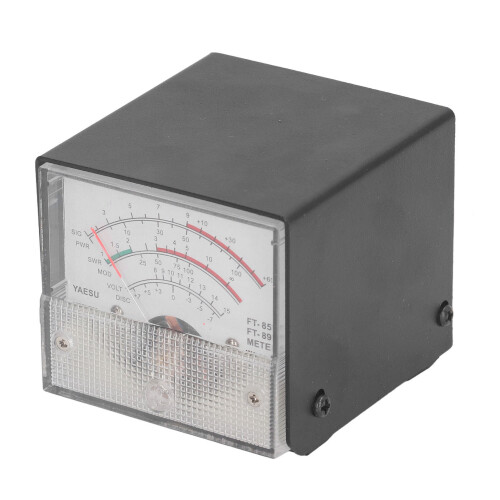
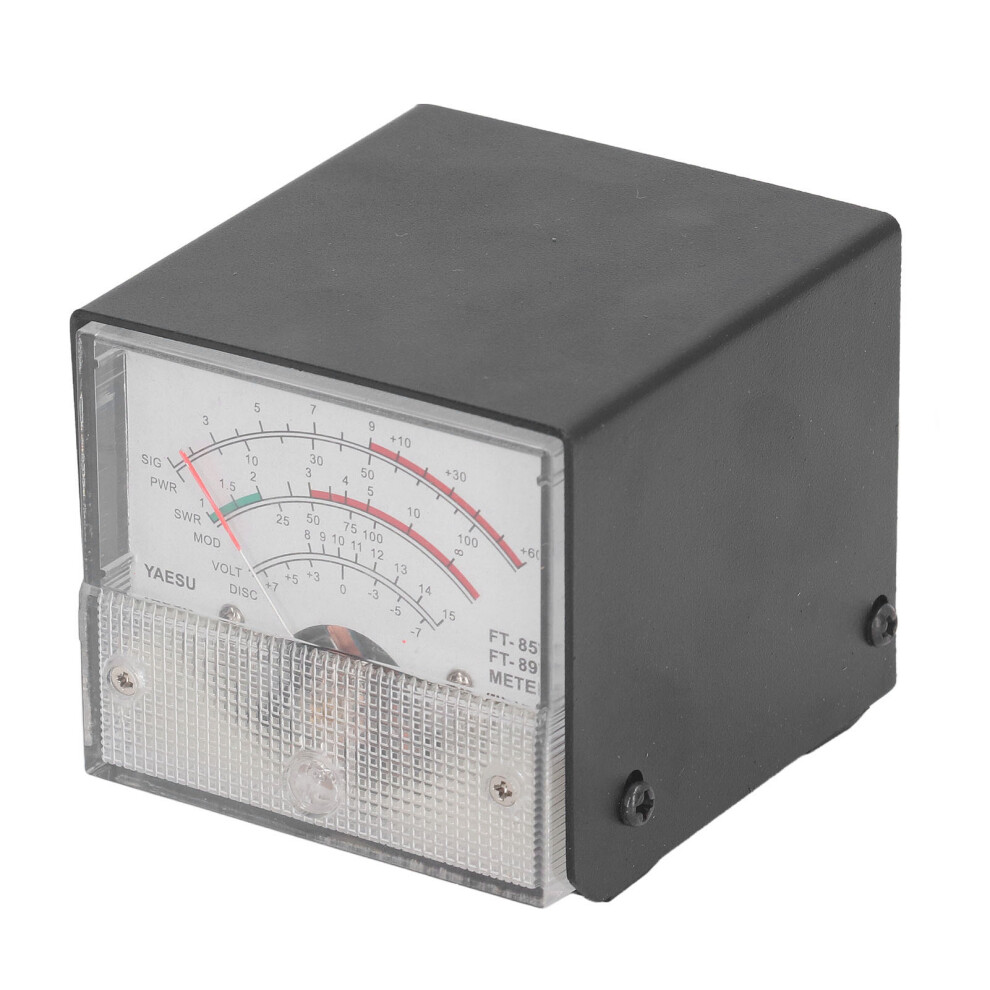
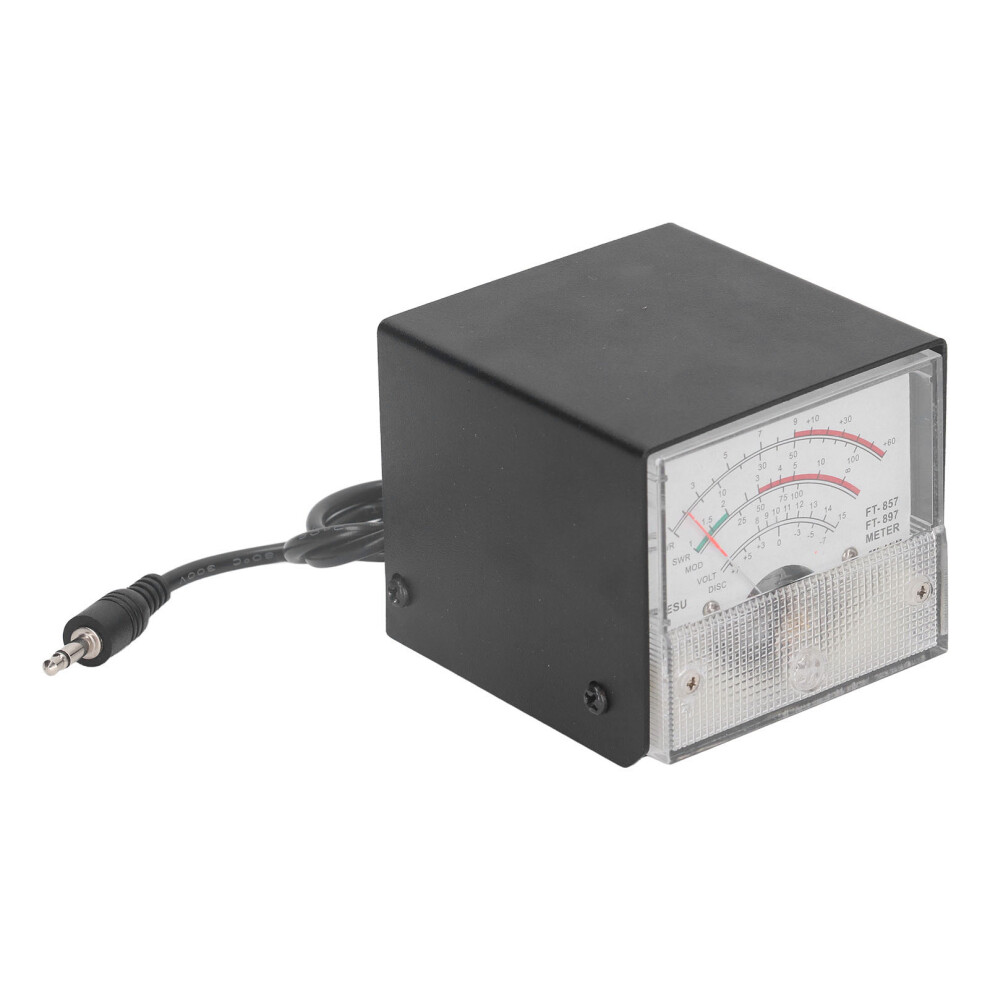
Stainless Steel SWR Power Meter for FT857 FT897, Pointer Type
Hurry only 1 left
Smart shoppers OnBuy it!
- Earn Cashback on every purchase – spend it instantly on your next order
- Free delivery – on millions of items across the site
- Customers love us – 128,000 Trustpilot reviews and an 'Excellent' rating
Interest-free payment options available


See full product description & details
Delivery: Standard (Free) | Mon 20th - Wed 22nd Jul
Returns: 30 days
180-day payment protection
Most Popular in Radio Meters

Summary
- APPLICABLE MODEL: This standing wave ratio meter is suitable for Yaesu FT857 FT897 car radio models, which has good compatibility.
- MULTIPLE DISPLAY: The dial can clearly display the automatic level control voltage, modulation level, standing wave ratio, and power supply voltage.
- SIMPLE READING: Transmit power and standing wave ratio can be read directly from the meter without requiring complex calibration procedure.
- PORTABLE DESIGN: This SWR meter has a compact size, designed for car radio users or amateur radio enthusiasts with insufficient indoor space.
- EASY CONNECTION: Low insertion loss (0.3dB or less) structure, which can be connected to the motherboard for a long time, convenient and practical.
Stainless Steel SWR Power Meter for FT857 FT897, Pointer Type Description
SWR Test Meter Pointer Type Power Detector Standing Wave Ratio Meter for Yaesu FT857 FT897
Item Type: SWR Meter
Material: Stainless Steel
Applicable model: For Yaesu FT857 FT897Receive Display Settings: 1. Press and hold the FUNC key to enter the setup menu and enable the extended menu.2. Rotate SELECT to call up the setting menu item No‑060 [MTR ARX SEL].3. Rotate DIAL to select the display content of the external instrument:SIG: Display input signal strengthCTR: Discriminator Center MeterVLT: Display battery voltageN/A: BlankFS: Calibrate the external instrument by outputting a standard signal with a full scale of 1mA on the instrument latchOFF: Turn off the instrument.4. Press and hold the FUNC key to save the settings and exit the setup menu.Emission Display Settings: 1. Press and hold the FUNC key to enter the setup menu and enable the extended menu.2. Rotate SELECT to call up the setting menu item No‑061 [MTR ATX SEL].3. Rotate DIAL to select the display content of the external instrument:PWR: Display transmit powerALC: Display automatic level control voltageMOD: Display modulation levelSWR: Display standing wave ratioVLT: Display power supply voltageN/A: BlankOFF: Turn off the instrument.The meter has been calibrated (if calibration is required), and the calibration method is as follows1. Press and hold the FUNC key to enter the setup menu and enable the extended menu.2. Rotate SELECT to call up the setting menu item No‑060 [MTR ARX SEL].3. Rotate DIAL to select FS.4. Use a small slotted screwdriver to adjust the calibration adjustment hole at the rear so that the pointer on the meter head points to the full scale.5. Calibration completed.If you cannot find menus 60 and 61, the radio station has hidden these two menus. Press and hold the F key to open the menu settings, set the No.1 menu to ON, and press the F key to exit saving to open the hidden menu.
Details
| OPC | PSJGSHC |
|---|---|
| Codes | 7671389432602 (EAN) |
Compare Sellers for Stainless Steel SWR Power Meter for FT857 FT897, Pointer Type
- New from £28.26
| Seller | Ratings | Warranty | Returns | Price | Delivery | Total | Quantity |
|---|---|---|---|---|---|---|---|
| (3 reviews) | - |
30 Days
Free Returns No
|
£28.26
|
+Free Delivery
Est. Delivery:
20th-22nd Jul
|
£28.26
|
Earn as you shop with instant Cashback on everything.
No catch, no cost
- Paid into your OnBuy account
- Spend it on your next purchase
- Save it or withdraw it
Become a Cashback VIP
Just 1 purchase unlocks bigger deals & rates