





















Product Images


In stock
Smart shoppers OnBuy it!
Interest-free payment options available


See full product description & details
Delivery: Standard (Free) | Wed 17th - Mon 22nd Jun
Returns: 30 days
180-day payment protection
Summary
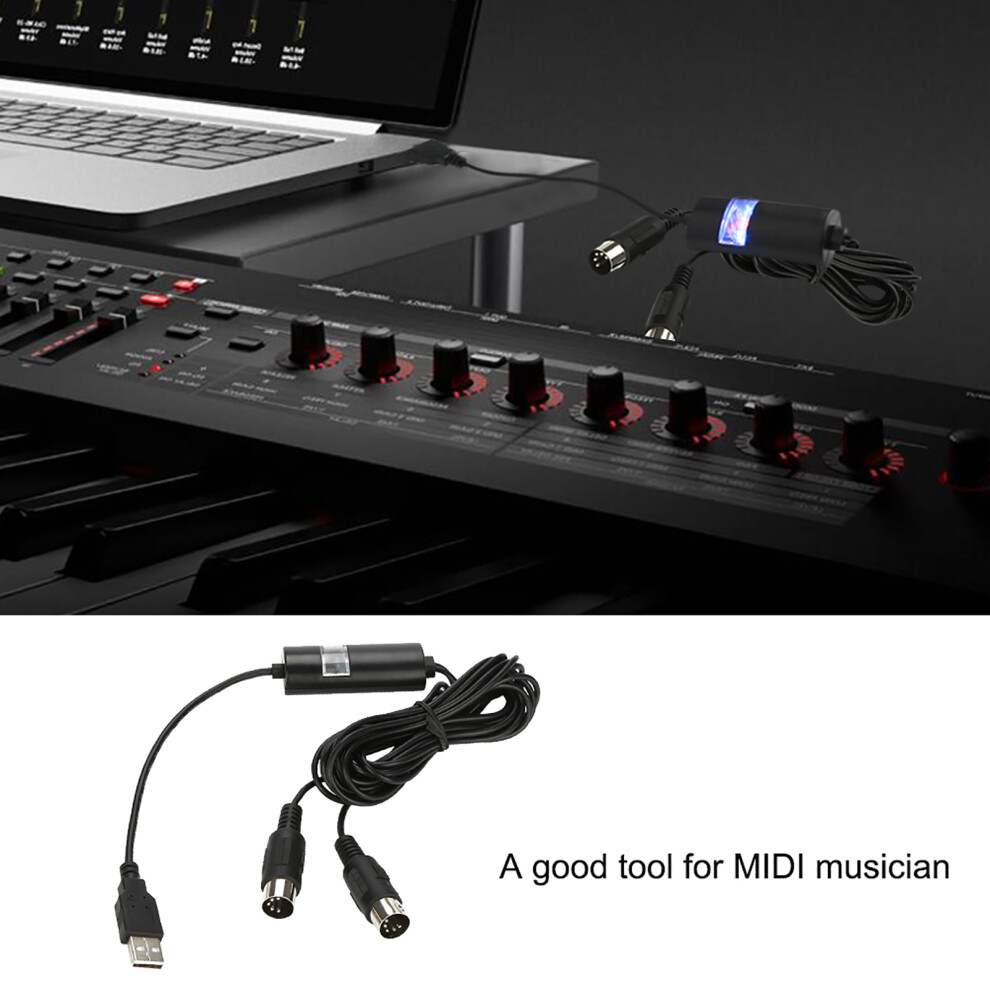
1、Easy to Use: Just connect this converter to a USB socket, needs no adding driver installation or power supply 2、Smart LED indicator: With a LED light that shows the state, red for power, blue for MIDI signal 3、Great compatibility: Suitable for various brands of computers, and suitable for many kinds of digital instruments like electronic keyboard, electronic guitar, etc. Applicable for cubase and cakewalk and many other software 4、Professional & Durability: Adopts good materials and chip, resistant to electromagnetic interference, and can give you nice performance of high fidelity transmission with low latency 5、Necessary: A good tool for MIDI musician. Lightweight and portable
Features:
Easy to Use: Just connect this converter to a USB socket, needs no adding driver installation or power supply.
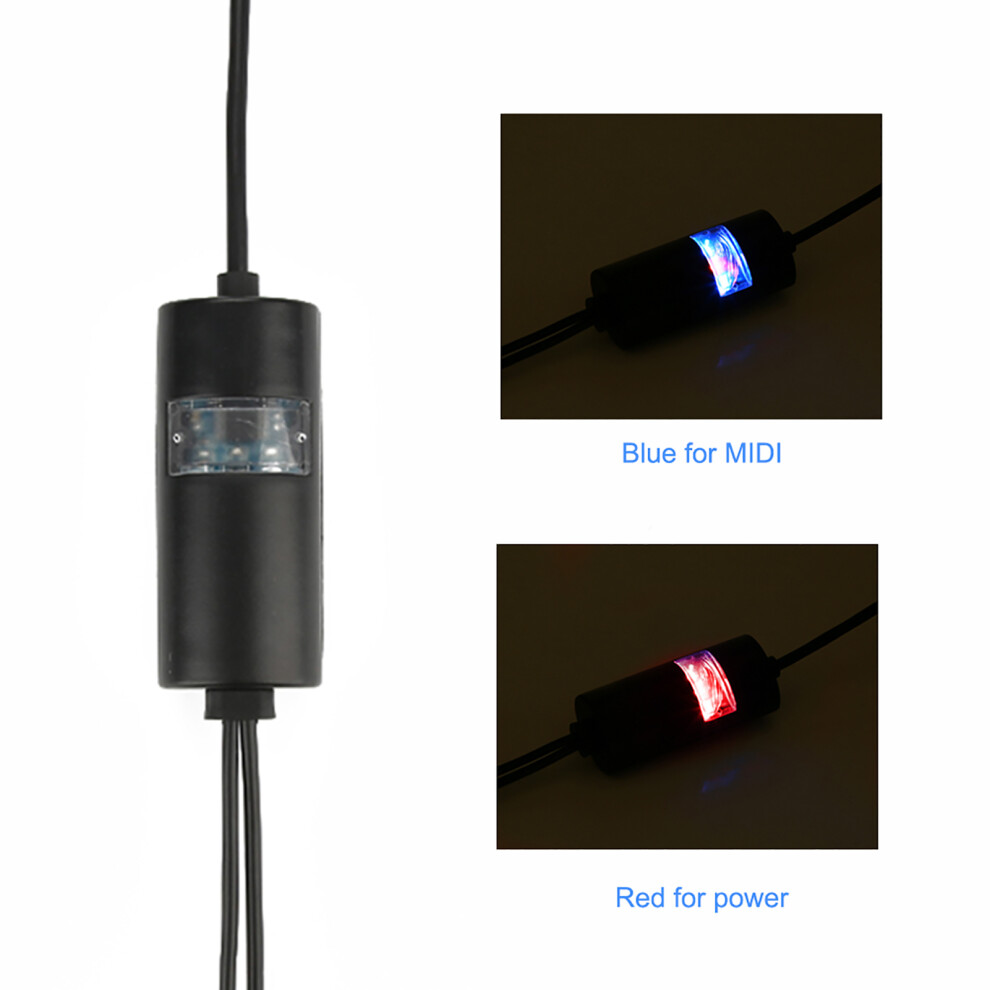
Smart LED indicator: With a LED light that shows the state, red for power, blue for MIDI signal.
Great compatibility: Suitable for various brands of computers, and suitable for many kinds of digital instruments like electronic keyboard, electronic guitar, etc. Applicable for cubase and cakewalk and many other software.
Professional & Durability: Adopts good materials and chip, resistant to electromagnetic interference, and can give you nice performance of high fidelity transmission with low latency.
Necessary: A good tool for MIDI musician. Lightweight and portable.
Specification:
Material: Metal
Color: Shown as picture
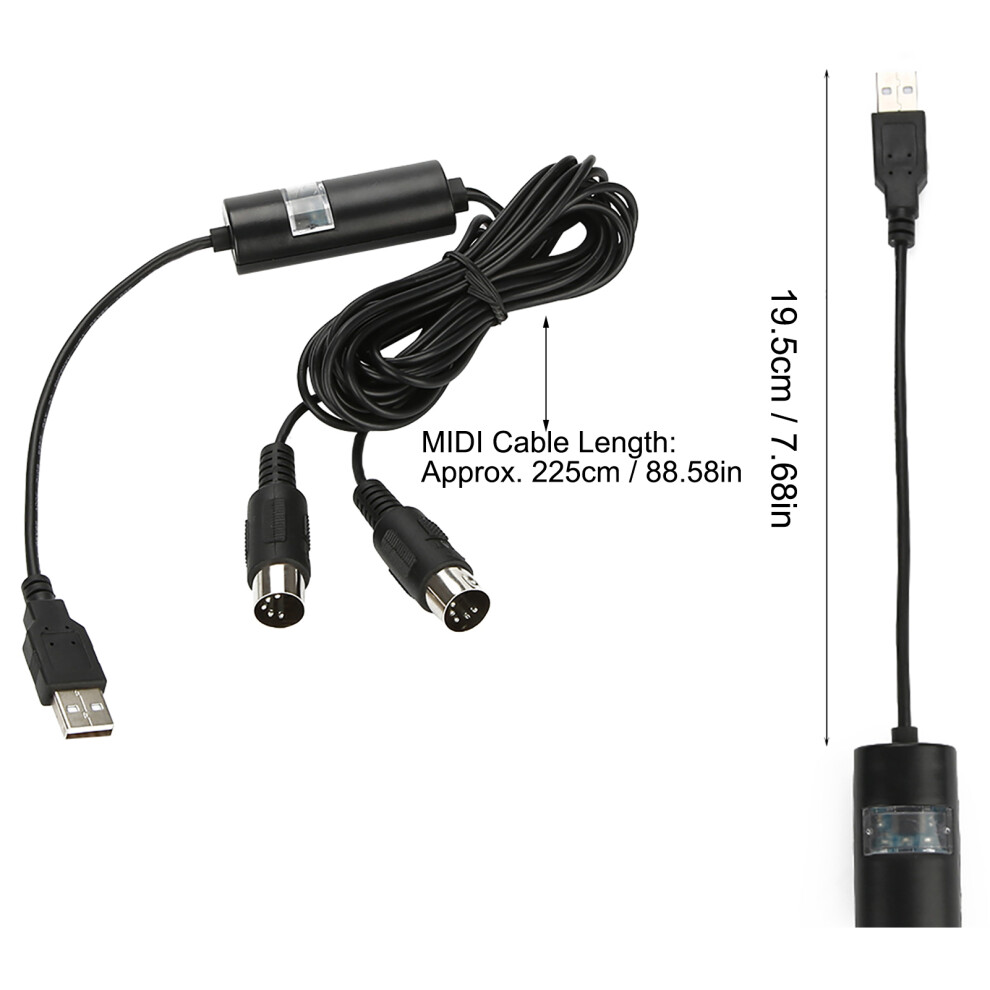
USB Cable Length: Approx. 19.5cm / 7.68in
MIDI Cable Length: Approx. 225cm / 88.58in
Weight: Approx. 119g
Suitable for Windows XP, Vista, Win 7, Win 8, Win 10 and Mac OS X
Package List:
1 x MIDI to USB Cable Converter
Attention:
If your USB Port is USB-C (Thunderbolt 3), please use
original authentic USB-C to USB Adapter from the manufacturer or MIDI
interface may not work
Instructions:
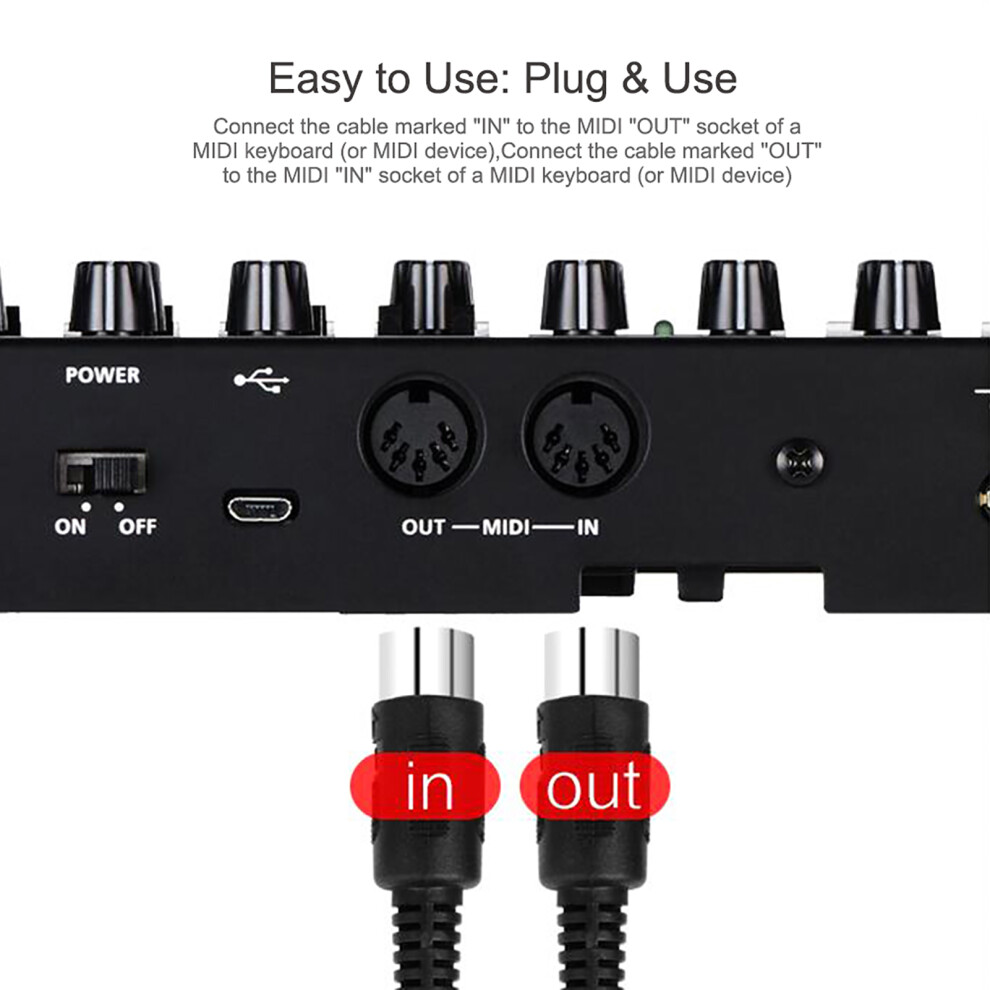
1. Connect the cable marked "IN" to the MIDI "OUT" socket of a MIDI keyboard (or MIDI device).
2. Connect the cable marked "OUT" to the MIDI "IN" socket of a MIDI keyboard (or MIDI device).
4. Open your music software program, e.g. Cubase, Sonar, MIDI Connections, etc.
5. Set the music programs MIDI in and MIDI out devices to "USB Audio Device".
6. Your USB to MIDI interface is now ready for use.
7. To save potential problems, it is recommended that this interface is
always connected to the same SUB as it was originally installed on USB
to prevent multiple installations of the driver.
Details
| OPC | PMFRZ6B |
|---|---|
| Codes | 585383823571 (UPC) |
| Seller | Ratings | Warranty | Returns | Price | Delivery | Total | Quantity |
|---|---|---|---|---|---|---|---|
|
Dispatched from:

|
(3 reviews) | - |
30 Days
Free Returns No
|
£16.99
|
+Free Delivery
Est. Delivery:
17th-22nd Jun
|
£16.99
|
Earn as you shop with instant Cashback on everything.
No catch, no cost
Become a Cashback VIP
Just 1 purchase unlocks bigger deals & rates
Wait! You've left
something behind...
You'll only get instant Cashback at OnBuy! Enter your email below and we'll send you a copy of your basket to save you time later.
No thanks, I'm alright for now
By entering your email address, you'll automatically be added to our database, where you can enjoy personalised Cashback offers and early access to our best deals. You can opt out of our emails at any time and we'll never share your details with anyone. Check our Privacy Policy and T&Cs to find out more.
Before you go...
Remember, you'll only get instant Cashback on everything at OnBuy!
Want access to personalised offers and the highest Cashback rates? Sign up to our emails below.
No thanks, I'm alright for now
You can opt out of our emails at any time and we'll never share your details with anyone. Check our Privacy Policy and T&Cs to find out more.