






















vSeeBox V3 Pro Voice Remote Control
In stock
Smart shoppers OnBuy it!
- Earn Cashback on every purchase – spend it instantly on your next order
- Free delivery – on millions of items across the site
- Customers love us – 131,000 Trustpilot reviews and an 'Excellent' rating
Interest-free payment options available


See full product description & details
Delivery: Standard (Free) | Wed 26th - Fri 28th Aug
Returns: 30 days
180-day payment protection
You might also like


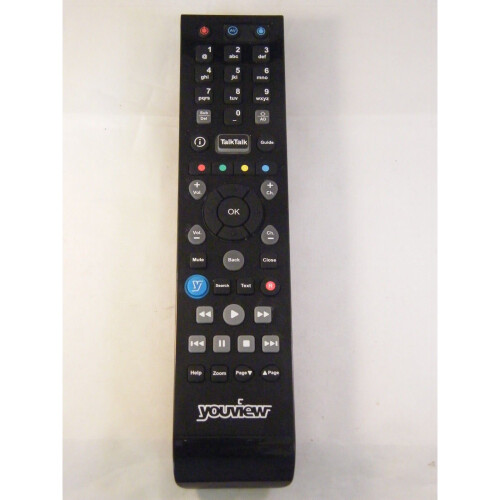
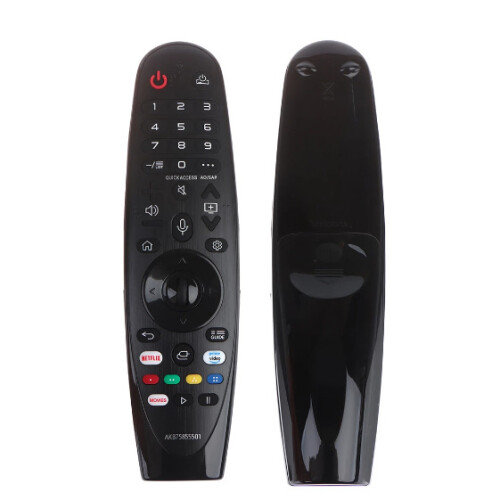
Summary
- 【Multi-Device Compatibility】this V3 Pro voice remote control work with all vSeeBox models, Including for V1 /V1 Pro / V2 /V2 Pro / V3 Pro / V5 Pro / V3 Plus/V1 Max/ Elite/Max.
- 【Enhanced Connectivity】Equipped with cutting-edge technology for lightning-fast pairing, rock-solid stability and extended range, Makes the connection process more convenient!
- 【Two working modes】V3 working mode and V2 working mode. Press and hold the number key 5 for more than 10 seconds and the indicator light flashes, indicating that the mode switch is successful. V3 Pro working mode is applicable to V3 Pro; V2 Pro working mode is applicable to V1 Pro/V2 Pro/Max/Elite.(Note: Vseebox V3 remote control defaults to V3 working mode)
- 【How to Use the V3 Remote Control On V1 Pro/V2 Pro/Max/Elite?】Press and hold the OK and vol- keys simultaneously (about five seconds) until the remote control indicator light continues to flash, which means the Bluetooth of the V3 remote control is enabled. Pair the remote control under System Settings - Bluetooth - Pair New Device, find the vseebox remote control, and connect to the vseebox. (If it is not found, it may be that Bluetooth is not turned on. Please press and hold the OK and
- 【Package Including & After-Sales Service】1* Replacement Voice Remote Control for vSeeBox V3 Pro;If your device models is not on the compatible list, please contact us via Yes messaging tool. We can check it for you.
vSeeBox V3 Pro Voice Remote Control Description
【Multi-Device Compatibility】this V3 Pro voice remote control work with all vSeeBox models, Including for V1 /V1 Pro / V2 /V2 Pro / V3 Pro / V5 Pro / V3 Plus/V1 Max/ Elite/Max. 【Enhanced Connectivity】Equipped with cutting-edge technology for lightning-fast pairing, rock-solid stability and extended range, Makes the connection process more convenient! 【Two working modes】V3 working mode and V2 working mode. Press and hold the number key 5 for more than 10 seconds and the indicator light flashes, indicating that the mode switch is successful. V3 Pro working mode is applicable to V3 Pro; V2 Pro working mode is applicable to V1 Pro/V2 Pro/Max/Elite.(Note: Vseebox V3 remote control defaults to V3 working mode) 【How to Use the V3 Remote Control On V1 Pro/V2 Pro/Max/Elite?】Press and hold the OK and vol- keys simultaneously (about five seconds) until the remote control indicator light continues to flash, which means the Bluetooth of the V3 remote control is enabled. Pair the remote control under System Settings - Bluetooth - Pair New Device, find the vseebox remote control, and connect to the vseebox. (If it is not found, it may be that Bluetooth is not turned on. Please press and hold the OK and vol- keys on the remote control at the same time to turn on Bluetooth) 【Package Including & After-Sales Service】1* Replacement Voice Remote Control for vSeeBox V3 Pro;If your device models is not on the compatible list, please contact us via Yes messaging tool. We can check it for you.
Details
| OPC | PTY8ZSD |
|---|---|
| Codes | 9450273217567 (EAN) |
Compare Sellers for vSeeBox V3 Pro Voice Remote Control
- New from £36.77
| Seller | Ratings | Warranty | Returns | Price | Delivery | Total | Quantity |
|---|---|---|---|---|---|---|---|
|
Dispatched from:

|
(37 reviews) | - |
30 Days
Free Returns No
|
£36.77
|
+Free Delivery
Est. Delivery:
26th-28th Aug
|
£36.77
|
Earn as you shop with instant Cashback on everything.
No catch, no cost
- Paid into your OnBuy account
- Spend it on your next purchase
- Save it or withdraw it
Become a Cashback VIP
Just 1 purchase unlocks bigger deals & rates