





















Product Images



In stock
Smart shoppers OnBuy it!
Interest-free payment options available


See full product description & details
Delivery: Standard (Free) | Thu 20th Aug
Sold by: OPENMAAL LIMITED
Returns: 30 days
180-day payment protection
A high-productivity MFP with the fastest two-sided printing in its class,[2] an automatic feeder, and the time-saving HP app.[6][7] Count on a worry-free experience with simplified setup. Powered by Frooition
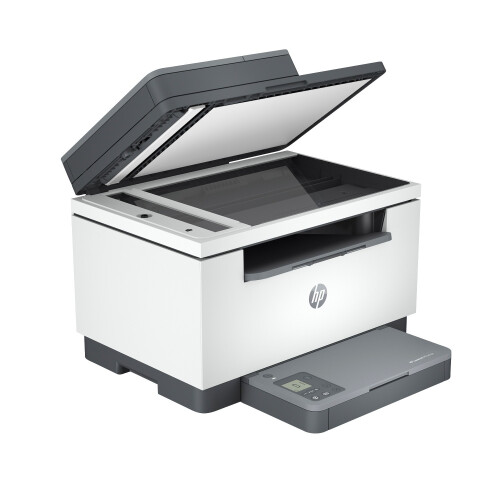
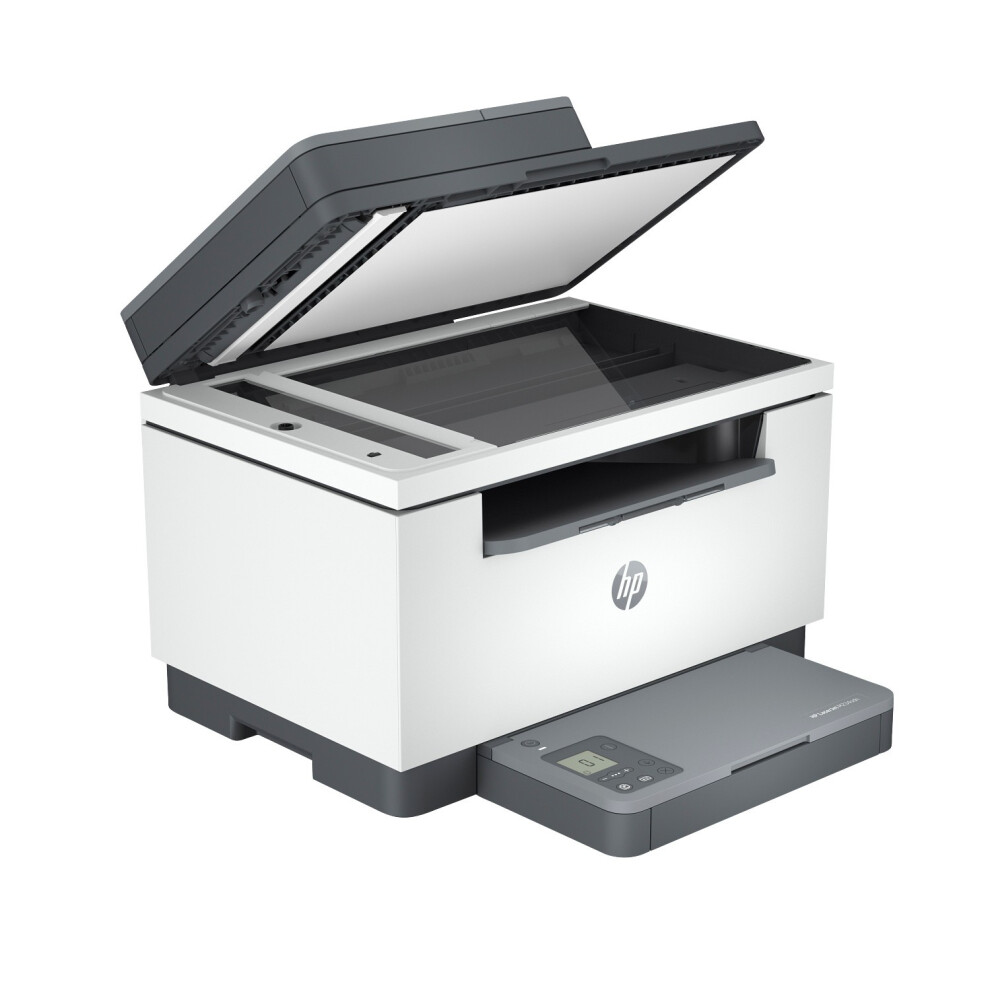
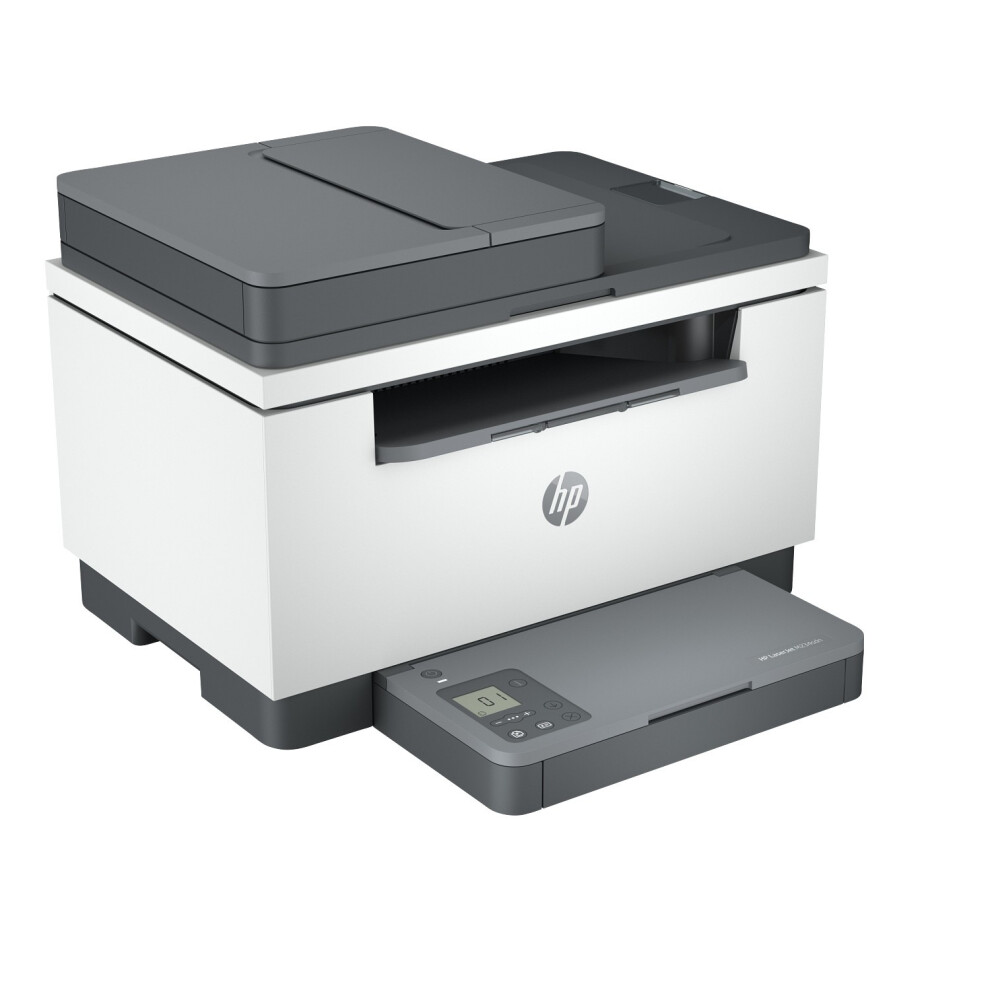
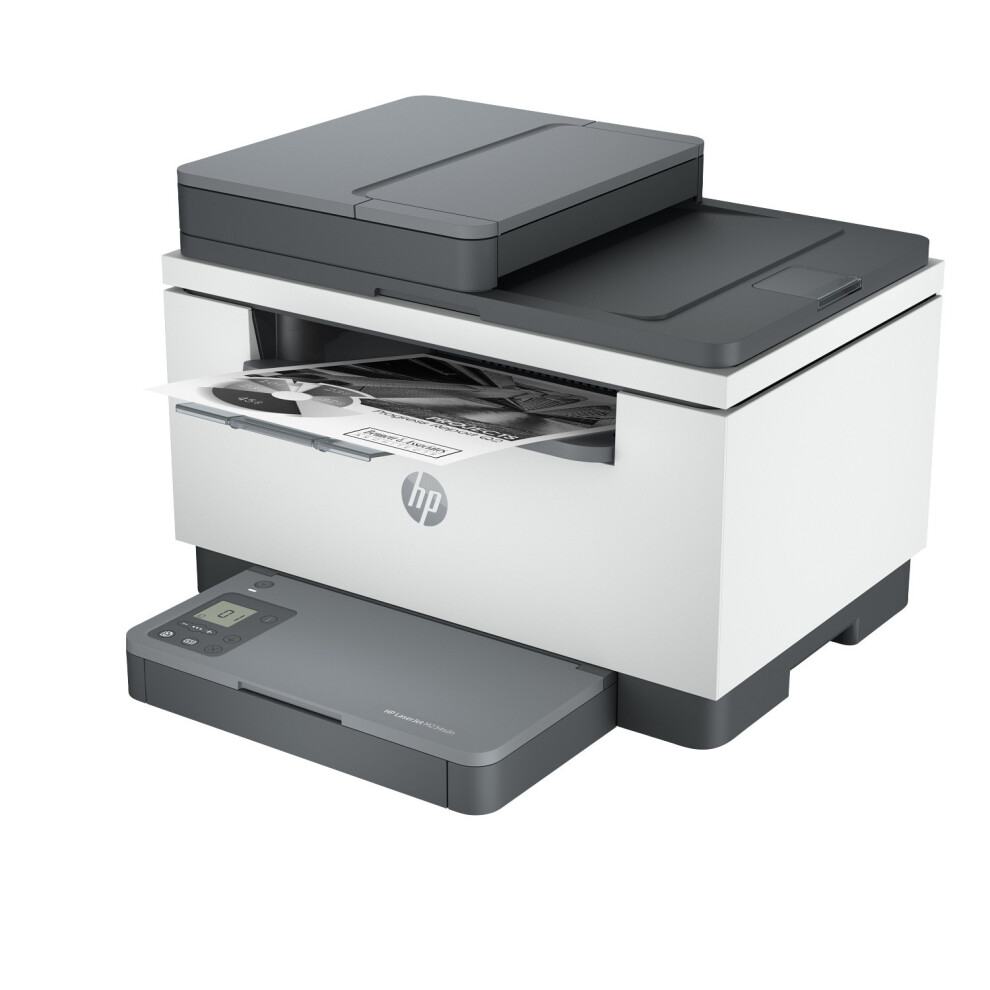
Expert service direct from HP HP LaserJet M234sdn Black & White Multifunction Network Printer Item Description A high-productivity MFP with the fastest two-sided printing in its class,[2] an automatic feeder, and the time-saving HP app.[6][7] Count on a worry-free experience with simplified setup. HP LaserJet M234sdn Black & White Multifunction Network Printer
Overview Work fast. Work smart. Increase productivity with the fastest two-sided printing in its class[2] and a 40-page automatic feeder - all from a compact MFP.
Speed through multipage documents with the fastest in-class two-sided printing speed.[2]
You can fit this LaserJet almost anywhere - it's that small and compact. Get projects done quickly with a printer that fits almost anywhere.
Easily handle large print jobs, and save time with automatic scanning and copying. Breeze through scan and copy tasks, using the automatic document feeder.
Easily share resources - access and print with Ethernet networking.
Stay productive from anywhere Get high-quality scanning from your phone - plus print and save time with Shortcuts - using HP app, best-in-class print app.[6,7,9]
Get high-quality scanning, and share to Dropbox, Google Drive, email, or the cloud - from virtually anywhere - with HP app.[6]
Quickly access and print documents and images on your smartphone, from Dropbox and Google Drive, using HP app.[6]
With HP app, you can stay connected to your printer from virtually anywhere.[6] Get notifications when printing, scanning, or copying from your smartphone.[6]
Easy to set up, easy to use Easily knock out projects with seamless setup and smart-guided buttons and lighting for an intuitive printing experience.
Get started fast with easy setup that guides you, step by step. Simply download the HP app, connect to a network, and share your printer across all your devices.[6]
Easily manage tasks with smart-guided buttons for an intuitive experience - buttons appear only when needed.
Help make a positive impact on the environment Help save energy with this ecolabel-certified laser printer. Plus, using HP FSC-certified paper, you can help to stop deforestation.
This HP LaserJet meets ecolabel requirements, including ENERGY STAR and BLUE ANGEL.
Help save energy with a LaserJet that uses up to 20% less energy than previous model.
Help save energy with HP Auto-On/Auto-Off Technology - intelligence that can turn your printer on when you need it and off when you don't.[8]
HP FSC-certified paper is sustainably sourced from responsibly managed, renewable forest sources, which helps stop deforestation and protect wildlife.
Fastest in-class two-sided printing speed
Speed through multipage documents with the fastest in-class two-sided printing speed.[2]
Small size. Big performance.
A LaserJet so compact it can fit almost anywhere.
Increase productivity
Breeze through tasks with automatic scanning and copying.
Seamless setup
Get started fast with simple setup that guides you through each step, with HP app.[6]
Amazing scanning, now on your smartphone
Get high-quality scanning, and share to Dropbox, Google Drive, email, or the cloud - from virtually anywhere.[6]
Printing just got more productive
Quickly access and print documents and images on your smartphone, from Dropbox and Google Drive.[6]
Legendary laser quality
HP Smart app helps you save time by sending a mobile fax from your smartphone, tablet, or PC.[2]
This surprisingly small laser delivers exceptional quality, page after page.
Smart-guided buttons
Easily manage tasks with smart-guided buttons and for an intuitive experience - buttons appear only when needed.
Ready to help protect business
Get security essentials to help maintain privacy and control, including basic encryption and password protection.
On when you need it, off when you don't
Help save energy with HP Auto-On/Auto-Off Technology - intelligence that can turn your printer on when you need it and off when you don't.[8]
Functions: Print, copy, scan
Mobile printing capability: Apple AirPrint; Mopria certified; HP app
Automatic paper sensor: Yes
Best technical electricity consumption (TEC) footnote: [9] Based on the Blue Angel TEC method with the following possible exceptions: 1 minute or less sleep delay setting, Wi-Fi disabled.
Best technical electricity consumption (TEC) footnote number: [9]
Bit depth: 24-bit
Control panel: Icon LCD; 5 lights (Status, Media, Attention, Toner, Lid open); 9 buttons (Power, Info, Resume, Cancel, Plus, Menu, Minus, Copy, ID copy)
Connectivity, standard: 1 Hi-Speed USB 2.0; 1 Fast Ethernet 10/100Base-TX
Copies, maximum: Up to 99 copies
First copy out black (A4): As fast as 8 sec
First copy out black (A4, sleep): As fast as 8.1 sec
First copy out black (letter, sleep): As fast as 7.8 sec
First copy out black (letter): As fast as 7.7 sec
Copy reduce / enlarge settings: 25 to 400%
Copier scaling (ADF): 25 to 400%
Copy resolution (black text): Up to 600 x 600 dpi
Copier settings: Reduce/Enlarge; Number of Copies; Lighter/Darker; Optimize; Paper size/type. It supports collation and single-sided on ADF bundles.
Copy speed black duplex (A4): Up to 18 cpm
Copy speed black duplex (Letter): Up to 19 cpm
Copy speed (black, normal quality, A4): Up to 29 cpm
Copy speed black (normal, letter): Up to 30 cpm
Dimensions (W x D x H): 418.0 x 308.0 x 294.4 mm
Package dimensions (W x D x H): 497 x 379 x 409 mm
Display: 1.6" Icon LCD
Display area (metric): 35.5 x 33 mm
Driver updates: printing: Auto-duplex
Recommended media weight (duplex): 60 to 105 g/m²
Duty cycle (monthly, A4): Up to 20,000 pages
Recommended monthly page volume: 200 to 2,000
Recommended monthly page volume note: HP recommends that the number of printed pages per month be within the stated range for optimum device performance, based on factors including supplies replacement intervals and device life over an extended warranty period.
Recommended monthly scan volume: 150 to 1500
Duty cycle note: Duty cycle is defined as the maximum number of pages per month of imaged output. This value provides a comparison of product robustness in relation to other HP LaserJet or HP Color LaserJet devices, and enables appropriate deployment of printers and MFPs to satisfy the demands of connected individuals or groups.
Energy savings feature technology: HP Auto-on/Auto-off Technology
Engine life: 20000
Faxing: No
First page out black (A4, ready): As fast as 7 sec
First page out black (A4, sleep): As fast as 7.6 sec
First page out footnote: [8] Measured using ISO/IEC 17629. For more information see Exact speed varies depending on the system configuration, software application, driver, and document complexity.
First page out footnote number: [8]
First page out black (letter, ready): As fast as 6.9 sec
First page out black (letter, sleep): As fast as 7.5 sec
Internal Storage: No
Maximum input capacity (sheets): Up to 150 sheets
Maximum Input Capacity (envelopes): Up to 10 envelopes
Input capacity: Up to 150 sheets
Media sizes supported, key: 10 x 15 cm; A4; Envelopes
Mac compatible: Yes
Media size (ADF): A4, A5, B4, B5, Letter, Legal
Media sizes, custom: 101.6 x 152.4 to 216 x 356 mm
Standard media sizes (duplex): A4
Media sizes supported: A4; A5; A6; B5 (JIS)
Media size, tray 1: A4; A5; A6; B5 (JIS)
Media types: Paper (laser, plain, rough, vellum), Envelopes, Labels, Cardstock, Postcard
Media type and capacity, tray 1: Sheets: 150; Envelopes: 10
Media weights, supported ADF: 60 to 90 g/m²
Media weight, supported: 60 to 163 g/m²
Media weight (tray 1): 60 to 163 g/m²
Memory card compatibility: No
Maximum Memory: 64 MB
Memory Slots: No
Memory: 64 MB
Memory upgrade: No
Compatible Network Operating Systems: Windows 11; Windows Server; macOS 15 Sequoia; Linux
Network capabilities: 1 Ethernet 10/100Base-TX
Number of users: 1-5 Users
Compatible Operating Systems: Windows 11; Windows 10; Windows 8; Windows 8.1; macOS 10.14 Mojave; macOS 10.15 Catalina; macOS 11 Big Sur; macOS 12 Monterey; macOS 15 Sequoia; Linux
Operating system (supported note): Not supporting Windows XP (64-bit) and Windows Vista (64-bit) Full solution software available only for Windows 10 and newer; For Windows Server 2008 R2 64-bit, 2012 64-bit, 2012 R2 64-bit, 2016 64-bit only print driver is installed. Windows RT OS for Tablets (32 & 64-bit) uses a simplified HP print driver built into the RT OS; Linux systems use in-OS HPLIP software.
Maximum output capacity (sheets): Up to 100 sheets
Output capacity: Up to 100 sheets
Standard output capacity (envelopes): Up to 10 envelopes
Page yield footnote: [5] Approximate yield. Actual yield depends on printer and specific use. See for more information.
Page yield footnote number: [5]
Page yield (set-up/inbox cartridges): M234/M235/M236/M237: In box cartridge yields ~700 black pages based on ISO/IEC 19752 and continuous printing. Actual yields vary considerably based on images printed and other factors. For details see: Pages may vary based on customer printing conditions and usage. M233/M232: In box cartridge yields ~1150 black pages based on ISO/IEC 19752 and continuous printing. Actual yields vary considerably based on images printed and other factors. For details see: Pages may vary based on customer printing conditions and usage.
Paper handling input, standard: 150-sheet input tray
Paper handling output, standard: 100-sheet output tray
Paper trays, maximum: 1
Paper trays, standard: 1
Power consumption: 453 watts (active printing), 3.3 watts (ready), 0.6 watts (sleep), 0.6 watts (Auto Off/Wake on LAN, enabled at shipment), 0.04 watts (Auto-off/Manual-on), 0.04 (Manual Off)
Power consumption Note: Power requirements are based on the country/region where the printer is sold. Do not convert operating voltages. This will damage the printer and void the product warranty. Power consumption values typically based on measurement of 115V device.
Power: 220 to 240 VAC (+/- 10%), 60 Hz/50 Hz, 2.8 A
Power supply type: Built-in 110V or 200V Power Supply
Printer color pages (MPV color): 150
Print speed: Print speed up to 29 ppm (black)
Printer black pages (MPV black): 225
Printer smart software features: Automatic duplex printing, HP Auto-On/Auto-Off[1], HP app[2]
Printer smart software features footnote: [1] HP Auto-On/Auto-Off Technology capabilities subject to printer and settings; may require a firmware upgrade. [2] Requires the HP app download. For details on local printing requirements see www.hp.com/go/mobileprinting . Certain features/software are available in English language only, and differ between desktop and mobile applications. See details at www.hptonerservice.com . Internet access required and must be purchased separately. HP account required for full functionality. List of supported operating systems available in app stores. Fax capabilities are for sending a fax only, and may require additional purchase. For more information, see: .
Printer smart software features footnote number: [1,2]
Maximum print area: 216 x 354 mm
Print Cartridges/Bottle, Number: 1 (black)
Print colors: No
Print languages: PCLmS; URF; PWG
Bottom margin (A4): 6 mm
Left margin (A4): 5 mm
Right margin (A4): 5 mm
Top margin (A4): 6 mm
Printer Management: HP Printer Assistant (UDC); HP Device Toolbox
Print quality black (best): Up to 600 x 600 dpi
Print quality black (normal): 600 x 400 dpi, 600 x 600 dpi
Print speed duplex (A4): Up to 18 ipm
Print speed duplex (letter): Up to 19 ipm
Print speed black (Landscape, A5): Up to 29 ppm
Print speed black (ISO, letter): Up to 30 ppm
Print speed black (ISO, A4): Up to 29 ppm
Print speed black (Portrait, A5): Up to 7 ppm
Print speed footnote: [7] Measured using ISO/IEC 24734, excludes first set of test documents. For more information see Exact speed varies depending on the system configuration, software application, driver, and document complexity.
Print speed footnote (A5): [6] Measured using ISO/IEC 24734 Feature Performance Test, excludes first set of test documents. For more information see Exact speed varies depending on the system configuration, software application, driver, and document complexity.
Print speed (A4/letter) footnote number: [7]
Print speed footnote number (A5): [6]
Print technology: Laser
Processor speed: 500 MHz
Product disclaimer: This printer is intended to work only with cartridges that have a new or reused HP chip, and it uses dynamic security measures to block cartridges using a non-HP chip. Periodic firmware updates will maintain the effectiveness of these measures and block cartridges that previously worked. A reused HP chip enables the use of reused, remanufactured, and refilled cartridges. More at:
More at: safety: ; ; Security: Defined Support Period: document feeder capacity: Standard, 40 sheets
Duplex ADF scanning: No
Color scanning: Yes
Scan file format: JPEG, TIF, PDF, BMP, PNG
Native scan file format: JPG; PDF
Software scan file format: JPEG, RAW(BMP), PNG, TIFF, PDF
Levels of grayscale: 256
Scan input modes: HP app; and user applications via Twain
Scan resolution, hardware: 600 x 600 dpi
Scan resolution, optical: Up to 600 dpi
Scan size (ADF), maximum: 216 x 356 mm
Scan size, maximum: 216 x 297 mm
Scan size (ADF), minimum: 148 x 210 mm
Scan speed footnote: [11] Scan speeds measured from ADF. Actual processing speeds may vary depending on scan resolution, network conditions, computer performance, and application software.
Scan speed footnote number: [11]
Scan speed (normal, A4): Up to 19 ppm (black and white), up to 10 ppm (colour)
Scan speed (normal, letter): Up to 20 ppm (b&w), up to 11 ppm (color)
Twain version: Version 2.1
Scanner type: Flatbed, ADF
Security management: Secure Boot, Secure Firmware Integrity, Runtime Code Integrity, password protected EWS, secure browsing via SSL/TLS 1.0, TLS 1.1, TLS 1.2; TLS 1.0/1.1 disabled by default; Update to OpenSSL version 1.1.1; Enable/disable Network ports; SNMPv1, SNMPv2, and SNMPv3, community password change; Secure defaults, Encrypted data at rest, Active FW update, Admin password by default, Cipher & TLS selection; Account lockout; Secure Wi-Fi setup
Supplies feature: HP JetIntelligence Cartridge
Replacement cartridges: HP 135A Black LaserJet Toner Cartridge, W1350A (~1100), HP 135X Black LaserJet Toner Cartridge, W1350X (~2400)
Replacement cartridges footnote: [4] Declared yields based on ISO/IEC 19752 and continuous printing. Actual yields vary considerably based on images printed and other factors. For details see cartridges footnote number: [4]
Downloadable software: From HP Smart for Windows 10, Mac, Mobile (Android and iOS); From Full-solution software and drivers (with installer), HP Easy Start, Basic-solution software (IT professional use only), Product Documentation and Support, HP Print and Scan Doctor; For mobile OS: See "HP Mobile Printing" at From In-OS app stores: HP Smart, HP Print Service Plugin; From for printer administrators: Linux Print Drivers, HP Web JetAdmin Software (HP SNMP Proxy Agent), ReadIris Software
Software included: No CD; Downloadable Software from or System Requirements fo
Disclaimer HP may operate time-limited discounts.
We are under no obligation to provide any product to you at the incorrect (lower) price if the pricing error is obvious and unmistakable and could have reasonably been recognised by you as a mispricing.
g. inoperable or damaged on arrival). Please see our Terms and Conditions for further details.
The best news is we'll arrange a free collection right from your home.
Products must be returned in their original condition.
In the unlikely event there's been a problem with you order, we want to fix it fast.
We deliver only to mainland UK destinations (excluding P.O. boxes or BFPO addresses). These times are estimates and cannot be guaranteed.
If our supply of the products is delayed by an event outside our reasonable control, then we will contact you as soon as possible to let you know and we will take steps to minimise the effect of the delay.
If an item on a ? If you would like to order a similar item which is in stock or cancel an item which has limited availability within a ?group' order, you will need to cancel the item on your original order and place another order(s) separately.
Orders
HP will send you an order confirmation or rejection notice as soon as reasonably possible.
The contract of sale between you and HP will only be formed when we send you the order confirmation.
Personal information that you provide may be checked against a credit reference or fraud prevention agency, which may keep a record of that information. You may also like More Items! View more great items! Helpful Links © Copyright HP Development Company, L.P. Powered by Frooition This listing is currently undergoing maintenance, we apologise for any inconvenience caused.
Details
| OPC | PXPZ6SW |
|---|---|
| Brand | |
| Codes | 868149844240 (UPC) |
| Seller | Ratings | Warranty | Returns | Price | Delivery | Total | Quantity |
|---|---|---|---|---|---|---|---|
| (79 reviews) | - |
30 Days
Free Returns Yes
|
£210.85
|
+Fast & Free Delivery
Est. Delivery:
20th Aug
|
£210.85
|
Earn as you shop with instant Cashback on everything.
No catch, no cost
Become a Cashback VIP
Just 1 purchase unlocks bigger deals & rates
You'll only get instant Cashback at OnBuy! Enter your email below and we'll send you a copy of your basket to save you time later.
By entering your email address, you'll automatically be added to our database, where you can enjoy personalised Cashback offers and early access to our best deals. You can opt out of our emails at any time and we'll never share your details with anyone. Check our Privacy Policy and T&Cs to find out more.
Want access to personalised offers and the highest Cashback rates? Sign up to our emails below.
You can opt out of our emails at any time and we'll never share your details with anyone. Check our Privacy Policy and T&Cs to find out more.
This page has expired.
Refresh and continue