





















Product Images



In stock
Smart shoppers OnBuy it!
Interest-free payment options available


See full product description & details
Delivery: Standard (Free) | Thu 12th Nov - Tue 1st Dec
Sold by: Etruston
Returns: 30 days
180-day payment protection




Summary
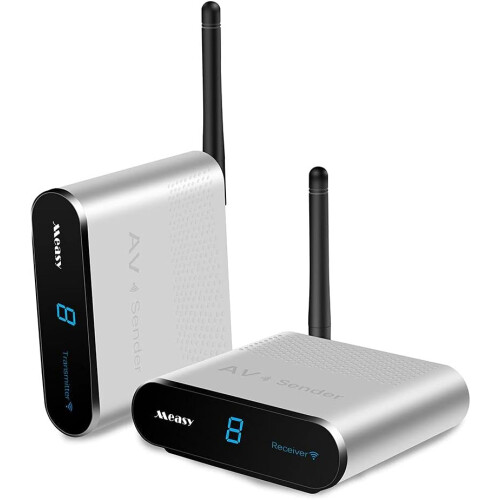
Wireless HDMI Transmitter and Receiver 4K, Up to 8 TXs to 1 RX, 5G/1080P Ultra Low Latency, 165FT/50M Plug&Play HDMI Extender Streaming Video for Laptop, TV Box, C-CTV to TV, Projector, Monitor
Wireless HDMI Transmitter and Receiver 5G 4K, A Better Choice for Home Theater
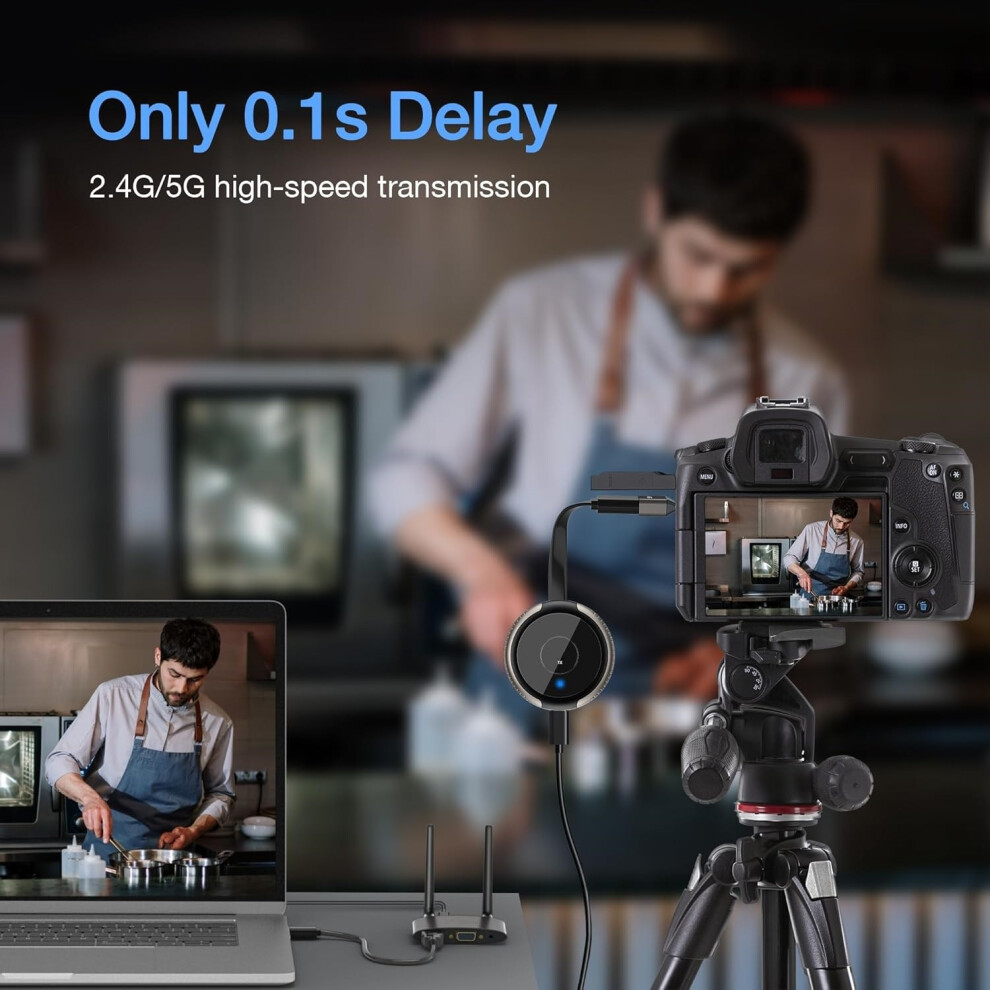
Wirelwss hdmi with 5G signal, this innovative Wireless HDMI Transmitter and Receiver Extender Kits can transmit 4K full High Definition Resolution, enables you to watch what you want by streaming from your laptop or any HDMI devices to your TV. It is a great choice for conference room, meetings, home theater, multimedia education, VLOG shooting, real-time monitoring, live broadcast, etc.
NOTE:
Dolby Audio and ARC funct4K only work for Receiver alone. ions are not supported.
4K only work for Receiver alone.
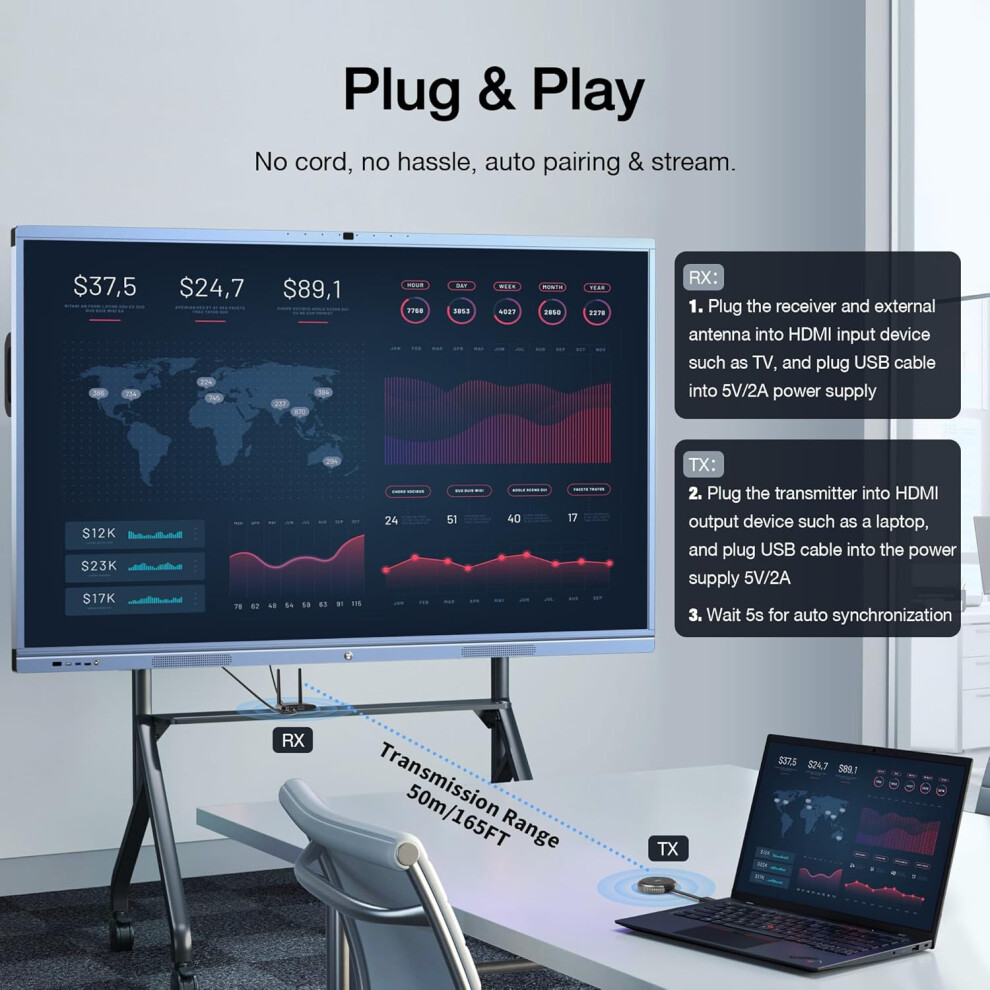
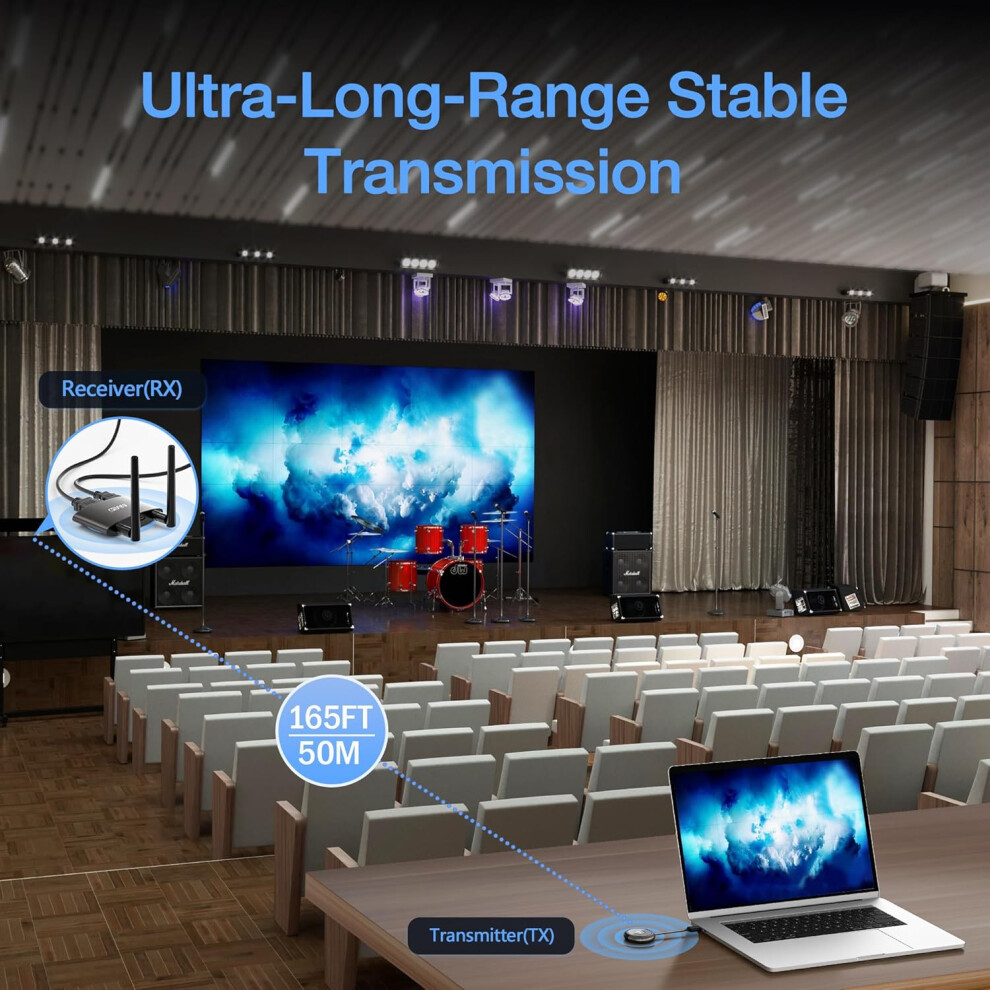
165FT/50M Long Distance Range. But orking through the wall or floor will be to 32FT/10m.
How to install this hdmi wireless transmitter and receiver?
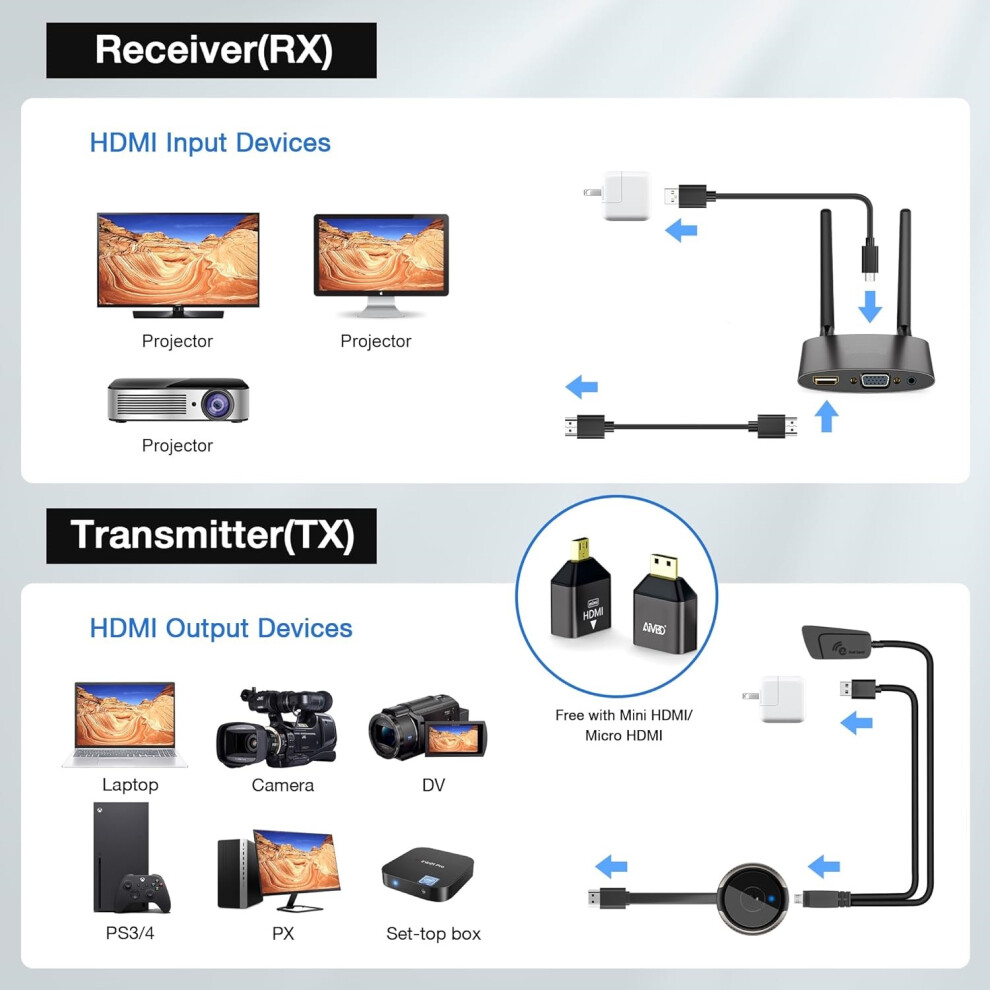
1. Rotate and twist the two antennas into the Receiver end.
2. Plug the transmitter/receiver into the HDMI output/input port of your device.
3. Connect the type c cable to the USB socket to supply power for the TX and RX ends.
4. Please select the corresponding HDMI channel. Then a blue screen of choosing languages will appear.
Press the behind function button of RX to choose language, and long press for confirmation.
5. Wait 8-10 seconds for syncing automatically.
Note:
All TXs and RXs have been paired when you received.
Please do not press the TX's function button, or it will re-enter the pairing process.
The function button of TX is to re-pair another new TX(s).
Long press TX's function button for 10 seconds to restore factory setting.
Drymokini Wireless HDMI Transmitter
Dual Monitors Display
Support HDMI and VGA ports to work simultaneously, add 2 monitors for laptop to display at the same time, convenient for your work. (VGA cable not included)
Note: The audio can't be transmitted under VGA mode, please connect to the audio cable(package include)for audio transmission. VGA mode does not support the function of screen extending. Extend mode is only applicable to HDMI port.
8 TXs to1 RX
8 Transmitters can be connected to 1 receiver at the same time, one click switch (Please paired the other TXs before switch), does not interfere with each other, and multiple screens can be shared.
Note: This operation requires additional purchase of transmitters, and 1 receiver can support up to 8 transmitters. Multiple transmitters can correspond to the same receiver, but multiple receivers cannot correspond to the same transmitter.
Portable Slim Mini Design
The lightweight and ultra-thin design, is a highlight of the Wireless HDMI Transmitter and Receiver. Pocket size design which is more convenient to carry, for traveling, teaching process and family gatherings, etc.
Plug and Play
Support Miracast/DLNA/Airplay.
Mirror Mode & Extend Mode
Extend Mode, if the apps have extend mode, then you can stream videos from your laptop, and also browse other website in it at the same time. It's ideal for extending your screen on home entertainment.
Note: Extend mode is only applicable to HDMI port, not supported under VGA mode.
TX with RX Mode: Support all apps, included Hulu, Disney+, Amazon Prime Video, Nefix, Tiktok, Instagram, etc.
Receiver Alone
Receiver alone, can be used to cast contents from i-Phone, i-Pad, Android phone, or tablet to TV/Projector/Monitor. (Note: i-OS system devices can't stream HDCP apps)
Installation: Connect the receiver to your HDMI input device - connect MiraScreen WLAN - Access the address "192. xxx" on the blue screen - Click on "Internet", connect your home's Wi-Fi - Back to phone's setting and connect your phone to your home's Wi-Fi, tap on screen mirroring.
FAQ
1. Why no sound under VGA mode?
Only images could be transmitted under VGA mode. An additional audio cable (included in the package) is required to transmit audio. The package does not include a VGA cable.
2. Can I choose extend mode under VGA mode?
Sorry, only duplicate mode is supported under VGA mode and cannot be extended.
3. How to repair with new TX and switch between TX devices?
Repair: Press the TX function button to pause, and then use a thin needle to insert the hole behind the RX end for 3-5 seconds. When the blue screen shows 'Ready to pair', plug the TX end into your laptop, then press the function button for 5-10 seconds and wait for the pairing to succeed.
Switch: When you need to switch between multiple TXs and 1 RX, press the function button of the current TX end to pause, and then press the function button of the other TX end to reconnect with RX. Note: Please pair all TXs and RX separately before this step (1 RX can be paired with up to 8 RXs).
Details
| OPC | PHH6989 |
|---|---|
| Brand | Etruston |
| Codes | 0763559353200 (EAN) |
| 763559353200 (UPC) | |
| Rank | In demand |
Detailed Product Information
| Weight | 0.3kg |
|---|---|
| Height | 5cm |
| Length | 5cm |
| Width | 5cm |
| Weight | 0.3kg |
| Height | 5cm |
| Length | 5cm |
| Width | 5cm |
| Weight | 0.3kg |
| Height | 5cm |
| Length | 5cm |
| Width | 5cm |
| Seller | Ratings | Warranty | Returns | Price | Delivery | Total | Quantity |
|---|---|---|---|---|---|---|---|
|
Dispatched from:

|
(22 reviews) | - |
30 Days
Free Returns No
|
£106.99
|
+Free Delivery
Est. Delivery:
12th Nov - 1st Dec
|
£106.99
|
Earn as you shop with instant Cashback on everything.
No catch, no cost
Become a Cashback VIP
Just 1 purchase unlocks bigger deals & rates
You'll only get instant Cashback at OnBuy! Enter your email below and we'll send you a copy of your basket to save you time later.
By entering your email address, you'll automatically be added to our database, where you can enjoy personalised Cashback offers and early access to our best deals. You can opt out of our emails at any time and we'll never share your details with anyone. Check our Privacy Policy and T&Cs to find out more.
Want access to personalised offers and the highest Cashback rates? Sign up to our emails below.
You can opt out of our emails at any time and we'll never share your details with anyone. Check our Privacy Policy and T&Cs to find out more.
This page has expired.
Refresh and continue